Rainforest QA
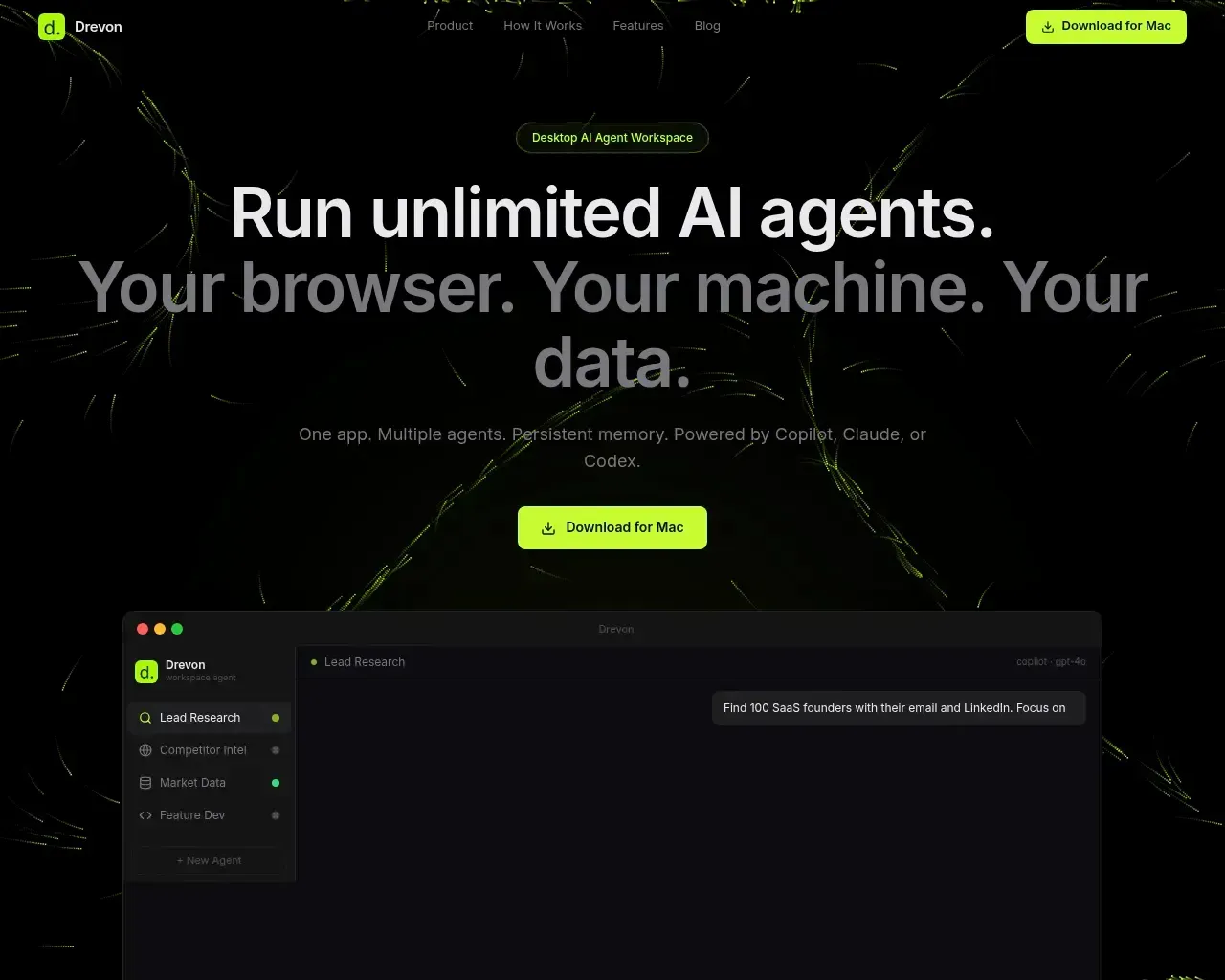
AI Test Automation for Growing SaaS Companies | Rainforest QA.
- Category
- Agentic Coding
- Alternatives
- 6 similar tools
- Last updated
- 3 weeks ago
- Source
- Official site ↗︎
AI Collection Top Picks

Agentic Coding Category Picks
GitHub - kerbelp/metatron: Git-native context layer for AI coding agents. Your team's real engineering decisions — patterns, pitfalls, conventions — live as reviewed markdown files in your repo; agents consult them before writing code and record what they

About Rainforest QA
Automate e2e tests without the time-consuming drudgery of test maintenance. Now with self-healing AI. Learn more about our QA platform today.
Rainforest QA's Pricing Plans
Rainforest QA may change prices at any time. Here's our latest information:
Pricing
Pricing
- Pricing details are not explicitly mentioned on the website.
What you get
Additional Information
Detailed description
Rainforest QA integrates generative AI (genAI) in three different ways to make creating and maintaining automated tests as painless as possible, so your team can focus on shipping with confidence.
First, while some AI test automation tools require you to describe test flows step-by-step using detailed prompts, Rainforest allows you to create a series of steps based on a simple prompt.
For instance, to test your app’s sign-up flow, instead of having to create step-by-step instructions with prompts like these:
- Click on the Sign Up for Free link
- Fill the email field with test@test.com
- Fill the password field with 12345
- Click the Sign Up button
…in Rainforest you can simply provide a prompt of, “Sign up for an account with dummy data,” and our AI will intelligently create all the necessary steps.
Second, using genAI, test steps in Rainforest can automatically update themselves — or “self-heal” — to reflect intended changes to your app.
In other tools, only individual test steps can self-heal. To our knowledge, Rainforest is the only AI test automation platform where a series of test steps created with a genAI prompt can automatically update themselves when your app changes. Rainforest’s AI will update the steps based on your original prompt, adding, removing, or changing steps as necessary.
Finally, when you create your tests, Rainforest uses genAI to automatically generate descriptions of the app elements your tests interact with, like buttons or form fields.
When your tests run, if the system can’t find an element based on its default identifier (e.g., a screenshot or DOM selector) the system will look for the element based on its auto-generated AI description (e.g., “Pricing” roughly in the top middle of the screen).
These last two features are game-changers when it comes to avoiding false-positive test failures and test maintenance tasks that you’d otherwise get in other tools and frameworks.
Features
Automated Browser Testing
- Browser test automation: Automate tests across 20+ versions of browsers without any coding required.
- No-code automation: Anyone can write, run, and maintain tests using the visual test editor; no coding expertise is necessary.
- Flexibility for testing scenarios: Tests can handle file downloads, form data generation, and use of custom data variables.
- Virtual browsers: Test using 20+ browser versions on virtual machines in the cloud, scalable to any volume of testing.
- Security configuration: Virtual machines are spun up on-demand and securely destroyed after use.
- Cost-effective: First five hours of testing each month are free; subsequent hours are charged at $5 per hour.
- Parallel testing: Get detailed test results in minutes with tests running in parallel.
Automated Regression Testing
- Simplified regression testing: Automate regression testing with no-code solutions, freeing up teams for more strategic tasks.
- No-code automation: Easy entry with a visual test editor that requires no technical skills for automating regression tests.
- Ease of test maintenance: Tests can automatically update when UI changes occur.
- Testing flexibility: Full test coverage is ensured with tests running on virtual machines in the cloud, supporting 40+ browsers and platforms.
- Budget-friendly: Up to five hours of free testing each month, with additional testing at $5 per hour. Fast results: Detailed results in just minutes, suitable for rapid CI/CD cycles.
Frequently asked questions
What is Rainforest QA used for?
AI Test Automation for Growing SaaS Companies | Rainforest QA.Is Rainforest QA free?
Pricing for Rainforest QA varies — see the Pricing section for details.What are alternatives to Rainforest QA?
Top alternatives to Rainforest QA include Metatron, TestSprite, NeuralTrust, automatic crud api + ui generator, AgentStamp.Where can I get Rainforest QA?
Rainforest QA is available at https://www.rainforestqa.com.What category is Rainforest QA in?
Rainforest QA is listed in Agentic Coding.
Compare Rainforest QA with…
Pick any tool to see a structured side-by-side: pricing, deployment, capabilities, and content policy.