TextureFast
Privacy-First AI 3D Texturing Tool | TextureFast.
- Category
- Animation & 3D Modeling
- Alternatives
- 6 similar tools
- Last updated
- 1 months ago
- Source
- Official site ↗︎
AI Collection Top Picks

Animation & 3D Modeling Category Picks



About TextureFast
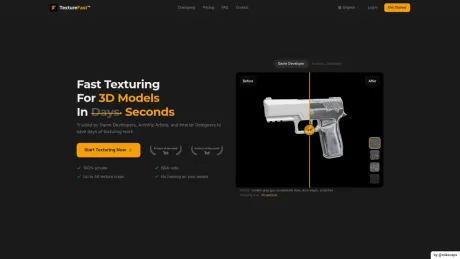
AI texture generator for 3D models — 100% private, NDA-safe. Production-ready PBR textures in 40 seconds. For game devs, archviz & robotics vision teams.
What you get
Additional Information
TextureFast is a privacy-first AI texture generator designed specifically for 3D models. It allows users to quickly create production-ready textures in a matter of seconds, perfect for various sectors including video game development, architectural visualization, and robotics. The process is straightforward: users upload a UV-unwrapped 3D model, describe their desired texture appearance, and receive high-quality PBR textures without the risk of asset exposure or long production pipelines.
This tool benefits a wide array of users, from individual freelancers to large game studios, by optimizing the texturing process. TextureFast manages to produce textures efficiently, often returning results in under 40 seconds, compared to traditional methods that can take hours. The system is designed to be beginner-friendly, with a simple and clear interface that minimizes complexity while maximizing output quality.
Key features include the ability to generate textures in high resolutions (up to 4K) and the provision of various texture styles such as AAA Photorealistic and Handpainted. The platform operates on a token system, ensuring no training is performed on private assets, thus maintaining user privacy and security. Additionally, all generated textures can be used commercially, making it a versatile choice for professionals in the field.
With ongoing support and expansive resources, TextureFast is positioned as a leading solution in the landscape of AI texturing tools, helping users streamline their workflows and enhance productivity in 3D asset creation.
Frequently asked questions
What is TextureFast used for?
Privacy-First AI 3D Texturing Tool | TextureFast.Is TextureFast free?
Pricing for TextureFast varies — see the Pricing section for details.What are alternatives to TextureFast?
Where can I get TextureFast?
TextureFast is available at https://www.texturefast.com/.What category is TextureFast in?
TextureFast is listed in Animation & 3D Modeling.How does TextureFast work?
Upload any UV-unwrapped 3D model, describe the look you want, and choose a style preset such as AAA Photorealistic, Handpainted, Pixel Art, or AAA Stylized. TextureFast works in two stages: first it generates a Base Color texture from your description, then you can extract a full PBR material — Albedo, Normal, Height, Roughness, Metallic, and AO — in one click or map by map. You can also enhance your prompt with AI-powered prompt expansion or use a reference image instead of typing a description.Are my models and prompts kept private?
Yes, all models and prompts are kept private.What is UV unwrapping and do I need it?
UV unwrapping is the process of projecting a 3D model's surface onto a 2D plane, which is necessary for texturing in TextureFast.What file formats do you support?
TextureFast supports multiple file formats for 3D models.Is TextureFast user-friendly for beginners?
Yes, it is designed to be beginner-friendly.Who benefits from using TextureFast's AI texture generator?
Game developers, robotics vision teams, and architects benefit from using TextureFast.Can textures generated by TextureFast contain issues?
Like any automated system, generated textures may occasionally contain issues.Can I use the textures commercially?
Yes, TextureFast provides a commercial use license for generated textures.What is AI texture generation?
AI texture generation utilizes machine learning algorithms to create textures based on input specifications.What is PBR and does TextureFast support it?
PBR stands for physically-based rendering, and yes, TextureFast supports it.How is TextureFast different from other AI texture generators?
TextureFast processes your model locally and does not require uploading your mesh to the cloud.What makes a good UV map for AI texturing?
A good UV map should be well-organized, have even distribution, and avoid overlapping.
Compare TextureFast with…
Pick any tool to see a structured side-by-side: pricing, deployment, capabilities, and content policy.