- Category
- Meeting Assistant
- Pricing
- Free
- Alternatives
- 6 similar tools
- Last updated
- 1 months ago
- Source
- Official site ↗︎
AI Collection Top Picks

Meeting Assistant Category Picks

About Wudpecker
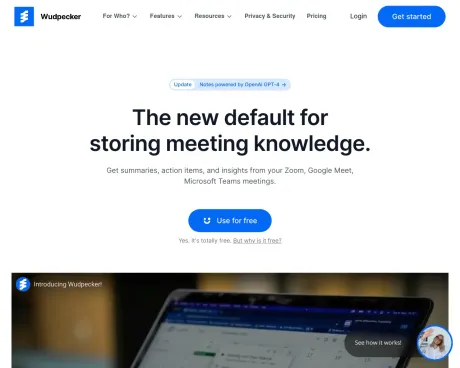
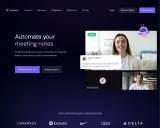
Start the meeting prepared. End the meeting with perfect notes. Share it to every stakeholder. All in a seamless experience with Wudpecker.
Frequently asked questions
What is Wudpecker used for?
Wudpecker.Is Wudpecker free?
Wudpecker is free to use.What are alternatives to Wudpecker?
Where can I get Wudpecker?
Wudpecker is available at https://www.wudpecker.io/.What category is Wudpecker in?
Wudpecker is listed in Meeting Assistant.Does Wudpecker support Zoom, Google Meets, and Microsoft Teams?
Yes, Wudpecker is compatible with all three of these platforms. When you initiate a meeting on any of them, Wudpecker deploys a notetaker to record and transcribe the conversation.How can I connect multiple calendars if I have both work and personal emails?
Each Wudpecker account can be linked to only one calendar. If you already have your work email connected to Wudpecker, and you want to integrate your personal calendar as well, you can create a separate Wudpecker account using your personal email.Which languages are supported by Wudpecker?
Wudpecker currently provides language transcription services for a wide range of languages, including Arabic, Bulgarian, Bengali, Bosnian, Cantonese, Croatian, Catalan, Czech, Danish, Dutch, English, Finnish, French, German, Greek, Hungarian, Italian, Japanese, Korean, Latvian, Lithuanian, Malay, Mandarin, Norwegian, Persian, Polish, Portuguese, Romanian, Russian, Slovak, Slovenian, Spanish, Swedish, Thai, Vietnamese, and Turkish.What happens if a meeting involves multiple languages?
In a meeting with multiple languages spoken, Wudpecker will transcribe the conversation in the language that predominates. For example, if English and Spanish are both spoken, and English is identified as the primary language, Wudpecker will transcribe the entire conversation in English, potentially making the Spanish part less legible.How can I get my notetaker to join adhoc meetings?
After integrating your calendar, Wudpecker''s notetaker will automatically join scheduled meetings. For adhoc meetings, you can simulate their attendance by creating a calendar event for the current time with the meeting link, prompting the notetaker to join.How accurate is Wudpecker''s transcription, especially with various accents and dialects?
Wudpecker''s transcription accuracy is generally high and continuously improving. It is designed to handle different accents and dialects. However, accuracy may vary based on factors such as audio clarity, background noise, and the speaker''s accent. While it is highly accurate, it may occasionally struggle with uncommon words or technical terms.Can Wudpecker differentiate between different speakers in a conversation?
Yes, Wudpecker can identify different speakers, which is particularly valuable for meetings with multiple participants.What happens if I reschedule my meetings?
Wudpecker is synchronized with your calendar, ensuring that any changes or rescheduling are promptly updated in its system. The assigned notetaker will adapt to the newly scheduled time without any disruptions.How long does it take to access my meeting recordings?
Wudpecker''s software usually processes recordings in around 10 minutes. For longer recordings or during peak demand, it may take a few more minutes. Nevertheless, Wudpecker strives to offer swift and efficient transcription services for quick access to your meetings.How does Wudpecker ensure data security and privacy?
Wudpecker ensures data security and privacy through encryption, access controls, and compliance with industry best practices. Personal information is restricted to authorized personnel and only shared with safeguards when necessary. Users can manage and delete their data. Transparency and open communication with customers regarding data privacy and security are priorities. Detailed privacy policy information is available on Wudpecker''s website or through customer support.Can transcriptions be edited or corrected after a meeting?
Unfortunately, transcriptions cannot be edited or corrected once generated. They are considered final after the meeting.Can I create and share snippets from my recordings?
Yes, you can share entire recordings or select snippets. To share recordings, go to the dropdown menu and select the share button. You can copy the link to the recording and specify whether anyone with the link can access it. This feature simplifies sharing meeting details, key takeaways, or important information with team members or colleagues.Do I need permission to record meetings?
It''s important to inform participants before recording. You can include a note in the calendar invite or ask for permission at the beginning of the meeting. Most participants appreciate the recording for future reference and sharing with absent attendees.Does Wudpecker integrate with other project management, note-taking, or collaboration tools?
Yes, Wudpecker integrates with various software and tools such as Salesforce, Hubspot, Notion, and Slack. These integrations allow you to transfer meeting notes to your preferred platforms and streamline your workflow.Can I have multiple Workspaces?
Currently, each Wudpecker account can have only one workspace and one connected calendar.Can I remove the notetaker from a meeting?
Yes, you can remove Wudpecker from your meeting just like any other participant in Zoom, Google Meets, or Teams. However, doing so means you won''t have access to its automatic note-taking, recording, and transcription features.Is there a limit to meeting length or storage for recordings and transcriptions?
No, there are no limits on meeting length or storage for recordings and transcriptions with Wudpecker. You can record and transcribe meetings of any duration, and all data is securely stored in the cloud without storage constraints.Does Wudpecker work with Zoom, Google Meets, or Microsoft Teams?
Yes. Wudpecker integrates with all these 3 platforms. When you have a meeting on these platforms, Wudpecker will send a notetaker there to record and transcribe the conversation.How can I add multiple calendars?
Each Wudpecker account can only be connected to one calendar. You may already have your work email in Wudpecker, and that work calendar connected to Wudpecker. And if you want your personal calendar to be integrated with Wudpecker, you can create another Wudpecker account with that personal email.Which languages do you support?
Wudpecker currently supports language transcription in Arabic, Bulgarian, Bengali, Bosnian, Cantonese, Croatian, Catalan, Czech, Danish, Dutch, English, Finnish, French, German, Greek, Hungarian, Italian, Japanese, Korean, Latvian, Lithuanian, Malay, Mandarin, Norwegian, Persian, Polish, Portuguese, Romanian, Russian, Slovak, Slovenian, Spanish, Swedish, Thai, Vietnamese and Turkish.What happens if there are different languages spoken in the same meeting?
Wudpecker will transcribe with the language that is most spoken in the meeting. This means that if there was e.g. English and Spanish spoken in the meeting, and English was identified as the main language to transcribe, then Wudpecker try to transcribe the entire conversation in English. So the Spanish part will likely not be readable.How long does it take to see my meetings?
Wudpecker's software typically processes recordings in roughly 10 minutes. Depending on the length of the recording and the level of demand on our servers, it may take a few minutes to process longer recordings.How does Wudpecker ensure the security and privacy of customer data?
Wudpecker ensures the security and privacy of customer data by employing measures such as encryption, access controls, and compliance with industry best practices.Can the transcription be edited or corrected after the meeting if there are errors?
Unfortunately, it is not currently possible to edit or correct transcriptions after the meeting has taken place.Can I create snippets from my recordings or share them?
You can also share the whole recording if you wish.Is there a limit to the length of meetings or amount of storage for recordings and transcriptions?
No, there is no limit to the length of meetings or amount of storage for recordings and transcriptions on Wudpecker.How accurate is the transcription and can it handle different accents or dialects?
Wudpecker's transcription accuracy is typically very high, and we continuously strive to improve it. However, the accuracy may vary depending on factors such as the clarity of the audio, background noise, and the speaker's accent or dialect.Can the tool identify different speakers?
Yes, Wudpecker can identify different speakers.Do I need to ask permission to record?
Participants should always be informed of being recorded.Does the tool integrate with other software or tools that the customer may already be using for project management, note-taking, or collaboration?
Yes, Wudpecker integrates with a variety of software and tools that customers may already be using.Can I kick the notetaker out?
Yes.
Compare Wudpecker with…
Pick any tool to see a structured side-by-side: pricing, deployment, capabilities, and content policy.