Canvora review: on-brand visuals from any content (formerly CreativePixel)
By: AI Collection
At a glance
3.0 / 5
Canvora
PaidTurning one blog post into a week of social graphics usually means opening a design tool, hunting for a template, resizing it five times, and re-typing the same copy for each platform. Canvora's pitch is that you skip all of that: paste a link, a PDF, or a rough idea, and it hands back a stack of finished, on-brand visuals in about a minute. It's a young product with a short history worth knowing before you sign up, so here's an honest look at what it does well and where the gaps are.
From CreativePixel to Canvora
If you found this tool in our directory as CreativePixel, that name is gone. It launched in October 2024 as CreativePixel, described on its Show HN post as "Visual AI Image Generation with Reference Engine," and relaunched in April 2026 under the name Canvora with a wider scope. The old creativepixel.ai domain has since lapsed and now shows a registrar parking page, so head to canvora.ai directly. The reframing is telling: it moved from an image generator toward a broader "content in, designs out" platform aimed at marketers and creators rather than people chasing a single AI image.
That short track record matters for how much weight to put on it, which I'll come back to.
How it actually works
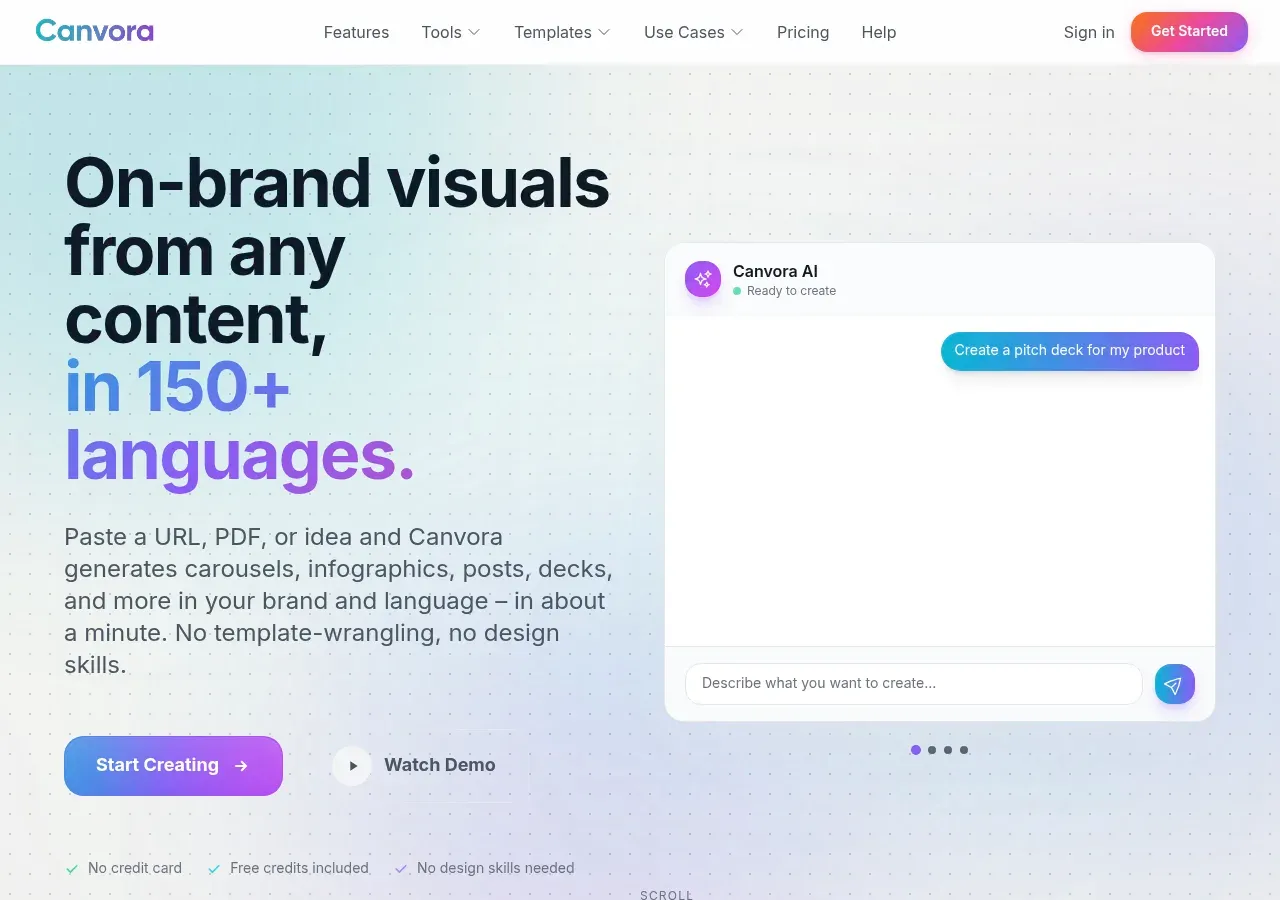
The core idea is that you start from content you already have. Paste a URL to a blog post or landing page and Canvora extracts the text and produces a set of platform-ready graphics from it. Upload a PDF or document and it does the same. Drop in an image and it generates matching variations. If you have nothing to start from, there's an "Idea Mode" where you describe what you want in a chat box, or you can hand it a topic and let the AI research and write the piece before designing it.
Once something is generated, edits happen in plain language. You can tell it to make a design bolder or shift to warmer colors instead of nudging elements by hand, and there's a manual Visual Editor on the paid tiers for finer control. Brand consistency is the other selling point: set up a brand kit with your colors, fonts, and logo once, and Canvora applies it automatically across everything it makes. Exports come out as PNG, JPG, PDF, PPTX, or WebP.
What you can make
The breadth here is the headline feature. Canvora advertises more than 100 output formats across social media, marketing, and documents.
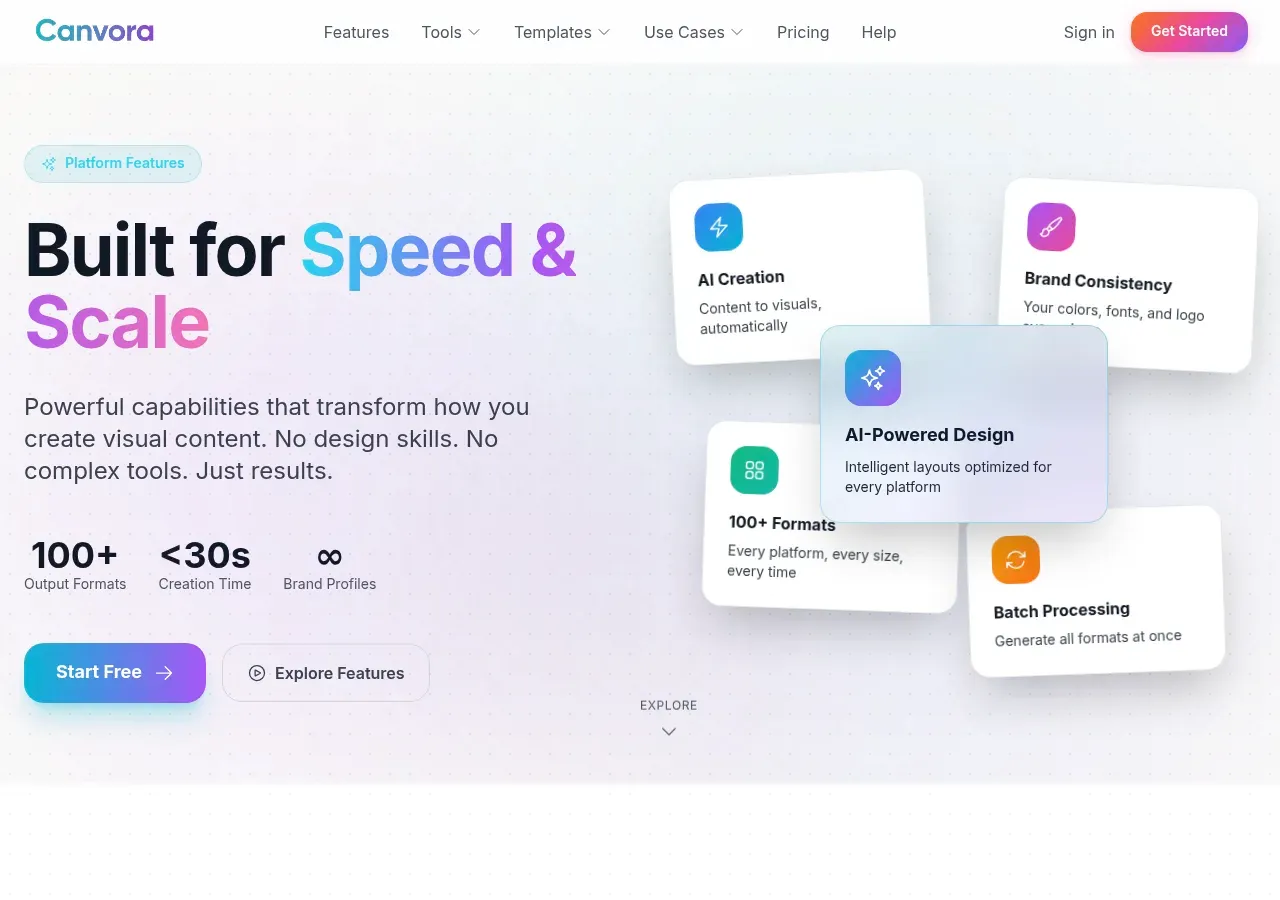
On the social side that covers Instagram posts, stories and carousels, LinkedIn carousels, Twitter/X posts, Pinterest pins, TikTok covers, YouTube thumbnails, and Facebook covers. Beyond social there are marketing cards (quote, stat, testimonial, comparison), infographics like timelines and process flows, presentation and pitch decks, one-pagers, cheat sheets, and display or web-banner ads. It claims support for 150+ languages, which is the part most directly useful if you publish to more than one region. For teams, there are shared workspaces with roles (owner, admin, editor, reviewer) and a shared credit pool, so an agency can organize work by client.
The company runs its own blog with step-by-step tutorials, and several of those posts frame Canvora explicitly as a Canva alternative for people who would rather not drag templates around.
How pricing works
Canvora runs on credits, and the tiers are straightforward.
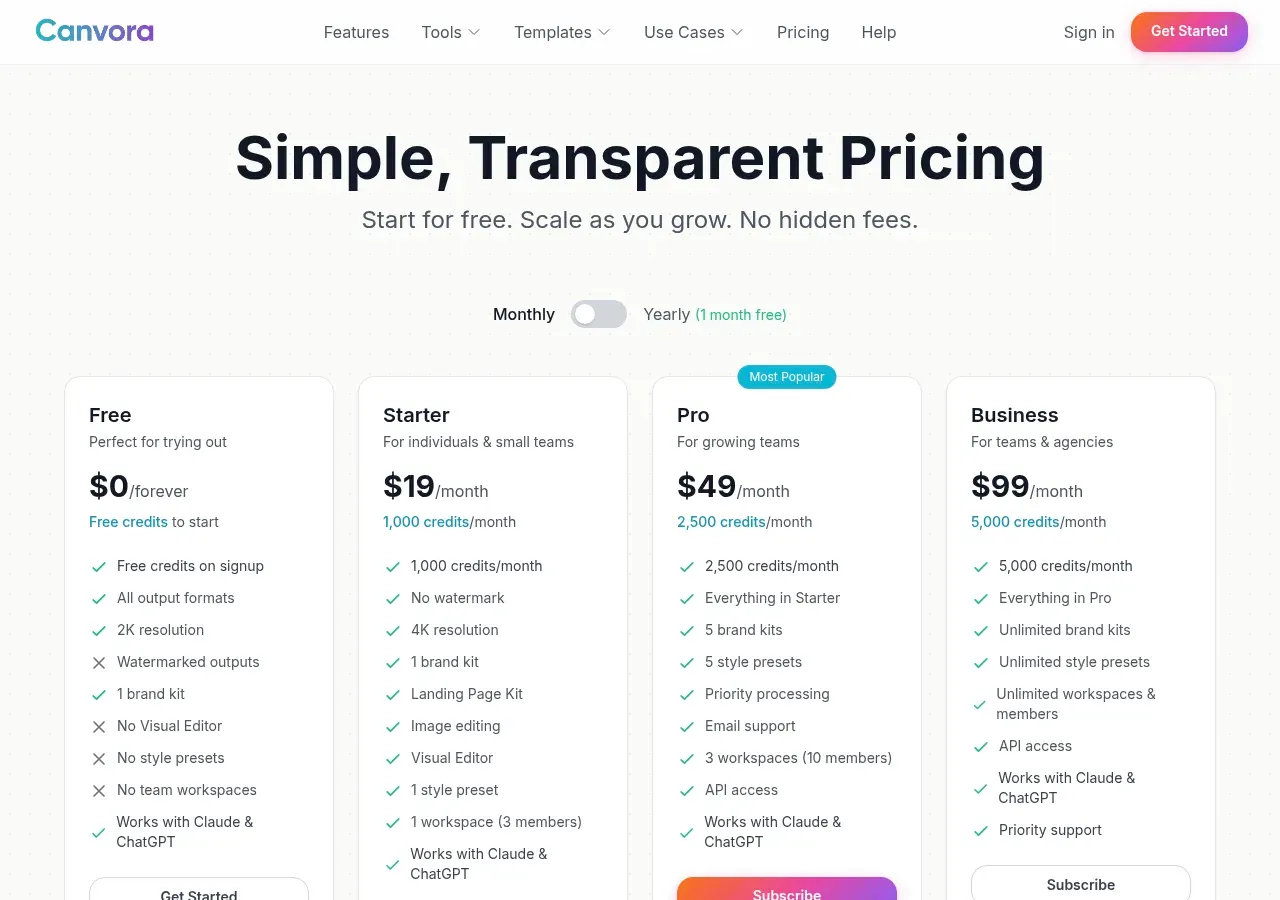
The Free plan costs nothing and gives you signup credits, access to all output formats, and 2K resolution, but outputs are watermarked and there's no Visual Editor. Starter is $19 a month for 1,000 credits, watermark removed, 4K exports, image editing, and one workspace for three members. Pro is $49 a month for 3,000 credits, five brand kits, priority processing, and three workspaces with up to ten members. Business sits at $99 a month for 7,000 credits and lifts the caps on brand kits, style presets, and team members. Annual billing knocks off a month. Every tier, including Free, advertises that it works with Claude and ChatGPT and includes API access.
The pricing page does spell out the credit math: a single visual costs 10 credits and each carousel or presentation slide costs 15, so Starter's 1,000 credits works out to roughly 100 visuals or about 66 slides a month.
Who it's a good fit for
Canvora is aimed squarely at people who produce a steady stream of content and need it dressed up for several channels: content marketers repurposing long posts, social media managers feeding multiple accounts, and small teams or founders who can't justify a dedicated designer. The URL-to-graphics workflow is the strongest reason to look at it — if your bottleneck is turning writing you already have into finished graphics for each channel, that's the specific job it's built for. If you want pixel-level control over every layout, a traditional editor will frustrate you less.
What to weigh before you commit
The honest caveat is maturity. Canvora rebranded only a few months ago, and there's very little independent signal to lean on: its Show HN launches drew almost no discussion, and I couldn't find established third-party reviews on the usual sites. Everything a buyer can check today comes from the vendor, including the "4.9 rating" and testimonials on the homepage, so treat those as marketing rather than verification and test the output on your own material.
The credit model is the other thing to check. The published rates (10 credits per visual, 15 per slide) make costs easier to estimate, but how many regenerations you need before a design is usable only shows up once you run your real workload through the free tier. And the space is crowded — Canva, Adobe Express, and a wave of content-repurposing tools all overlap with what Canvora does, so the automation and multilingual output are what it has to win on.
Overall I'd put it at 3/5: a capable, well-scoped tool with a genuinely useful core workflow, held back for now by a thin public track record and real-world credit usage you can only judge by trying it. Start on the free plan, run a few of your own posts through it, and see whether the finished visuals hold up before committing to a paid tier.
Sources consulted
- Canvora homepage — product pitch, input methods, export formats, homepage testimonials and rating claim
- Canvora features — brand kits, team workspaces and roles, format breadth
- Canvora pricing — plan tiers, credits, top-ups, annual discount, Claude/ChatGPT support
- Canvora templates — template categories and output formats
- Canvora llms.txt — differentiators, Idea Mode, natural-language editing, supported formats
- Canvora blog — self-positioning as a Canva alternative
- Show HN: Canvora — April 2026 relaunch and community traction
- Show HN: CreativePixel — October 2024 original launch as an AI image generator, confirming the rebrand history
Published on: October 28, 2026
Vous cherchez des alternatives à Canvora ? Voir toutes les alternatives à Canvora →
Have an AI tool of your own? Submit it below and get a free, in-depth product review article — just like this one.
Ajoutez votre outil IA en quelques secondes
Collez votre URL et nous préparerons la fiche. Vous relisez et modifiez chaque champ avant l'envoi.