PicTools.AI review: a broad AI photo editor that’s cheap on purpose
By: AI Collection
At a glance
3.0 / 5
PicTools.AI
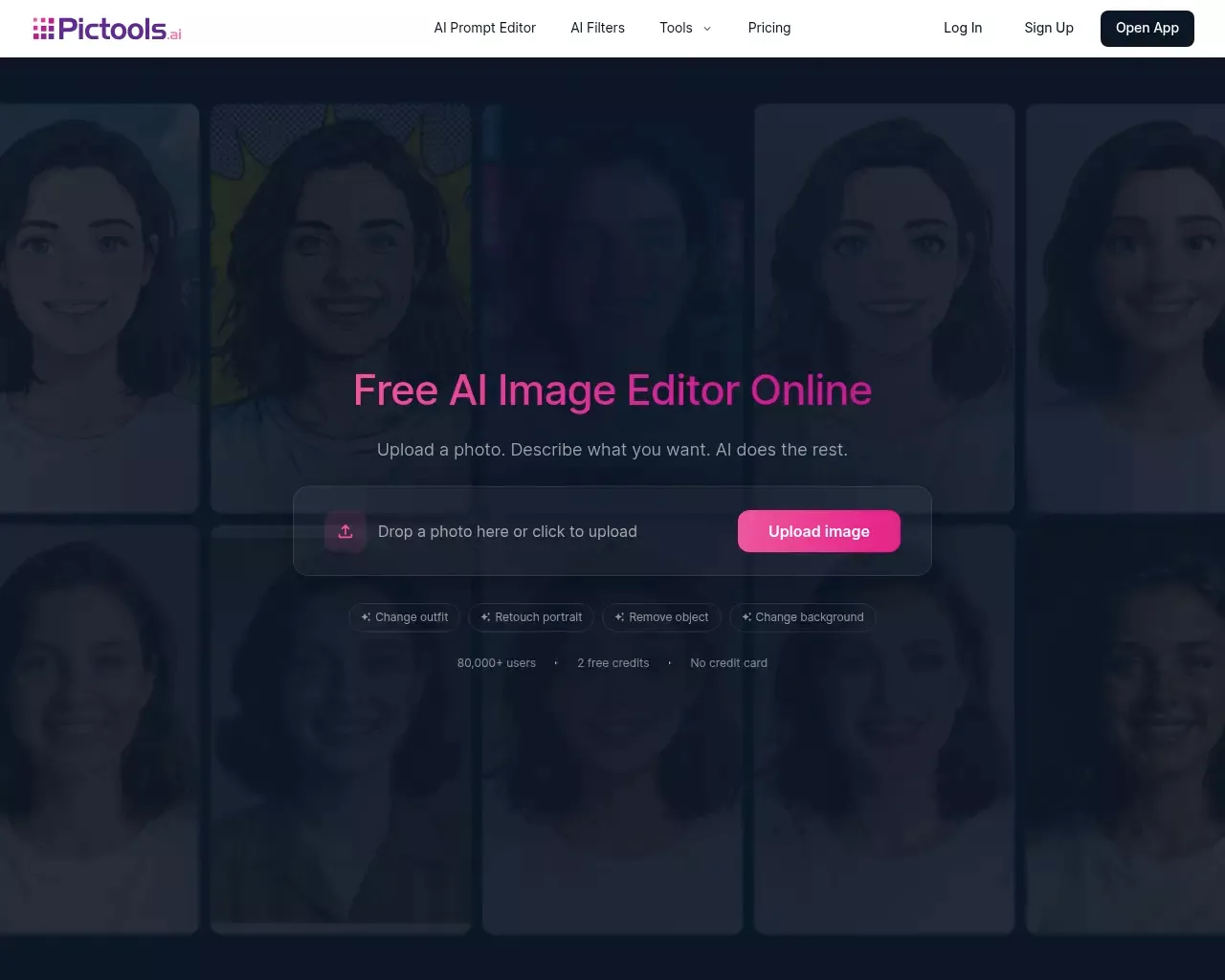
Most "free AI image editor" sites make you work out where the catch is. PicTools.AI puts the catch — and the economics behind it — on a page of its own. That alone made it worth a proper look. The pitch is simple: upload a photo, type what you want changed in plain English, and the tool returns an edited image a few seconds later. Under that sits a cost story the company is oddly keen to show you, and it's the most interesting thing about the product.
What it actually does
PicTools.AI is a browser-based photo editor that leans on AI for the hard parts. You can edit with a prompt ("remove the person on the left", "change the jacket to navy"), tap one of 130-plus one-click filters for a style or transformation, or reach for a tool built for a single job. The tool list is long: a headshot generator, a hair-colour changer, an object remover, a "replace object" swap, background replacement, an upscaler, an image reframe and photo extender for uncropping, an image-to-SVG vector generator, virtual try-on, and a text-to-image generator for starting from scratch. The company says more than 80,000 people have used it, though that figure is self-reported.
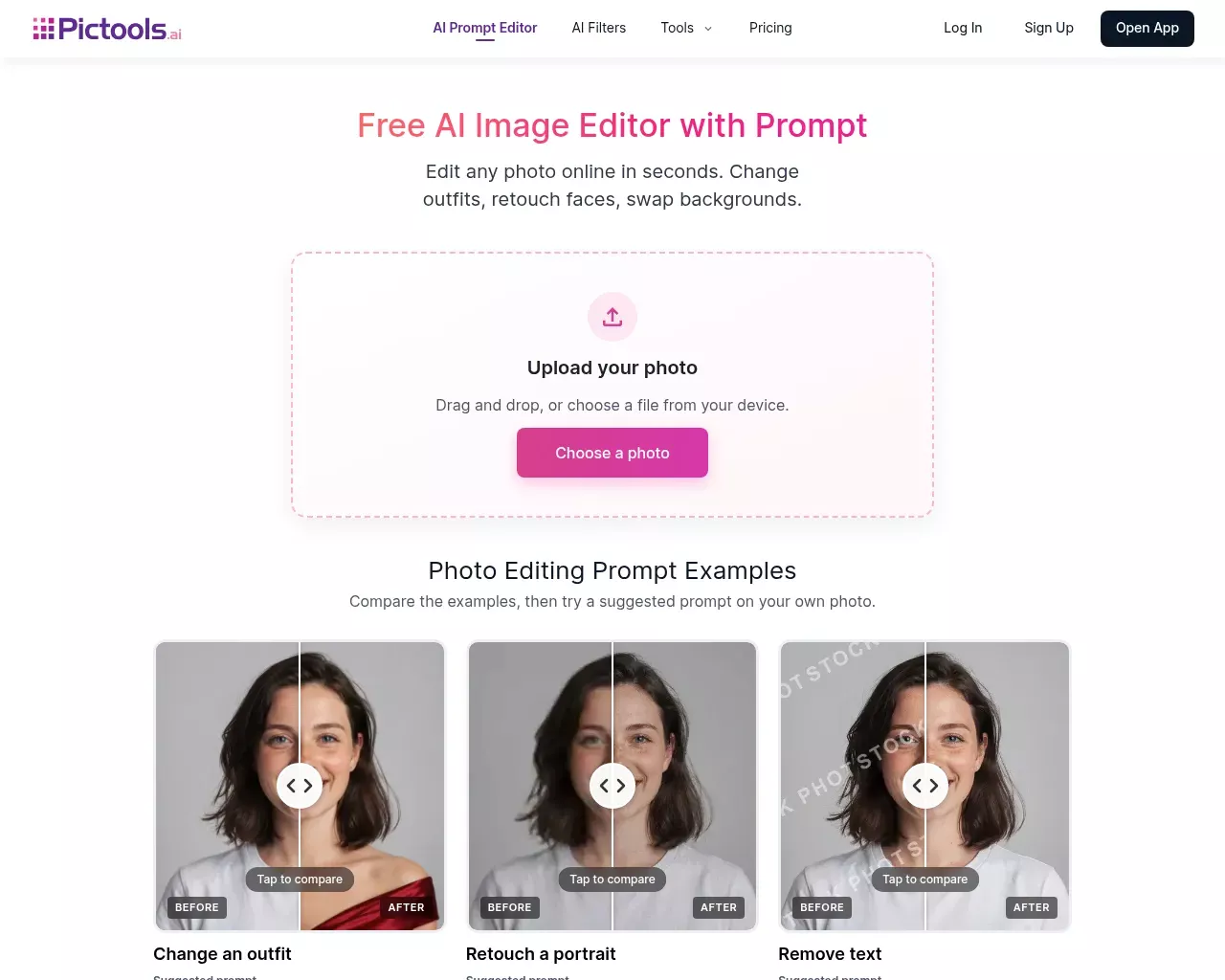
The prompt editor is the front door. Its examples page shows before/after sliders for changing an outfit, retouching a face and removing text from an image, with a suggested prompt under each so you can copy the phrasing onto your own photo.
Nothing here is unique in isolation. Background removal, upscaling and prompt-based edits all exist elsewhere. What PicTools.AI is selling is having the common jobs in one place, behind one login, at a low price.
The pricing, and the unusual reason it's low
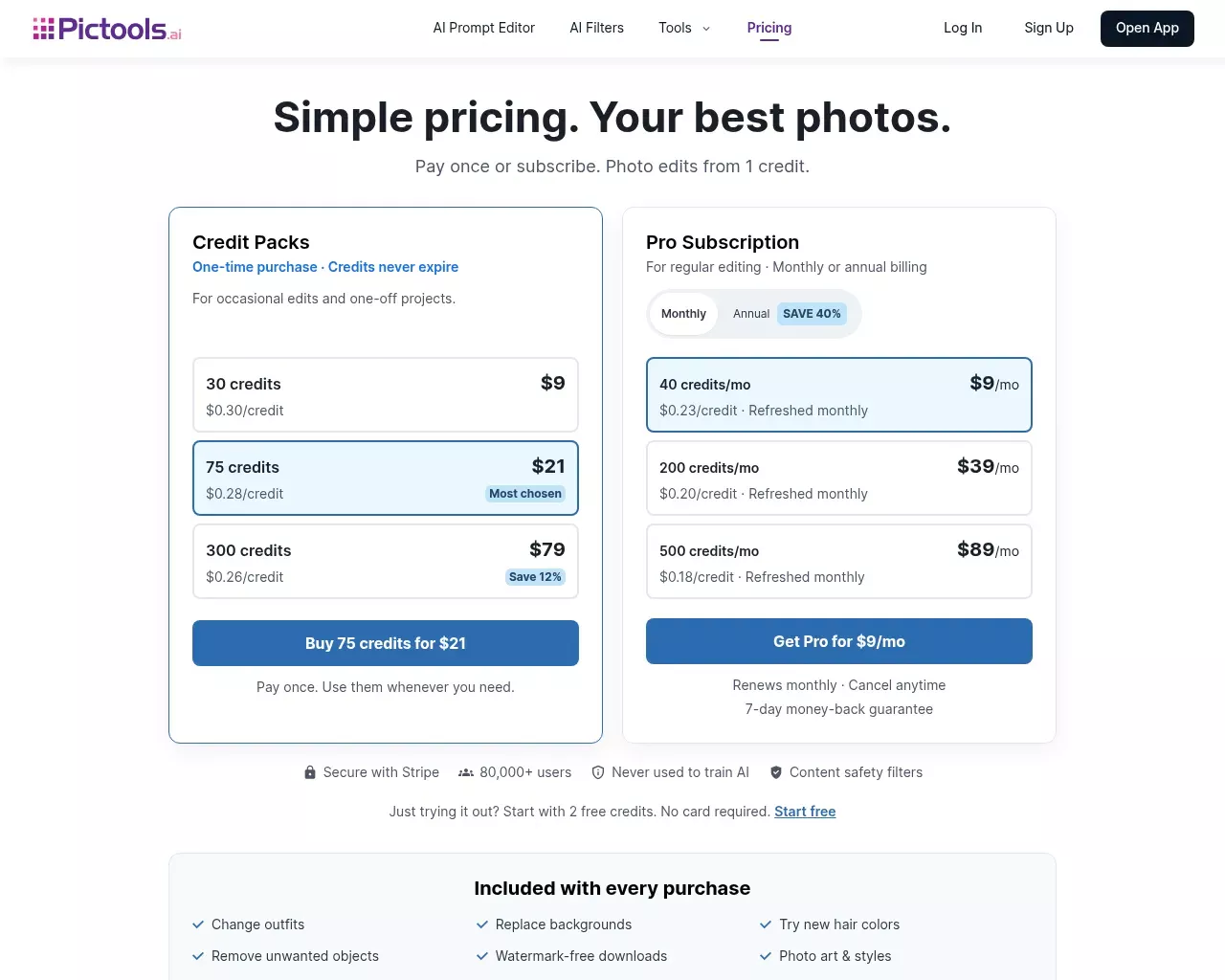
Pricing runs on credits. A photo edit starts at 1 credit, and the exact cost is shown before you generate. There are two ways to buy. One-time credit packs never expire: 30 credits for $9, 75 for $21 (flagged as the popular choice), or 300 for $79, which works out from about $0.30 down to $0.26 a credit. A Pro subscription is cheaper per credit if you edit regularly: 40 credits a month for $9, 200 for $39, or 500 for $89, dropping to $0.18 a credit at the top tier, with an annual option the site says saves 40%. Checkout is through Stripe, there's a 7-day money-back guarantee on Pro, and watermark-free downloads, commercial use and a "never used to train AI" promise are listed as included with a purchase. You can try it with 2 free credits and no card. (Prices as of November 2026.)
The low prices come from a design choice the company explains on a dedicated technology page. PicTools.AI doesn't tie itself to a single AI provider. Its parent, Verna Labs, runs a routing layer called Verna One that sends each AI call to whichever host is cheapest for that job, and publishes a live index of model prices across providers at verna.one/models, refreshed weekly. Their claim is that the same model can cost very different amounts depending on where it's hosted, with the widest gaps "past 10x" for identical weights, so they route to the cheapest host that still meets a given quality bar and move work between hosts without changing the app. That's why there's a free tier at all. Whether or not you care how the sausage is made, publishing the price index you route against is a more honest answer to "how is this so cheap?" than most tools bother to give.
Where it fits
This is a tool for casual and semi-regular editing rather than a Photoshop replacement. It suits someone who wants to fix or restyle a photo without learning layers and masks: a creator refreshing a profile shot, a small seller changing a product background or trying an outfit on a model, someone restoring an old family picture or turning a snapshot into a stylised print. The credit-pack option fits occasional one-off projects; the subscription makes sense once editing becomes a weekly habit. If you need precise, pixel-level control or a defined professional retouching workflow, this isn't that.
What to weigh before you pay
The honest caveat is that the independent track record is thin. On G2 it currently sits at roughly 3.5 out of 5 from a single review, and the main complaint there is limited download resolution and a watermark unless you're on a paid plan. Trustpilot leans more positive, with people citing fast results (one said a filter took about ten seconds) and natural-looking background removal, but the company replies to many of those reviews, so it isn't a neutral sample. The site has only been archived publicly since around August 2026, so this is a young product without years of reputation behind it.
Two practical things follow from that. First, the free tier is a taster, not a trial you can get real work done in: 2 credits, and the "watermark-free" line on the paid plans implies free or pay-as-you-go output may be watermarked or capped in resolution, which matches that G2 gripe. Second, AI editing is iterative by nature, and every re-roll costs at least a credit, so a fiddly edit you redo five times is five credits. At $0.18 to $0.30 each that stays cheap, but it isn't free, and the breadth of 20-odd tools means no single one comes with a guarantee of being best in class. You're also trusting the routing layer's judgement of "same quality" since you don't pick the model yourself.
Verdict
PicTools.AI is a capable, genuinely inexpensive catch-all editor with a refreshingly open explanation of its own costs, let down mainly by how little independent proof there is so far and by free-tier limits that push you to pay before you've really tested it. Overall it lands at 3/5 for me: a solid, low-risk option for casual editing, best approached by spending the 2 free credits on the exact edits you care about and buying a small credit pack before you commit to a subscription.
Sources consulted
- PicTools.AI homepage — product positioning, core features and user-count claim
- PicTools.AI pricing — credit packs, Pro tiers, free credits, guarantees
- PicTools.AI about page — what the tool does and the stated user base
- PicTools.AI technology page — Verna One routing and the public model-price index
- PicTools.AI sitemap — the full tool and filter list
- PicTools.AI reviews on G2 — independent rating and the resolution/watermark complaint
- PicTools.AI on Trustpilot — user sentiment on speed and background removal
- Wayback Machine — public archive history for a longevity signal
Published on: November 25, 2026
Vous cherchez des alternatives à PicTools.AI ? Voir toutes les alternatives à PicTools.AI →
Have an AI tool of your own? Submit it below and get a free, in-depth product review article — just like this one.
Ajoutez votre outil IA en quelques secondes
Collez votre URL et nous préparerons la fiche. Vous relisez et modifiez chaque champ avant l'envoi.