Imagen3d
Изображение в 3D - создавайте 3D-модели онлайн | Начните бесплатно.
- Категория
- Другое
- Альтернативы
- 6 похожих инструментов
- Обновлено
- 1 мес. назад
- Источник
- Официальный сайт ↗︎
AI Collection Лучшие подборки

TheFluxTrain
Студия Agentic AI Production для создания одинаковых персонажей, рабочих процессов и видео
Другое Выбор категории



Об инструменте Imagen3d
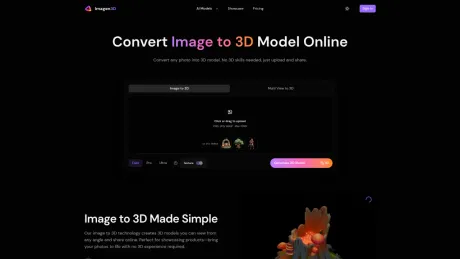
Конвертируйте любую фотографию в 3D-модели онлайн. Простой в использовании инструмент с искусственным интеллектом для преобразования изображений в 3D, не требующий навыков работы с 3D. Мгновенно просматривайте, публикуйте и загружайте свои 3D-творения.
Что вы получите
Дополнительная информация
Imagen 3D is an innovative tool that allows users to convert any photo into a 3D model effortlessly. The platform is designed for individuals and professionals alike, making it accessible for those with no 3D expertise. Simply upload an image, and let the AI generate a 3D model that can be viewed from any angle, providing a unique showcase for products and ideas.
The tool offers different quality tiers—Fast, Pro, and Ultra—allowing users to choose based on their needs, from quick previews to detailed presentations. Users can download their 3D creations in various formats including GLB, OBJ, STL, and USDZ, or share interactive previews via a simple link. This flexibility makes it perfect for online stores, 3D printing, and content creation.
With Imagen 3D, creators can generate high-quality models that include realistic textures directly from their original photos. The platform caters to merchants looking to enhance product displays, hobbyists crafting prototypes, and content creators aiming to produce engaging social media posts.
The process of converting images to 3D is straightforward and requires no prior knowledge of 3D modeling. This makes it possible for anyone to create impressive 3D previews for clients, presentations, and marketing purposes without the need for complex software.
Часто задаваемые вопросы
What is Imagen3d used for?
Изображение в 3D - создавайте 3D-модели онлайн | Начните бесплатно.Is Imagen3d free?
Pricing for Imagen3d varies — see the Pricing section for details.What are alternatives to Imagen3d?
Where can I get Imagen3d?
Imagen3d is available at https://Imagen3d.org.What category is Imagen3d in?
Imagen3d is listed in Другое.How long does it take to convert an image to 3D model?
Generation time varies depending on the quality tier you choose and current server load. Fast mode typically completes in under a minute, Pro mode takes 1-2 minutes, and Ultra mode can take several minutes for the highest quality results.Which quality tier should I choose?
Choose based on your showcase needs: Fast mode is great for quick previews and simple objects. Pro mode works well for most product showcases, offering good detail with texture options. Ultra mode delivers the best visual quality.What file formats can I download?
You can download your image to 3D results in multiple formats: GLB, OBJ, STL, GLTF, USDZ, and MP4 video previews.Do the 3D previews include colors and textures?
Yes, Fast mode creates basic white geometry, while Pro and Ultra modes include textures from your photo.Can I upload multiple photos for better results?
Yes! Pro and Ultra modes support uploading 3-4 photos from different angles for enhanced quality.Is this tool suitable for professional 3D production work?
The tool is designed for product showcases and presentations, not professional 3D production pipelines.What types of photos work best for image to 3D conversion?
Best results come from clear, well-lit photos of single objects on simple backgrounds.Do I need to understand 3D modeling to use this tool?
Not at all! Just upload your photo, choose a quality setting, and we’ll create a 3D model you can view and share immediately.Can I use the 3D previews for commercial purposes?
Yes! All 3D models generated from your photos belong to you with full commercial rights.How do I share my 3D preview with others?
Share the preview link directly or download the 3D files.
Сравнить Imagen3d с…
Выберите любой инструмент, чтобы увидеть структурированное сравнение: цены, развертывание, возможности и контент-политика.