Microsoft Sam TTS
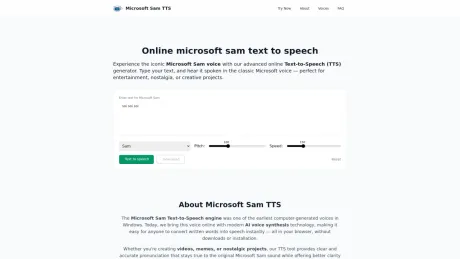
Преобразование текста в речь от Microsoft Sam — бесплатный онлайн-генератор голоса с искусственным интеллектом.
- Категория
- Текст в речь
- Альтернативы
- 6 похожих инструментов
- Обновлено
- 1 мес. назад
- Источник
- Официальный сайт ↗︎
AI Collection Лучшие подборки

TheFluxTrain
Студия Agentic AI Production для создания одинаковых персонажей, рабочих процессов и видео
Текст в речь Выбор категории

Об инструменте Microsoft Sam TTS
Microsoft Sam Text-to-Speech — бесплатный онлайн-генератор голоса с искусственным интеллектом, основанный на классическом голосе Microsoft Sam. Мгновенно преобразуйте текст в естественную речь с помощью нашего инструмента TTS.
Microsoft Sam TTS's Тарифные планы
Microsoft Sam TTS может изменить цены в любое время. Вот наша последняя информация:
Pricing
Pricing
- The service is free to use with no installation required.
Что вы получите
Дополнительная информация
The Microsoft Sam Text-to-Speech engine was one of the earliest computer-generated voices in Windows. Today, this voice has been brought online with modern AI voice synthesis technology, making it easy for anyone to convert written words into speech instantly, all in the browser. Whether creating videos, memes, or nostalgic projects, the TTS tool provides clear and accurate pronunciation that stays true to the original Microsoft Sam sound while offering better clarity and smoother tone.
With features like authentic voice replication, users can recreate the original sound with accurate intonation and pronunciation that captures its nostalgic charm. The tool is available for free and requires no installation, allowing users to type and listen directly in their browser.
Furthermore, it employs AI-driven synthesis for a smoother voice output, improved pacing, and better audio quality. Microsoft Sam TTS offers several voice options including the classic SAM voice style, a warmer Mary style for narration, and a mechanical RoboSoft voice for UI alerts.
Overall, this tool is perfect for anyone looking to leverage the nostalgic charm of Microsoft Sam in various creative projects, all while being easy to access and use.
Часто задаваемые вопросы
What is Microsoft Sam TTS used for?
Преобразование текста в речь от Microsoft Sam — бесплатный онлайн-генератор голоса с искусственным интеллектом.Is Microsoft Sam TTS free?
Pricing for Microsoft Sam TTS varies — see the Pricing section for details.What are alternatives to Microsoft Sam TTS?
Where can I get Microsoft Sam TTS?
Microsoft Sam TTS is available at https://samtts.net/.What category is Microsoft Sam TTS in?
Microsoft Sam TTS is listed in Текст в речь.Is this the original Microsoft Sam voice?
Yes — this TTS engine replicates the tone and pacing of the classic Microsoft Sam voice used in Windows XP, enhanced with AI clarity.Can I use it for YouTube videos?
Absolutely. You can use generated voice clips for YouTube, TikTok, or any creative projects, provided you follow fair use guidelines.Do I need to install anything?
No installation is required — our online TTS generator works entirely in your browser.Why does Microsoft Sam mispronounce some words?
Sam uses early speech synthesis technology and has a limited phoneme dictionary. As a result, it may mispronounce names, slang, acronyms, or internet terms that didn’t exist during the XP era — which is part of its charm.Are there text limits or usage restrictions?
There are currently no strict text limits for personal use. However, extremely long input may process slowly. Please avoid offensive or harmful content — keep it fun and safe.
Сравнить Microsoft Sam TTS с…
Выберите любой инструмент, чтобы увидеть структурированное сравнение: цены, развертывание, возможности и контент-политика.