MyMap.AI YouTube Summarizer review: turn a video into an editable mind map
By: AI Collection
At a glance
4.0 / 5
MyMap.AI YouTube Summarizer
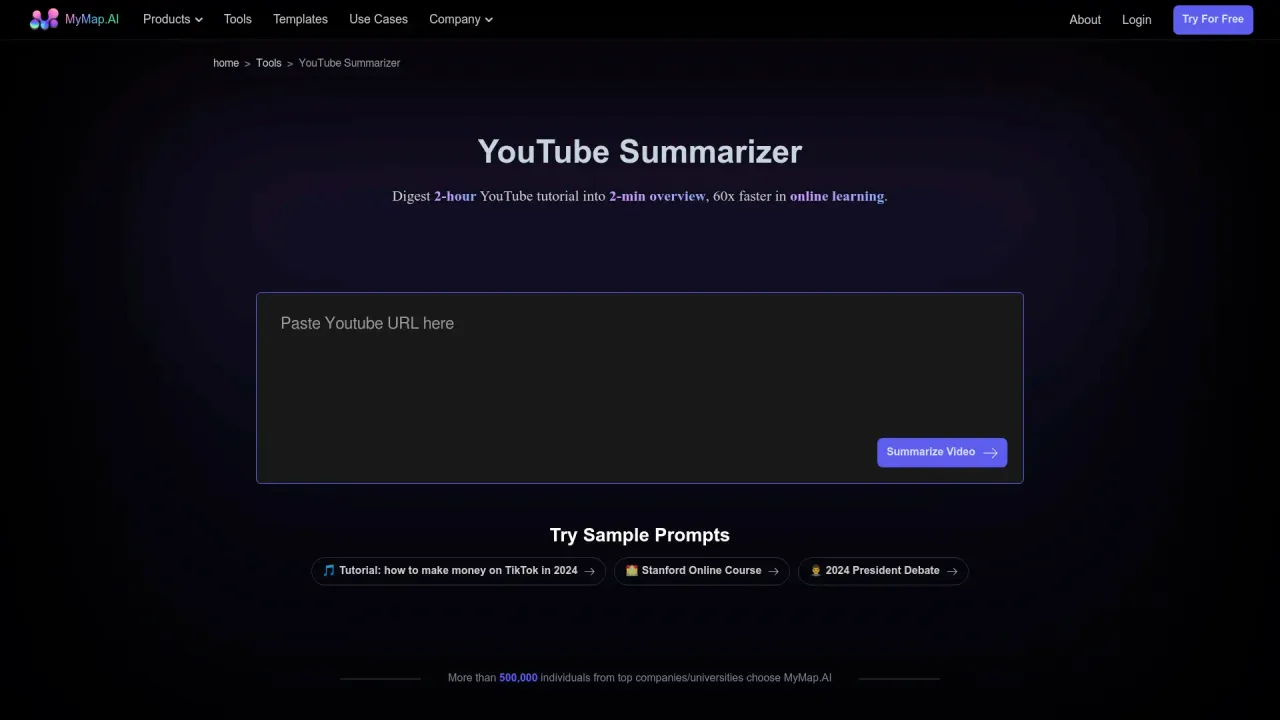
Long videos are a bad fit for how most people actually work. A 90-minute lecture or conference talk might hold ten ideas worth keeping, but you have to sit through the whole thing to find them, and a flat transcript doesn't help much — it's the same wall of text in a different shape. MyMap.AI's YouTube Summarizer takes another route: paste a video URL and it hands the content back as a mind map, with the main ideas as branches you can open, rearrange, and export.
It's one of more than a hundred purpose-built tools that sit on top of MyMap's "infinite canvas," the AI diagramming product the company has run since 2022. The summarizer is the narrow front door; the canvas is the room you end up in.
What it actually does
You give it a YouTube link and pick what you want out of it — a lecture overview, talk takeaways, and explainer concepts are offered as presets. The AI reads the video and lays it out as a node-and-branch map: a central topic, main points hanging off it, supporting detail one level deeper. From there it behaves like a document you can argue with. You can expand a branch for more depth, ask it to explore a different angle, check a point against the source, or keep editing by hand on the canvas.
The model doing the work is swappable. The free tier runs MyMap's faster, cheaper models — the default shown on the tool is DeepSeek V4 Pro — and paid plans open up the premium tier. Output isn't trapped in the browser either: you can export the map as an image, and paid plans add clean PDF and watermark-free PNG.
Who gets the most out of it
Students are the obvious fit. Turning a recorded lecture or a long explainer into a study map is exactly the kind of structured, point-by-point material that maps well. It also helps with research triage — deciding whether a talk is worth a full watch, or pulling the shape of an argument out of a conference recording before you cite it. Because the whole thing runs off a chat box rather than a diagramming UI, it asks for no design skill, which is the main reason reviewers point people toward MyMap in the first place.
The flip side of "the AI reads the video" is that it depends on the video having something to read. Clear, narrated, transcript-friendly content maps cleanly; a rambling vlog or a heavily visual demo with little spoken structure gives the model less to grab. That's true of every tool in this category, not a MyMap-specific fault, but it's worth a test run on your own kind of video before you lean on it.
How the pricing works
The summarizer is free to try with no signup and no card, which is the honest headline. The limits show up once you want to live in the product. Prices are as of October 2026.
- Free — $0/month. 20 credits a month, up to three canvas maps, fast models only, PNG export with a watermark, no PDF. Enough to test it and do the occasional map.
- Pro — $12/month billed annually ($144/year), with a $1 fourteen-day trial. 1,000 credits a month, every premium model, unlimited maps, and clean PDF and PNG export.
- Max — $100/month for heavy use, with 10,000 credits.
Checkout runs through Paddle and there's a 7-day money-back guarantee. The practical read is that Free is a real trial, not a long-term plan — three maps and a watermark run out fast once the tool becomes part of a routine.
The crowded shelf it sits on
This is a busy category, and that's the main thing to weigh. NotebookLM, GitMind, Taskade and Ayoa all turn videos or documents into mind maps, and several take YouTube links directly. MyMap's pitch is less the single feature and more the canvas behind it: the summary is a starting point you can expand into a full working map, in ten languages, next to flowcharts, timelines and the rest of the toolset.
Independent scrutiny is thin, and I'd rather say so than dress it up. There's no in-depth third-party review of MyMap specifically; most of what's online is directory listings or the company's own posts. One competitor's comparison argues MyMap misses some mind-mapping depth, but it's promoting a rival, so read it as a sales pitch, not a verdict. One more thing worth flagging: MyMap.AI (mymap.ai) is a different product from MindMap AI (mindmapai.app), and the two get mixed up constantly — make sure you're trying the one you meant to.
Verdict
For the specific job of turning a structured video into something you can skim, keep and edit, MyMap's summarizer does the work and asks nothing up front. It's held back by a tight free tier and a short independent track record, in a space where several capable tools do the same trick. Overall: 4/5, strongest for students and anyone who wants the summary to become an editable map rather than a static block of notes. Try it free on a video you already know well, and one map will tell you whether its output matches how you think.
Sources consulted
- MyMap YouTube Summarizer — what the tool does, the workflow, the default model, the free-to-start claims
- MyMap pricing — Free, Pro and Max tiers, credits, exports, Paddle checkout and money-back guarantee
- MyMap llms.txt — product overview, 100-plus tools, ten languages, use cases
- Hacker News search: mymap.ai — limited independent discussion
- ToolJunction: MyMap.AI — founding year, location and funding context
- topai.tools: MyMap.AI — chat-based workflow, live search enrichment, ease of use
- MindMap AI vs MyMap AI — rival comparison (biased), and the naming-confusion caution
Published on: November 6, 2026
Ищете альтернативы MyMap.AI YouTube Summarizer? Все альтернативы MyMap.AI YouTube Summarizer →
Have an AI tool of your own? Submit it below and get a free, in-depth product review article — just like this one.
Добавьте свой AI-инструмент за секунды
Вставьте URL — мы подготовим черновик. Вы проверяете и редактируете каждое поле перед отправкой.