
- 类别
- 图像编辑
- 替代品
- 6 个类似工具
- 最后更新
- 4 天前
- 来源
- 官方网站 ↗︎
AI Collection 热门精选

图像编辑 类别精选



关于 Passport Photo Maker
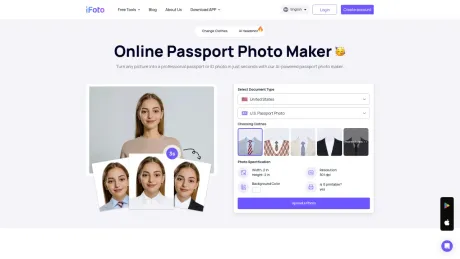
使用 iFoto 的人工智能在线护照照片制作工具,将任何照片变成专业护照或身份证照片。只需上传照片,即可轻松满足 130 多个国家/地区的护照、签证和身份证要求。免费、快速、准确!
常见问题
What is Passport Photo Maker used for?
在线护照照片制作器:使用AI在几秒钟内创建专业护照照片.Is Passport Photo Maker free?
Pricing for Passport Photo Maker varies — see the Pricing section for details.What are alternatives to Passport Photo Maker?
Top alternatives to Passport Photo Maker include ProductScope AI, PicTools.AI, AI Photos Editor, AVCLabs PhotoPro AI, Fotor.Where can I get Passport Photo Maker?
Passport Photo Maker is available at https://www.ifoto.ai/passport-photo-maker.What category is Passport Photo Maker in?
Passport Photo Maker is listed in 图像编辑.How can I make a passport-size photo online for free?
Creating a passport photo online with an AI Passport Photo Maker is simple and efficient. Start by selecting your country and document type to ensure compliance with specific requirements. Upload a clear, well-lit photo against a plain background. The AI tool will automatically crop, center, and adjust the background to meet standards, typically a solid white or light blue. After processing, review the final image to ensure clarity and appropriateness. Once satisfied, download the high-resolution photo for printing or online submission. This convenient process eliminates the need for a professional studio, saving you time and effort.How does iFoto AI Passport Photo Maker work?
By leveraging AI, iFoto ID Photo Maker online simplifies the process of creating compliant digital passport photos that meet government regulations. Its automated features ensure accurate sizing, background removal, and facial positioning for a professional result every time.What size is a passport photo?
A standard passport photo is 2 x 2 inches (51 x 51 mm) for many countries. The head size should be between 1 and 1.4 inches (25-35 mm) from the bottom of the chin to the top of the head. You can use the AI passport photo editor to help you turn your photo into a professional passport photo of the proper size.Can I take my own passport photo online at home?
Yes, you can take your own passport photo if it meets all the requirements. Ensure proper lighting, a plain background, and follow the guidelines for size and expression. You can also use the iFoto passport photo editor online to help format and validate your photo.How to make 2x2 pictures in a phone free online?
- Take a photo of any size. - Go to iFoto Passport Photo Maker online. - Upload a photo. - Choose the country of passport/VISA/ID photo. - Download results instantly or order prints online.Is there a free online passport photo maker?
iFoto AI offers everyone free access to passport photos at no cost. Instead of going to the local studio, our passport photo maker is a free online tool that helps you create a passport photo at home in less than 3 seconds.Why is iFoto the best AI Passport Photo Maker?
iFoto's AI ID photo maker automatically removes backgrounds and allows you to replace them with solid colors. It generates photos in the correct passport size dimensions and resolution for sharp, clear printing. iFoto supports different official passport photo sizes.How does iFoto online Passport Photo Maker handle photo background?
The passport photo tool uses advanced AI image processing technology to automatically detect and modify the photo background to adhere to standard passport photo requirements. It can remove distracting backgrounds and replace them with a solid white or light blue color.Can I smile in a passport photo?
No, you should maintain a neutral, closed-mouth expression without smiling. Smiling can cause issues with biometric recognition. Keep your mouth closed and eyes open for a clear, accurate photo.How does AI Passport Photo Maker ensure privacy?
The passport photo generator uses encryption to safeguard user data during transmission and maintains a strict privacy policy, including not storing users' photos.How can I convert my photo to passport size?
The best way to convert a photo to passport size is with a third-party app such as iFoto AI. Simply visit the website and find passport photo maker tool on your phone, follow the guide and you'll have a compliant passport photo in seconds.
将 Passport Photo Maker 与其他工具比较…
选择任意工具,查看结构化的并排对比:定价、部署、功能和内容政策。








