
- 类别
- 图像编辑
- 替代品
- 6 个类似工具
- 最后更新
- 3 周前
- 来源
- 官方网站 ↗︎
AI Collection 热门精选

图像编辑 类别精选



关于 Pixelfox AI
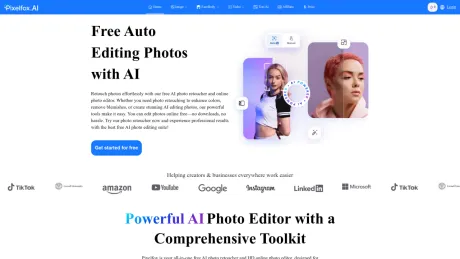
Pixelfox AI是最好的免费AI图像/视频编辑器工具之一,旨在自动编辑图像,照片和视频。立即开始编辑照片。
你能获得什么
附加信息
Pixelfox AI is an all-in-one free AI photo retoucher and HD online photo editor, aimed at making photo editing simple and powerful. Users can edit photos online free anytime and anywhere, without the need for downloads. With a comprehensive toolkit, it enables quick photo retouch fixes as well as advanced transformations, including background removal, object removal, and image upscaling.
The platform features a range of tools such as an object remover, AI inpaint tool, and an image enhancer that improves clarity and color resolution in mere seconds. Pixelfox supports various file formats including JPEG, PNG, and RAW, making it versatile for different users, whether they are beginners or experienced professionals.
Additionally, Pixelfox AI’s user-friendly interface allows easy access to advanced tools, enabling users to achieve professional-grade results efficiently. It emphasizes user privacy with SSL encryption, ensuring that data is safe while providing unlimited free edits without the need for subscriptions or accounts.
With a claimed satisfaction rate of 95%, Pixelfox caters to photographers, e-commerce businesses, and social media managers seeking high-quality visual content without the hassle of traditional editing software. Whether you need to retouch images, replace backgrounds, or upscale visuals, Pixelfox AI offers a convenient and effective solution.
常见问题
What is Pixelfox AI used for?
使用我们的免费人工智能照片修图器和在线照片编辑器轻松润饰照片。.Is Pixelfox AI free?
Pricing for Pixelfox AI varies — see the Pricing section for details.What are alternatives to Pixelfox AI?
Top alternatives to Pixelfox AI include ProductScope AI, PicTools.AI, AI Photos Editor, AVCLabs PhotoPro AI, Fotor.Where can I get Pixelfox AI?
Pixelfox AI is available at https://pixelfox.ai/.What category is Pixelfox AI in?
Pixelfox AI is listed in 图像编辑.Is Pixelfox AI Photo Editor free?
Yes! Pixelfox AI Photo Editor Select is completely free—with no hidden costs or subscription fees. You can access all its powerful features, including object removal, background editing, and image enhancement, at no cost.How long does it take to edit a photo with Pixelfox AI?
Pixelfox AI works at lightning speed—your results are ready in just seconds! Most edits, such as object removal or background replacement, are processed in real-time (typically within 30 seconds), delivering high-quality results fast and efficiently.What file types does Pixelfox AI support?
Pixelfox AI supports a wide range of image formats, including JPEG, PNG, TIFF, GIF, WebP, and RAW files. This means you can easily edit most images from your camera, phone, or other devices without compatibility issues.Is Pixelfox AI available on my phone?
Absolutely! Pixelfox is fully responsive and works seamlessly on all devices, including your phone. There’s no need to download any additional apps—you can edit your photos on the go, right from your browser.How accurate is the tool at removing backgrounds?
Pixelfox AI’s background removal tool achieves up to 98% accuracy—even on complex edges like hair and fine details. It consistently delivers clean, professional results you can rely on.Do I have to subscribe or create an account with Pixelfox AI?
No sign-up or subscription is required! As a cloud-based platform, you can start editing your photos immediately by simply uploading them to Pixelfox AI.Is it possible to upscale images with no quality loss?
Yes! As one of the best AI image tools, Pixelfox AI features an impressive upscaling option that lets you enlarge images up to 4 times their original size while maintaining sharpness and clarity. This ensures your photos remain crisp and clean even at higher resolutions.Is my data safe with Pixelfox AI?
Your privacy is our top priority. All your data is protected with SSL encryption, and we never share your information with third parties. Rest assured, your images and personal data are safe with Pixelfox AI.How can I save my edited photos?
Once you finish editing, simply click the “Download” button to save the image directly to your device. You can also share your edited photos instantly via links or on social media.Is there a maximum number of photos I can edit?
No limits at all! You can edit as many photos as you want, completely free. Pixelfox AI is here to support you, whether you’re working on one image or hundreds.
将 Pixelfox AI 与其他工具比较…
选择任意工具,查看结构化的并排对比:定价、部署、功能和内容政策。








