
- 类别
- 图像编辑
- 替代品
- 6 个类似工具
- 最后更新
- 4 周前
- 来源
- 官方网站 ↗︎
AI Collection 热门精选

图像编辑 类别精选



关于 PixExtender
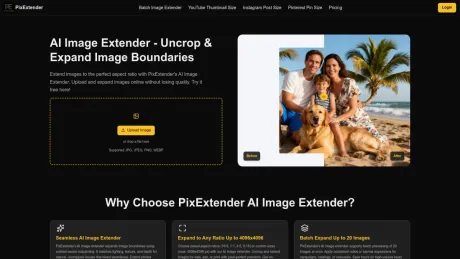
AI 使用 PixExtender 无缝扩展图像背景。作为首屈一指的人工智能图像扩展器和智能图像放大器,我们可以帮助您在不损失质量的情况下将照片裁剪到 4096px。免费试用!
你能获得什么
附加信息
PixExtender is an online tool that utilizes advanced generative AI to expand image borders beyond their original limits. This tool works as a combination of a smart image enlarger, allowing users to uncrop images and adjust aspect ratios without compromising on quality. With the ability to process images up to 4096x4096 pixels, PixExtender is designed for those who need high-definition visual outputs.
常见问题
What is PixExtender used for?
PixExtender:免费的人工智能图像扩展器-在线扩展图像.Is PixExtender free?
Pricing for PixExtender varies — see the Pricing section for details.What are alternatives to PixExtender?
Top alternatives to PixExtender include ProductScope AI, PicTools.AI, AI Photos Editor, AVCLabs PhotoPro AI, Fotor.Where can I get PixExtender?
PixExtender is available at https://www.pixextender.com/.What category is PixExtender in?
PixExtender is listed in 图像编辑.What is AI image extender?
An AI image extender is an online tool that uses advanced generative AI to effortlessly AI expand image borders beyond their original limits. It functions as a smart image enlarger, uncropping images and adjusting aspect ratios without losing quality.How does an AI image expander work?
An AI image expander analyzes the edges of your photo and generates new pixels that match the style and lighting. It works like a combination of an AI image extender and a creative image enlarger, allowing you to seamlessly enlarge visuals beyond original dimensions.How to use AI image extender?
To use our AI image extender, upload your image or photo, choose how you want to expand images online (such as aspect ratio or canvas size), and let AI handle the rest. In seconds, the AI image extender resizes and expands your images without losing quality.What image formats does PixExtender support?
PixExtender supports JPG, PNG, and WEBP formats for both input and output, but transparent background images are not supported.Is your AI image extender free?
Yes! Our AI image extender offers free credits. Simply sign up for a free account, and you'll instantly receive complimentary credits to start extending and uncropping your images.Will AI image extension affect image quality?
No, PixExtender keeps images sharp and high-resolution without quality loss. Results may look unnatural only with extreme aspect ratio changes or when adding large new body parts/surroundings to people in the image. For best results, use moderate extensions.Can I control the extension area or customize the output?
Yes, you can usually control the extension area and customize the output. You choose the aspect ratio or target size, and PixExtender extends the image in those directions while keeping the original content intact and looking natural.Does PixExtender support batch image extension?
Yes! PixExtender supports batch image extension for Creator plan and above. You can upload and extend up to 20 images at once, saving you time when processing multiple photos.Can I resize images to custom dimensions using the AI Image Extender?
Yes! With PixExtender AI Image Extender, you can set custom dimensions before extension (up to 4096px).Is PixExtender an image enlarger?
Yes, but it's smarter. While a standard image enlarger simply scales up existing pixels (often causing blur), PixExtender uses AI to 'paint' new details, effectively allowing you to AI expand image size while adding realistic background content.What are common failure reasons and retry suggestions?
Common issues include: 1) Transparent background images are not supported and will fail - please use images with opaque backgrounds; 2) Inappropriate content (adult, violent, or harmful images) - please use appropriate, professional images; 3) Extreme aspect ratio changes - avoid compressing very tall images to very wide formats or vice versa. For best results, use moderate expansions or smaller ratio changes to maintain image quality and natural appearance.What is an AI image extender?
An AI image extender adds new, matching content around the edges of a picture - letting you uncrop and expand an image using AI instead of stretching or scaling it. You get a larger or differently shaped image that still looks like the original photo, with nothing inside the frame changed.How does AI image extension work?
PixExtender analyzes the edges of your photo - lighting, texture, depth, and style - and generates new pixels outward from them. The original image is never modified; the new areas are built to blend with it seamlessly.How do I use the AI image extender?
To use PixExtender AI Image Extender, upload your image, choose an aspect ratio, platform preset, or custom size, and click Extend. The tool expands images using generative AI, and in a few seconds you'll get a full-quality result ready to download.Can I extend product photos to meet Amazon or other marketplace size requirements?
Yes - e-commerce teams use PixExtender AI Image Extender for exactly this. Upload your product images, set the required ratio or dimensions (for example, extending a 3:4 photo to a 1:1 listing format), and the AI extends only the background. The product, logo, and any text stay exactly as photographed. With batch extension you can bring an entire catalog to one consistent spec.
将 PixExtender 与其他工具比较…
选择任意工具,查看结构化的并排对比:定价、部署、功能和内容政策。








