
- 类别
- 图像编辑
- 替代品
- 6 个类似工具
- 最后更新
- 3 周前
- 来源
- 官方网站 ↗︎
AI Collection 热门精选

图像编辑 类别精选



关于 RightHair
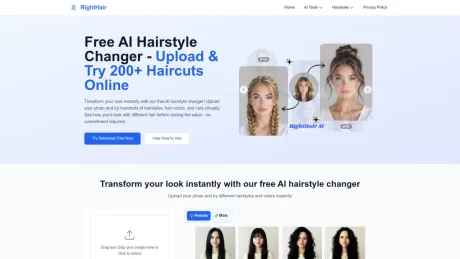
在线免费AI发型更换器。上传你的照片,立即试穿100多种发型——无需下载。由 RightHair 提供支持。
你能获得什么
附加信息
RightHair AI offers a free online tool to try on over 200 hairstyles and colors. Users can upload their photos and see realistic previews without the need for any downloads or applications. It caters to individuals looking to explore new hairstyles without commitment, while ensuring privacy by deleting images after 24 hours.
The platform is user-friendly and designed to work seamlessly on any browser, making it accessible for all users, including those on mobile devices. RightHair boasts a range of styles from classic cuts to trendy looks, enabling users to experiment with various hair options instantly.
In addition to the free service, RightHair provides a credit system where users can purchase additional credits to access premium features. These credits never expire, and the subscription model allows for regular monthly access to new styles and exclusive offers without long-term commitments.
常见问题
What is RightHair used for?
免费的 AI 发型转换器:在线试戴发型 | RightHair.Is RightHair free?
Pricing for RightHair varies — see the Pricing section for details.What are alternatives to RightHair?
Top alternatives to RightHair include ProductScope AI, PicTools.AI, AI Photos Editor, AVCLabs PhotoPro AI, Fotor.Where can I get RightHair?
RightHair is available at https://righthair.ai/.What category is RightHair in?
RightHair is listed in 图像编辑.What image formats does RightHair's AI hair changer support?
RightHair's AI hair try-on supports JPG, PNG, GIF, WebP, and TIFF, up to 20MB.Is my photo secure with AI hair?
Yes, RightHair's AI hair changer deletes photos after 24 hours, ensuring 100% privacy.How fast is RightHair's AI hair try-on?
RightHair's AI hair changer processes 200+ hairstyles in under 30 seconds.Can I process multiple photos with AI hair?
RightHair's AI hair try-on processes one image at a time. Batch support coming soon.Does RightHair's AI hair changer work on phones?
Yes, RightHair's AI hair try-on works on any browser—no app needed.Is RightHair's AI hair changer free to use?
RightHair offers free daily credits so you can try the AI hair changer at no cost. Some advanced features may require additional credits.What happens if I run out of credits?
If you run out of credits, you can claim daily free credits or upgrade to continue generating more hairstyle previews.Do purchased credits expire?
No. Purchased credits do not expire and can be used anytime.How can I cancel my subscription?
If you’re currently subscribed, log in to your account and click your profile avatar. Select User Center, scroll to the bottom of the page, and click Cancel Subscription.
将 RightHair 与其他工具比较…
选择任意工具,查看结构化的并排对比:定价、部署、功能和内容政策。








