
ImageEditor
Éditeur d'images IA gratuit en ligne | Retouche rapide de photos | ImageEditor.
- Catégorie
- Retouche d'images
- Alternatives
- 6 outils similaires
- Mis à jour
- il y a 2 mois
- Source
- Site officiel ↗︎
AI Collection Meilleurs choix

TheFluxTrain
Studio de production d'IA agentic pour des personnages, des flux de travail et des vidéos cohérents
Retouche d'images Choix de catégories

ProductScope AI propose deux outils essentiels aux marques de commerce électronique et aux spécialistes du marketing : un outil de prise de photos de produits basé sur l''IA et un optimiseur de listes.


À propos de ImageEditor
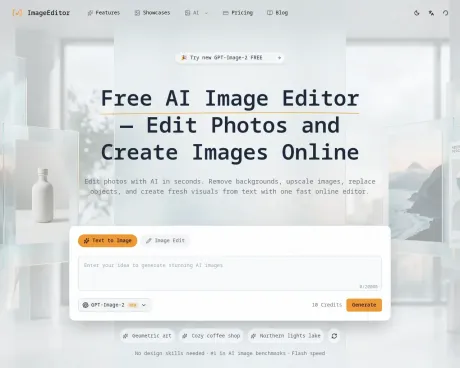
Utilise ImageEditor comme éditeur d'images IA gratuit pour supprimer des arrière-plans, améliorer les photos, remplacer des objets et générer de nouveaux visuels à partir de texte en ligne.
Ce que vous obtenez
Informations Complémentaires
ImageEditor is an AI-powered platform for generating and editing images. You can create images from text descriptions, transform existing images, remove backgrounds, upscale images, and more. Its comprehensive suite of tools is designed for anyone from casual users to professional creators looking for efficiency in their workflows.
The platform supports a variety of styles and edits, including photorealistic photography, digital art, illustrations, and more. Users can generate stunning visuals in seconds with its advanced text-to-image generation feature, which understands complex natural language descriptions and produces high-quality outputs with accurate details.
Key features include background removal for creating transparent images, image upscaling to enhance resolution without losing quality, and batch processing capabilities to save time for users working on many projects at once. ImageEditor ensures that all tools are available under a single platform for a seamless creative experience.
Commercial licensing is included in subscription plans, which grants users the freedom to utilize generated images for various commercial applications. ImageEditor caters to a broad audience, from individuals getting started in image creation to active creators and teams needing robust solutions for high-volume production.
Foire aux questions
What is ImageEditor used for?
Éditeur d'images IA gratuit en ligne | Retouche rapide de photos | ImageEditor.Is ImageEditor free?
Pricing for ImageEditor varies — see the Pricing section for details.What are alternatives to ImageEditor?
Top alternatives to ImageEditor include ProductScope AI, PicTools.AI, AI Photos Editor, AVCLabs PhotoPro AI, Fotor.Where can I get ImageEditor?
ImageEditor is available at https://imageditor.net.What category is ImageEditor in?
ImageEditor is listed in Retouche d'images.What is ImageEditor?
ImageEditor is an AI-powered platform for generating and editing images. You can create images from text descriptions, transform existing images, remove backgrounds, upscale images, and more.What AI models does ImageEditor use?
We use state-of-the-art AI models optimized for different tasks including image generation, transformation, and enhancement. Our platform intelligently selects the best model for your specific needs.Can I use generated images commercially?
Yes, with the Pro plan, all generated AI content includes full commercial licensing. Use creations for client work, marketing campaigns, product packaging, and any commercial purpose. The free tier is for personal and non-commercial use only.How long does it take to generate an image?
Most images are generated in seconds. Processing time may vary depending on image complexity and resolution.What styles and edits does ImageEditor support?
ImageEditor supports a wide range of styles and edits, including photorealistic photography, digital art, illustration, portrait, landscape, abstract, minimalist, background removal, and image upscaling. The platform adapts to your prompt and editing goals, so you can create everything from professional product photos to artistic compositions.Does ImageEditor use Google Gemini for image editing and generation?
ImageEditor is built on Google's Gemini 3.1 Flash Image model. Earlier references to Nano Banana usually pointed to Gemini 2.5 Flash. You can use the model directly in Google AI Studio, or create and edit images on our platform with a more streamlined workflow, including style presets and prompt-building tools.How can I generate images in specific sizes like 1920x1080?
Choose the aspect ratio that matches your target format before generating, such as 16:9 for 1920x1080, 9:16 for vertical layouts, 1:1 for square images, or 4:3 for more standard compositions. ImageEditor is designed to support the most common image sizes and aspect ratios used for social media, presentations, marketing assets, and other professional projects.
Comparer ImageEditor avec…
Choisissez un outil pour voir une comparaison structurée côte à côte : tarifs, déploiement, capacités et politique de contenu.








