youtube dubbing
Éliminez les barrières linguistiques pour regarder des vidéos.
- Catégorie
- Doublage et traduction de vidéos
- Alternatives
- 6 outils similaires
- Mis à jour
- il y a 3 jours
- Source
- Site officiel ↗︎
AI Collection Meilleurs choix

TheFluxTrain
Studio de production d'IA agentic pour des personnages, des flux de travail et des vidéos cohérents
Doublage et traduction de vidéos Choix de catégories
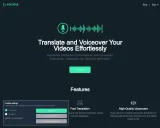

À propos de youtube dubbing
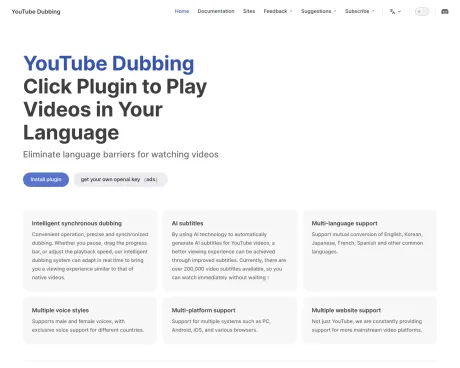
Notre start-up révolutionne la consommation de vidéos en proposant une extension de navigateur qui traduit et double le contenu vidéo dans la langue maternelle de l'utilisateur en temps réel. Conçu dans un souci d'efficacité et de facilité de compréhension, notre outil se concentre sur des vidéos éducatives et informatives afin d'améliorer l'apprentissage et la compréhension sans se laisser distraire par les sous-titres.
youtube dubbing's Forfaits tarifaires
youtube dubbing peut modifier ses prix à tout moment. Voici nos dernières informations :
Pricing
Pricing
- The core features are free, with premium membership available for enhanced functionalities.
Ce que vous obtenez
Informations Complémentaires
YouTube Dubbing is an innovative online browser extension designed to break down language barriers by providing real-time translation and dubbing for videos on platforms such as YouTube, Udemy, Bilibili, and more. This tool allows users to not only read translated subtitles but also listen to dubbed audio, enhancing their viewing experience and efficiency. It's built to work across multiple devices and major browsers, making it accessible for users everywhere.
The extension features intelligent dubbing that maintains sync even when users adjust playback speeds or pause videos. It offers support for various languages, including major and regional dialects, through advanced AI models like GPT and Claude. Its functionality includes speaker detection, which assigns distinct voices based on the number of speakers, and the ability to preserve background audio for a more natural listening experience.
In addition to video dubbing, YouTube Dubbing provides a text-to-speech option for webpage content, allowing users to convert selected text into audio. The plugin optimizes video subtitles for improved accuracy and offers customization options, such as editing existing subtitles or summarizing them for quick comprehension. The core features are free, with optional membership for higher-quality translations and additional functionalities.
Overall, YouTube Dubbing caters to a global audience seeking to enrich their engagement with international content by providing a seamless way to enjoy videos in their preferred language. With over a million AI-generated subtitles and support for numerous languages and platforms, it empowers users to access and understand a wealth of online video content efficiently.
Foire aux questions
What is youtube dubbing used for?
Éliminez les barrières linguistiques pour regarder des vidéos.Is youtube dubbing free?
Pricing for youtube dubbing varies — see the Pricing section for details.What are alternatives to youtube dubbing?
Top alternatives to youtube dubbing include TranslateVideo, Papercup, VideoDub, BlipCut Video Translator, Dubverse AI.Where can I get youtube dubbing?
youtube dubbing is available at https://www.youtube-dubbing.com/.What category is youtube dubbing in?
youtube dubbing is listed in Doublage et traduction de vidéos.What are optimized subtitles?
The default subtitles provided by YouTube are often of lower quality, which can negatively impact the plugin's translation. The plugin offers exclusive optimized subtitles and classifies different sources by color, indicating their quality.How are subtitles optimized?
The plugin optimizes the subtitles in the background based on your viewing history and notifies you via email when the process is completed.Are there any limitations on subtitle optimization?
Yes, it supports a maximum duration of 3 hours per video and is limited to YouTube and Bilibili. It does not support private, members-only, or paywalled videos.How fast is the subtitle optimization?
The plugin can optimize subtitles at approximately one-tenth of the original video length.What's the difference between free and paid users?
Free users have a daily limit on videos watched, while paid users do not. Paid users also have access to higher-quality subtitle recognition and various AI translation models.Any limitations on AI translation?
AI translation is not supported for subtitles marked with the red button due to their lower quality. It is only available for videos with yellow or green buttons.
Comparer youtube dubbing avec…
Choisissez un outil pour voir une comparaison structurée côte à côte : tarifs, déploiement, capacités et politique de contenu.