StreamTranslate
перевод прямых трансляций в реальном времени.
AI Collection Лучшие подборки

TheFluxTrain
Студия Agentic AI Production для создания одинаковых персонажей, рабочих процессов и видео
Перевод и стенограмма Выбор категории
Транскрипция аудио и видео. Работает на искусственном интеллекте. Преобразуйте аудио и видео в текст с точностью 99%. Доступно более чем на 100 языках и бесплатно.

Об инструменте StreamTranslate
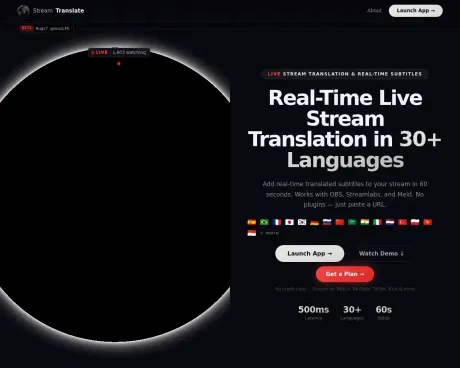
Переводите прямую трансляцию более чем на 30 языков с субтитрами в реальном времени. Работает с OBS, Streamlabs, Twitch, YouTube, Kick. Самый простой переводчик прямых трансляций — 60-секундная настройка, бесплатная 6-часовая пробная версия.
Что вы получите
Дополнительная информация
StreamTranslate is a real-time live stream translation and captioning platform built for content creators on Twitch, YouTube Live, Kick, and TikTok. It captures a streamer's spoken audio, transcribes it using AI speech recognition, translates the text into the viewer's language, and displays translated subtitles as an overlay on the live stream in under 2 seconds. Unlike closed captioning tools, StreamTranslate actively translates speech into a different language in real time without requiring any plugins or downloads.
This solution is designed for streamers looking to engage a broader audience by providing subtitles in multiple languages, thus allowing non-native speakers to participate in the conversation. With support for 30+ languages, StreamTranslate can provide subtitles for diverse international audiences while integrating seamlessly with popular broadcasting software such as OBS and Streamlabs.
The tool also features a unique Watch Party mode, enabling real-time translation of audio from any browser tab, which means streamers can translate content from platforms like YouTube or gaming trailers without additional software. This feature is available in the Elite plan, which also provides unlimited streaming hours and priority support.
For streamers who create clips, StreamTranslate includes ClipLab—a free toolkit that provides functionalities like a Clip Tracker for monitoring clips, a Clip Downloader for format conversion, and a Clip Translator for adding translated captions. This multipurpose approach enhances the streaming experience by making multilingual engagement more accessible and efficient.
Часто задаваемые вопросы
What is StreamTranslate used for?
StreamTranslate — перевод прямых трансляций в реальном времени.Is StreamTranslate free?
Pricing for StreamTranslate varies — see the Pricing section for details.What are alternatives to StreamTranslate?
Where can I get StreamTranslate?
StreamTranslate is available at https://streamtranslate.live.What category is StreamTranslate in?
StreamTranslate is listed in Перевод и стенограмма.How do I add subtitles to my Twitch stream?
Sign up at streamtranslate.live, generate your OBS browser source URL, add it as a browser source in OBS, and click Go Live. Subtitles will appear on your stream in real time.Can StreamTranslate translate my stream into multiple languages?
Yes. Pro and Elite plans support dual-language subtitles simultaneously, so your stream can display two translated languages at the same time.Does StreamTranslate work with OBS?
Yes. StreamTranslate uses OBS browser source - no plugins or software installs needed. Just paste your unique URL into OBS and go live.What languages does StreamTranslate support?
StreamTranslate supports 30+ languages including Spanish, French, Portuguese, German, Japanese, Korean, Chinese, Arabic, Hindi, and Russian.How much does StreamTranslate cost?
StreamTranslate offers a Stream Pass for $9.99 (12 hours), Starter at $14.99/month, Pro at $34.99/month, and Elite at $149/month (truly unlimited, no caps).What is Watch Party mode in StreamTranslate?
Watch Party mode lets you translate audio from any browser tab in real time — YouTube videos, Twitch streams, game trailers, or any website playing audio. Instead of translating your microphone, it captures the browser tab's audio and produces live subtitles. No Chrome extension or software install required. Available on the Elite plan at streamtranslate.live/control.What is ClipLab?
ClipLab is a free toolkit for Twitch streamers and clippers at streamtranslate.live/lab. It includes three tools: a Clip Tracker (live dashboard of a streamer's newest clips with 3-second refresh), a Clip Downloader (converts Twitch clips to 9:16 vertical with blurred background for TikTok), and a Clip Translator (adds burned-in translated captions in 30+ languages). All tools are free. The Clip Tracker requires no account.
Сравнить StreamTranslate с…
Выберите любой инструмент, чтобы увидеть структурированное сравнение: цены, развертывание, возможности и контент-политика.