MyMap.AI Idea Generator review: AI brainstorming you steer by chat
By: AI Collection
At a glance
4.0 / 5
MyMap.AI Idea Generator
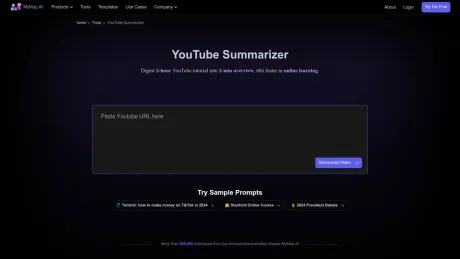
You need twenty angles on a problem by lunch: new features for a productivity app, premises for a short story, outreach ideas for a small library on a tight budget. A blank document is the worst place to start that, and a traditional mind-map tool asks you to draw boxes before you have anything to put in them. MyMap.AI's Idea Generator skips both. You describe the challenge in a sentence, and it drafts a spread of ideas, grouped by theme, on a canvas you can keep working.
It's a free tool from MyMap.AI, the broader "AI canvas for visual thinking," and it's aimed squarely at the first, messy stage of a project where you want options before judgement.
What it actually does
The pitch on the tool page is plain: describe any topic, challenge, or goal, and the AI generates ideas across different angles, organized visually so you can see the full space of possibilities. In practice that's three moves. You write a brief, ideally one that names who the ideas are for, what you're trying to achieve, and any constraints that matter. The assistant drafts possibilities and sorts them into themed groups on the canvas. Then you refine: ask for variations on a promising branch, or compare a shortlist against your own criteria.
What makes it feel different from a chatbot is that the output is a board, not a wall of text. Each idea is a node you can expand, combine, or set aside, and MyMap is explicit that you steer by talking rather than dragging: "No template to fill in and no drawing. You talk; the canvas keeps up." Select a node, say what should change, and it rewrites that node while leaving the rest of the board alone. You can also feed it a PDF, a doc, or an image as a starting point rather than typing everything out.
The Idea Generator is really one doorway into MyMap's larger product. The same canvas turns a sentence into whichever structure fits: a mind map, a flowchart, a SWOT, a fishbone when you ask "why did this happen," a timeline. You can then frame any part of the board into slides, or export it as PNG, SVG, PDF, Markdown, or a share link. So a brainstorm here doesn't dead-end; it can become the decision matrix or the deck you actually hand over.
Who it's for
This suits people who think out loud and want a visual record of it: product teams scoping features, writers generating premises, teachers planning a lesson, consultants sketching options for a client. If your bottleneck is getting from nothing to a credible first draft of options, that's the exact gap it fills. The company says MyMap has passed 200,000 users and two million maps created, and Semrush put the site around 696,000 visits in October 2025, so this isn't a weekend project. The founder was already posting about paying users back in 2023.
It's a weaker fit if you want a freeform whiteboard. Because the workflow is prompt-and-refine, you're guiding the AI rather than drawing by hand, and at least one competitor comparison argues editing stays limited to text once a map is generated, and that you can't build a board from scratch manually. Treat a rival's framing with some salt, but the underlying point is fair: this is an AI-first canvas, not a replacement for a manual whiteboard or a pen.
How pricing and credits work
The tool is genuinely free to start, no credit card, but the free tier is tight, and it pays to understand the credit model before you lean on it. As of November 2025, MyMap runs three plans. Free is $0 a month with 10 credits, up to three canvas maps, and PNG export that carries a watermark; it uses the economic models only and can't export PDF. Pro is $12 a month billed annually ($144 a year, with a $1 fourteen-day trial) and lifts you to 1,000 credits, unlimited maps, clean PNG and PDF export, and the premium models. Max is $100 a month for 10,000 credits.
The detail that matters: a credit is spent only when the AI generates or rewrites something, while editing, exporting, and presenting are free, and unused credits don't roll over. Ten credits a month is enough to try the Idea Generator a handful of times, not to run a week of heavy brainstorming, so in practice the free plan is a trial funnel toward Pro. That's reasonable, but go in knowing the ceiling. Checkout is handled by Paddle, and Pro carries a seven-day money-back guarantee.
The honest verdict
On the strength it's sold on, turning a vague prompt into a usable spread of grouped ideas without any setup, it delivers, and the fact that the brainstorm can flow straight into slides or a flowchart is a genuine advantage over a standalone idea tool. Independent sentiment is modestly positive: Product Hunt shows about 4.2 from a small set of 13 reviews, and reviewers tend to praise exactly this knowledge-to-visual flow.
The caveats are the free tier's 10-credit cap, the watermark and missing PDF on Free, and the conversational-only editing that won't satisfy anyone who wants manual control of the canvas. None of that is a dealbreaker for the job it's built for. Overall: 4 out of 5 if you want AI to draft and organize ideas quickly, dropping a point if you need a hand-drawn whiteboard.
Sources consulted
- MyMap.AI Idea Generator — what the tool does, the three-step workflow, conversational editing, and exports
- MyMap.AI homepage — the broader canvas, supported diagram types, and usage scale (200K users, 2M maps)
- MyMap.AI pricing — Free, Pro and Max tiers, the credit model, Paddle checkout, money-back guarantee
- Hacker News: "How I get the first 1k paid user" (2023) — longevity signal and an early paying-user milestone
- Product Hunt: MyMap reviews — 4.2 from 13 reviews and third-party sentiment, including the editing-limitation critique
- Semrush: mymap.ai overview — approximate October 2025 traffic
Published on: November 15, 2026
Ищете альтернативы MyMap.AI Idea Generator? Все альтернативы MyMap.AI Idea Generator →
Have an AI tool of your own? Submit it below and get a free, in-depth product review article — just like this one.
Добавьте свой AI-инструмент за секунды
Вставьте URL — мы подготовим черновик. Вы проверяете и редактируете каждое поле перед отправкой.