
- 类别
- 图像编辑
- 替代品
- 6 个类似工具
- 最后更新
- 1 周前
- 来源
- 官方网站 ↗︎
AI Collection 热门精选

图像编辑 类别精选



关于 Banana AI Image Editor
使用简单的文本命令向照片添加文字、更改背景、删除不需要的对象和编辑肖像。无需设计技能——只需描述你想要的东西即可。
你能获得什么
附加信息
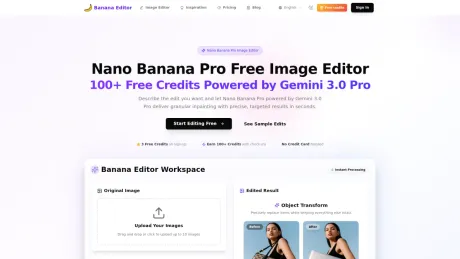
Banana Editor offers an AI-powered image editing platform utilizing the advanced capabilities of Gemini 3.0 Pro. Users can upload images in various formats and make detailed edits through simple text commands, allowing for granular inpainting and targeted adjustments. This solution is designed for users ranging from individuals to enterprise teams, providing tools to edit portraits, swap backgrounds, and retouch images effortlessly.
The platform features a variety of editing commands, enabling precise control over what elements to change and which to preserve. With options for prompt templates, users can specify protected areas to maintain consistency across images. Additionally, robust support for multiple image formats and batch processing expands its usability for professional environments.
Banana Editor also addresses concerns about quality degradation after multiple edits through its quality restore pipeline, which enhances clarity and repairs edges, ensuring high-fidelity results consistently. Ideal for creative professionals in photography, E-commerce, and VFX, it optimally meets the editing needs for personal and commercial projects alike.
Collaborative features are available, allowing teams to share prompt presets, track credit usage, and manage workflows from a central interface. Whether it’s for social media content, products, or creative storytelling, Banana Editor positions itself as a comprehensive tool for modern digital creators.
常见问题
What is Banana AI Image Editor used for?
AI 图像编辑器-添加文本、更改背景和移除对象.Is Banana AI Image Editor free?
Pricing for Banana AI Image Editor varies — see the Pricing section for details.What are alternatives to Banana AI Image Editor?
Top alternatives to Banana AI Image Editor include ProductScope AI, PicTools.AI, AI Photos Editor, AVCLabs PhotoPro AI, Fotor.Where can I get Banana AI Image Editor?
Banana AI Image Editor is available at https://bananaeditor.art/.What category is Banana AI Image Editor in?
Banana AI Image Editor is listed in 图像编辑.How does Banana Editor keep identities consistent?
We combine Gemini 3.0 Pro granular inpainting with reference locking and automated similarity checks on every edit.Can I control what changes versus stays the same?
Yes. Prompt templates let you specify protected areas, and you can layer mask annotations for extra control over granular inpainting.Which edits does Banana Editor handle best?
Portrait retouching, wardrobe swaps, background replacement, product relighting, interior redesign, and VFX previz with pixel-level precision.Does quality degrade after multiple edits?
The quality restore pipeline repairs edges, boosts clarity, removes artifacts, and re-applies SynthID watermarking after each iteration.Is Banana Editor available for teams?
Absolutely. Invite collaborators, share prompt presets, and monitor credit usage from one workspace.What image formats are supported?
Upload JPG, PNG, or WEBP up to 10MB per image. Batch mode supports up to fourteen references at once.
将 Banana AI Image Editor 与其他工具比较…
选择任意工具,查看结构化的并排对比:定价、部署、功能和内容政策。








