
- 类别
- 图像编辑
- 替代品
- 6 个类似工具
- 最后更新
- 2 个月前
- 来源
- 官方网站 ↗︎
AI Collection 热门精选

图像编辑 类别精选



关于 ImageEditor
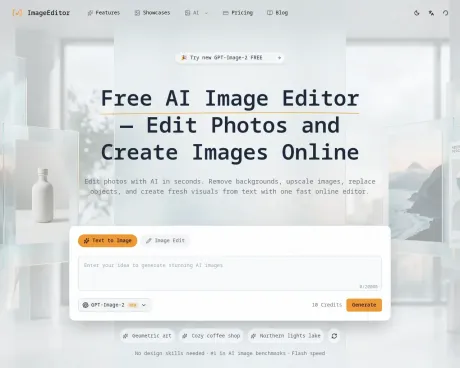
使用ImageEditor作为免费的人工智能图像编辑器,可以删除背景,放大照片,替换对象,并从在线文本中生成新的视觉效果。
你能获得什么
附加信息
ImageEditor is an AI-powered platform for generating and editing images. You can create images from text descriptions, transform existing images, remove backgrounds, upscale images, and more. Its comprehensive suite of tools is designed for anyone from casual users to professional creators looking for efficiency in their workflows.
The platform supports a variety of styles and edits, including photorealistic photography, digital art, illustrations, and more. Users can generate stunning visuals in seconds with its advanced text-to-image generation feature, which understands complex natural language descriptions and produces high-quality outputs with accurate details.
Key features include background removal for creating transparent images, image upscaling to enhance resolution without losing quality, and batch processing capabilities to save time for users working on many projects at once. ImageEditor ensures that all tools are available under a single platform for a seamless creative experience.
Commercial licensing is included in subscription plans, which grants users the freedom to utilize generated images for various commercial applications. ImageEditor caters to a broad audience, from individuals getting started in image creation to active creators and teams needing robust solutions for high-volume production.
常见问题
What is ImageEditor used for?
在线免费人工智能图像编辑器 | 快速编辑照片 | ImageEditor.Is ImageEditor free?
Pricing for ImageEditor varies — see the Pricing section for details.What are alternatives to ImageEditor?
Top alternatives to ImageEditor include ProductScope AI, PicTools.AI, AI Photos Editor, AVCLabs PhotoPro AI, Fotor.Where can I get ImageEditor?
ImageEditor is available at https://imageditor.net.What category is ImageEditor in?
ImageEditor is listed in 图像编辑.What is ImageEditor?
ImageEditor is an AI-powered platform for generating and editing images. You can create images from text descriptions, transform existing images, remove backgrounds, upscale images, and more.What AI models does ImageEditor use?
We use state-of-the-art AI models optimized for different tasks including image generation, transformation, and enhancement. Our platform intelligently selects the best model for your specific needs.Can I use generated images commercially?
Yes, with the Pro plan, all generated AI content includes full commercial licensing. Use creations for client work, marketing campaigns, product packaging, and any commercial purpose. The free tier is for personal and non-commercial use only.How long does it take to generate an image?
Most images are generated in seconds. Processing time may vary depending on image complexity and resolution.What styles and edits does ImageEditor support?
ImageEditor supports a wide range of styles and edits, including photorealistic photography, digital art, illustration, portrait, landscape, abstract, minimalist, background removal, and image upscaling. The platform adapts to your prompt and editing goals, so you can create everything from professional product photos to artistic compositions.Does ImageEditor use Google Gemini for image editing and generation?
ImageEditor is built on Google's Gemini 3.1 Flash Image model. Earlier references to Nano Banana usually pointed to Gemini 2.5 Flash. You can use the model directly in Google AI Studio, or create and edit images on our platform with a more streamlined workflow, including style presets and prompt-building tools.How can I generate images in specific sizes like 1920x1080?
Choose the aspect ratio that matches your target format before generating, such as 16:9 for 1920x1080, 9:16 for vertical layouts, 1:1 for square images, or 4:3 for more standard compositions. ImageEditor is designed to support the most common image sizes and aspect ratios used for social media, presentations, marketing assets, and other professional projects.
将 ImageEditor 与其他工具比较…
选择任意工具,查看结构化的并排对比:定价、部署、功能和内容政策。








