- 类别
- PDF 和文档工具
- 替代品
- 6 个类似工具
- 最后更新
- 4 周前
- 来源
- 官方网站 ↗︎
AI Collection 热门精选

PDF 和文档工具 类别精选


关于 Instafill.ai
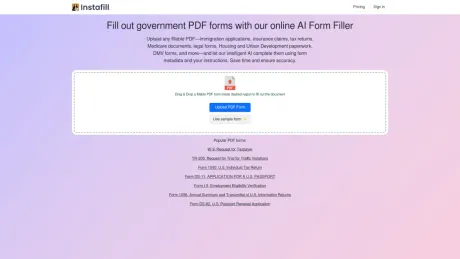
上传任何可填写的 PDF(移民申请、保险索赔、纳税申报表、医疗保险文件、法律表格、住房和城市发展文件、DMV 表格等),并让我们的智能 AI 使用表单元数据和您的说明完成它们。节省时间并确保准确性。
Instafill.ai's 定价计划
Instafill.ai 可能随时更改价格。 这是我们的最新信息:
Pricing
Pricing
- Instafill offers pricing options that are available upon request.
你能获得什么
附加信息
Features
PDF form types
Instafill.ai can handle most types of fillable PDFs, making it easy to automate form filling. Whether it's a simple application or a complex legal document, our AI identifies the fields and fills them in with the data you provide.
Batch form filling
Batch Fill is a powerful feature that allows you to fill multiple PDF forms simultaneously using data from a CSV file or spreadsheet. This is especially useful for tasks like bulk processing of applications or contracts, saving you significant time and ensuring consistency across all documents.
Sign PDF documents
The Instafill.ai Sign feature lets you add digital signatures to your PDF forms. You can sign the form within Instafill.ai after filling it out, so there's no need to print, sign by hand, scan, and email. This simplifies document management from start to finish.
Multiple data sources
When adding a new form to Instafill.ai, you can attach various data sources and provide specific instructions to ensure accurate form filling. Our AI depends on the quality and consistency of the data you provide. However, if you’re using multiple sources that contain conflicting or irrelevant information, our system might struggle to return the necessary details for accurate filling.
Video preview

常见问题
What is Instafill.ai used for?
使用我们的在线 AI 表单填写器填写政府 PDF 表格.Is Instafill.ai free?
Pricing for Instafill.ai varies — see the Pricing section for details.What are alternatives to Instafill.ai?
Top alternatives to Instafill.ai include SwifDoo PDF, Free AI PDF Reader, Filechat, SlideSpeak, Bard PDF.Where can I get Instafill.ai?
Instafill.ai is available at https://instafill.ai/.What category is Instafill.ai in?
Instafill.ai is listed in PDF 和文档工具.PDF form types
Instafill.ai can handle most types of fillable PDFs, making it easy to automate form filling. Whether it's a simple application or a complex legal document, our AI identifies the fields and fills them in with the data you provide.Batch form filling
Batch Fill is a powerful feature that allows you to fill multiple PDF forms simultaneously using data from a CSV file or spreadsheet. This is especially useful for tasks like bulk processing of applications or contracts, saving you significant time and ensuring consistency across all documents.Sign PDF documents
The Instafill.ai Sign feature lets you add digital signatures to your PDF forms. You can sign the form within Instafill.ai after filling it out, so there's no need to print, sign by hand, scan, and email. This simplifies document management from start to finish.Multiple data sources
When adding a new form to Instafill.ai, you can attach various data sources and provide specific instructions to ensure accurate form filling. Our AI depends on the quality and consistency of the data you provide. However, if you’re using multiple sources that contain conflicting or irrelevant information, our system might struggle to return the necessary details for accurate filling.Video preview
[](https://youtu.be/Gy7Udt0cudI?si=LjBFV6HToMoL-mwV)Is Instafill.ai secure?
Yes. Instafill.ai is built with multiple layers of security to protect your data. You can use stateless mode as an option, which ensures all files are automatically deleted after processing, leaving no traces behind.Does Instafill.ai support two-factor authentication (2FA) for account login?
Yes. Instafill.ai supports two-factor authentication as an optional security feature for your account.What makes Instafill different from other PDF fillers or document automation tools?
Instafill.ai is an AI-powered PDF filler designed to automate even the most complex form workflows.What does Instafill.ai do with my uploaded documents?
All uploaded files are immediately deleted from our servers after processing, leaving no traces.What if my document isn't a fillable PDF form? Can Instafill.ai's PDF filler complete it?
Yes. If your document isn't a fillable PDF, Instafill.ai can automatically convert it into a fillable PDF format.Can I fill out the same form multiple times?
Yes. Instafill.ai supports batch form filling.Do you use my data to train AI?
No. We do not use your data to train AI.Does anyone at Instafill.ai have access to my files?
No. Since your files are immediately deleted after processing, no one at Instafill.ai can access them.Is the Instafill.ai form filler HIPAA compliant?
Yes. We sign a Business Associate Agreement (BAA) with any customer handling protected health information, and on request we will share the BAAs we hold with our own subprocessors so you can see the whole chain rather than take our word for it.
将 Instafill.ai 与其他工具比较…
选择任意工具,查看结构化的并排对比:定价、部署、功能和内容政策。