- 类别
- 翻译和成绩单
- 替代品
- 6 个类似工具
- 最后更新
- 2 周前
- 来源
- 官方网站 ↗︎
AI Collection 热门精选

翻译和成绩单 类别精选


关于 StreamTranslate
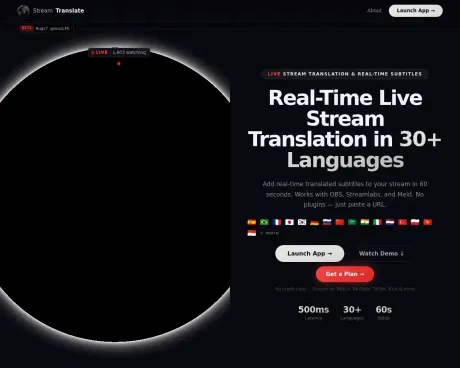
使用实时字幕将您的直播翻译成 30 多种语言。适用于 OBS、Streamlabs、Twitch、YouTube、Kick。最简单的直播翻译器 — 60 秒设置,6 小时免费试用。
你能获得什么
附加信息
StreamTranslate is a real-time live stream translation and captioning platform built for content creators on Twitch, YouTube Live, Kick, and TikTok. It captures a streamer's spoken audio, transcribes it using AI speech recognition, translates the text into the viewer's language, and displays translated subtitles as an overlay on the live stream in under 2 seconds. Unlike closed captioning tools, StreamTranslate actively translates speech into a different language in real time without requiring any plugins or downloads.
This solution is designed for streamers looking to engage a broader audience by providing subtitles in multiple languages, thus allowing non-native speakers to participate in the conversation. With support for 30+ languages, StreamTranslate can provide subtitles for diverse international audiences while integrating seamlessly with popular broadcasting software such as OBS and Streamlabs.
The tool also features a unique Watch Party mode, enabling real-time translation of audio from any browser tab, which means streamers can translate content from platforms like YouTube or gaming trailers without additional software. This feature is available in the Elite plan, which also provides unlimited streaming hours and priority support.
For streamers who create clips, StreamTranslate includes ClipLab—a free toolkit that provides functionalities like a Clip Tracker for monitoring clips, a Clip Downloader for format conversion, and a Clip Translator for adding translated captions. This multipurpose approach enhances the streaming experience by making multilingual engagement more accessible and efficient.
常见问题
What is StreamTranslate used for?
StreamTranslate — 实时直播翻译.Is StreamTranslate free?
Pricing for StreamTranslate varies — see the Pricing section for details.What are alternatives to StreamTranslate?
Where can I get StreamTranslate?
StreamTranslate is available at https://streamtranslate.live.What category is StreamTranslate in?
StreamTranslate is listed in 翻译和成绩单.How do I add subtitles to my Twitch stream?
Sign up at streamtranslate.live, generate your OBS browser source URL, add it as a browser source in OBS, and click Go Live. Subtitles will appear on your stream in real time.Can StreamTranslate translate my stream into multiple languages?
Yes. Pro and Elite plans support dual-language subtitles simultaneously, so your stream can display two translated languages at the same time.Does StreamTranslate work with OBS?
Yes. StreamTranslate uses OBS browser source - no plugins or software installs needed. Just paste your unique URL into OBS and go live.What languages does StreamTranslate support?
StreamTranslate supports 30+ languages including Spanish, French, Portuguese, German, Japanese, Korean, Chinese, Arabic, Hindi, and Russian.How much does StreamTranslate cost?
StreamTranslate offers a Stream Pass for $9.99 (12 hours), Starter at $14.99/month, Pro at $34.99/month, and Elite at $149/month (truly unlimited, no caps).What is Watch Party mode in StreamTranslate?
Watch Party mode lets you translate audio from any browser tab in real time — YouTube videos, Twitch streams, game trailers, or any website playing audio. Instead of translating your microphone, it captures the browser tab's audio and produces live subtitles. No Chrome extension or software install required. Available on the Elite plan at streamtranslate.live/control.What is ClipLab?
ClipLab is a free toolkit for Twitch streamers and clippers at streamtranslate.live/lab. It includes three tools: a Clip Tracker (live dashboard of a streamer's newest clips with 3-second refresh), a Clip Downloader (converts Twitch clips to 9:16 vertical with blurred background for TikTok), and a Clip Translator (adds burned-in translated captions in 30+ languages). All tools are free. The Clip Tracker requires no account.
将 StreamTranslate 与其他工具比较…
选择任意工具,查看结构化的并排对比:定价、部署、功能和内容政策。