- 类别
- 工作流程和自动化
- 替代品
- 6 个类似工具
- 最后更新
- 3 周前
- 来源
- 官方网站 ↗︎
AI Collection 热门精选

工作流程和自动化 类别精选



关于 Work Fast AI
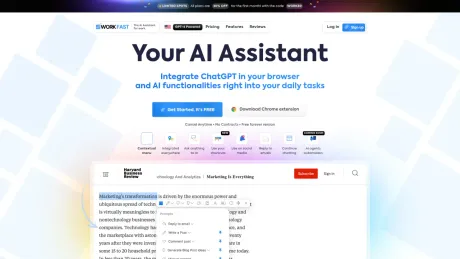
一款基于人工智能的助手,可将 ChatGPT 直接集成到您的浏览器中,通过高级的人工智能和代理功能自动执行日常任务和工作流程。借助根据您的需求量身定制的智能自动化,轻松提高生产力。
你能获得什么
附加信息
Workfast.ai is designed to streamline project and task management for teams looking to improve their workflow. The app integrates collaborative features that allow team members to work together seamlessly, ensuring tasks are completed efficiently. Designed for various teams, it focuses on enhancing engagement in the workplace by making project tracking simple and effective. Its intuitive interface allows users to organize their work, prioritize tasks, and monitor progress with ease, catering to diverse needs in a fast-paced working environment.
常见问题
What is Work Fast AI used for?
AI 浏览器助手:使用 ChatGPT 自动化提高工作效率.Is Work Fast AI free?
Pricing for Work Fast AI varies — see the Pricing section for details.What are alternatives to Work Fast AI?
Where can I get Work Fast AI?
Work Fast AI is available at https://workfast.com.What category is Work Fast AI in?
Work Fast AI is listed in 工作流程和自动化.Is this just a chatbot on my website?
No. A chatbot waits on your site for someone to click it. WorkFast staff work in the channels your customers already use — text, missed calls, your inbox, your web forms — and they finish the job: booking the slot, sending the payment link, updating the calendar.What does the report actually look at?
Only what's publicly on your website: services, pricing pages, contact methods, response promises and booking flow. It doesn't touch your inbox, phone or customer data unless you connect those after signing up, and it never messages your customers.Will my customers know they're talking to AI?
That's your call, set per teammate. Most owners have staff introduce themselves by name as part of the business. Every conversation is visible to you, and anything a teammate is unsure about comes to you before it goes out.What happens when it gets something wrong?
You set the guardrails: which decisions need approval, what a teammate can never promise, and the dollar amount above which everything routes to a human. Every message is logged and editable, and you can take over a thread mid-conversation.Do I have to change the tools I use?
No. Your staff work in your existing inbox, calendar and phone number. Unpaid invoices can be pasted or forwarded as they are. If something you rely on isn't connected yet, tell us.Which tools and channels does it work with?
Where your customers reach you: phone calls and texts (on a number of the crew's own, or your line forwarded), missed calls (texted back), email, your website's contact form or a hosted enquiry page, and WhatsApp on your own business number. What your staff work in: Gmail and Google Calendar, plus Outlook, Slack, Google Sheets, Notion, HubSpot, Zoho and Salesforce when you connect them. None of it has to be connected on day one — you can paste or forward work and the crew starts on it straight away.How do I cancel?
There is nothing to cancel: you buy a month at a time, and it simply ends unless you buy another. Your conversation history and customer data export as a file you keep.
将 Work Fast AI 与其他工具比较…
选择任意工具,查看结构化的并排对比:定价、部署、功能和内容政策。