FastGantt
Онлайн-генератор диаграмм Ганта из Excel в формат AI | FastGantt.
- Категория
- Другое
- Альтернативы
- 6 похожих инструментов
- Обновлено
- 3 нед. назад
- Источник
- Официальный сайт ↗︎
AI Collection Лучшие подборки

TheFluxTrain
Студия Agentic AI Production для создания одинаковых персонажей, рабочих процессов и видео
Другое Выбор категории



Об инструменте FastGantt
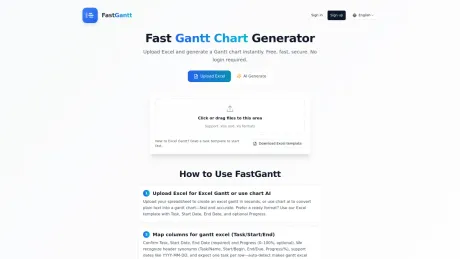
Загрузите Excel, мгновенно создайте диаграмму Ганта. Бесплатный, быстрый и безопасный онлайн-инструмент с функцией искусственного интеллекта для преобразования текста в диаграмму Ганта. Регистрация не требуется, экспортируйте в Excel или PNG.
Что вы получите
Дополнительная информация
FastGantt is an innovative online Gantt chart generator that simplifies project planning and timeline visualization. Users can upload Excel files in .xlsx or .xls format, turning structured data into an easy-to-read Gantt chart quickly. The platform is also equipped with an AI feature that allows users to generate Gantt charts from textual descriptions of tasks and timelines, accommodating various planning needs.
This tool is not just for one-time use; it’s designed for teams engaged in repetitive planning work, such as sprint planning or project launches. FastGantt delivers consistent output across weekly updates, ensuring that project timelines remain synchronized as the details evolve. Users can start with a basic online generation, making it ideal for quick drafts or initial project setups.
Additionally, FastGantt supports exporting generated charts as PNG or Excel files, making it easy to share visual progress or to make further edits. This dual functionality allows teams to adapt their planning formats according to specific project requirements, whether they prefer starting with text or utilizing existing Excel files. FastGantt caters to both individual users and teams who need a reliable and efficient solution for Gantt chart generation.
Часто задаваемые вопросы
What is FastGantt used for?
Онлайн-генератор диаграмм Ганта из Excel в формат AI | FastGantt.Is FastGantt free?
Pricing for FastGantt varies — see the Pricing section for details.What are alternatives to FastGantt?
Where can I get FastGantt?
FastGantt is available at https://fastgantt.online/.What category is FastGantt in?
FastGantt is listed in Другое.Can I convert Excel to a Gantt chart online?
Yes. FastGantt supports .xlsx and .xls uploads and works as an excel to gantt chart converter online. You can use it as an online excel to gantt chart converter to turn task and date columns into a visual project timeline in a few steps.Can I create a Gantt chart online from text?
Yes. Describe tasks, dates, and milestones to generate a gantt chart from text. If needed, use the free online text to gantt chart flow first, then refine details in Excel later.Can I use FastGantt for free without signing up?
Yes. FastGantt is free to start, with no signup required for basic generation. It works as a free online gantt chart generator for quick first drafts.What file format should I upload for Excel to Gantt conversion?
Upload .xlsx or .xls files with columns like Task, Start Date, and End Date. One task per row works best for clean excel to gantt chart conversion and stable results. If you need a starting point, use a simple gantt chart template structure with those core columns.Can I export as PNG or Excel?
Yes. You can export gantt chart as PNG for sharing or as Excel for further edits in spreadsheets after you create gantt chart online. Teams often use PNG for status reports and keep Excel for follow-up execution.Is FastGantt suitable for teams that need gantt charts online every week?
Yes. FastGantt is built for recurring planning work such as sprint plans, launch schedules, and client delivery timelines. Teams can start from Excel or text and keep outputs consistent across weekly updates.Can I make a Gantt chart online from a project plan draft?
Yes. You can paste a draft project plan and let the AI gantt chart generator produce a first timeline. This helps when requirements are still evolving and you need a schedule visualization for discussion.Does this gantt chart generator support both Excel to Gantt and text to Gantt?
Yes. FastGantt combines Excel-to-Gantt conversion and text-to-Gantt generation in one fast online gantt chart generator, so teams can choose the input format that fits each planning stage. In practice, many users start with text, then switch to Excel as plans become more detailed.
Сравнить FastGantt с…
Выберите любой инструмент, чтобы увидеть структурированное сравнение: цены, развертывание, возможности и контент-политика.