Обзор Picture to Drawing: быстрый конвертер фото в рисунки на переполненном рынке
By: AI Collection
At a glance
3.0 / 5Picture to Drawing
PaidВведите «photo to drawing AI» в строку поиска, и вы получите стену почти одинаковых сайтов, большинство из которых появились за последний год. Picture to Drawing на picturetodrawing.com — один из них: загрузите фото, выберите стиль, и через несколько секунд у вас будет карандашный набросок, штриховой рисунок или акварельная версия изображения. Интерфейс чистый, результат действительно неплохой, а бесплатная ежедневная конверсия позволяет протестировать перед оплатой. Более сложный вопрос, к которому эта рецензия постоянно возвращается, — делает ли он что-то, чего не делают десятки аналогов.
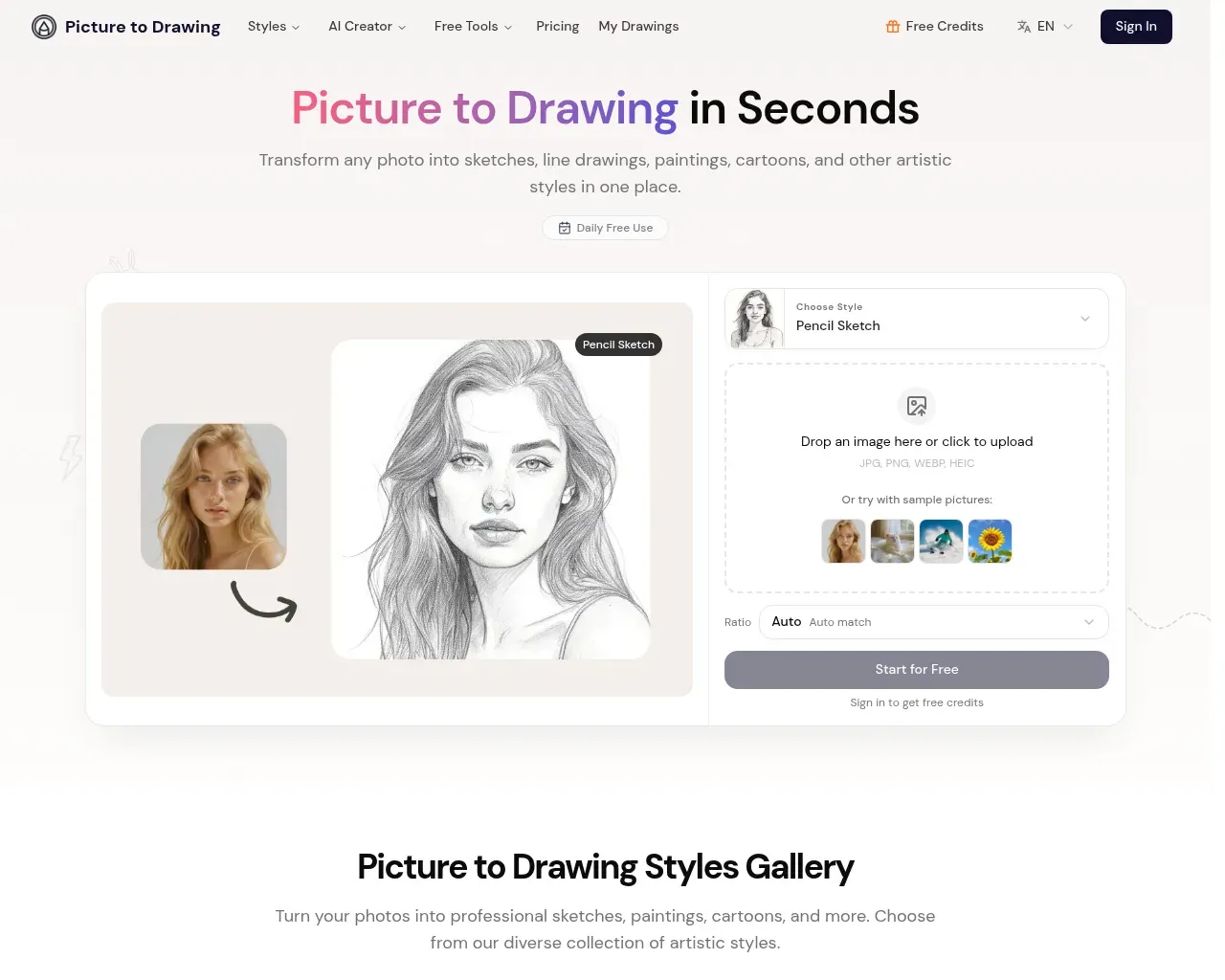
Что он делает
Основной цикл прост. Вы загружаете файл JPG, PNG, WEBP или HEIC (или начинаете с одного из образцов изображений), выбираете художественный стиль, задаёте соотношение сторон и нажимаете «конвертировать». Результат приходит в высоком разрешении, готовый к скачиванию для печати, в рамку или публикации. Учётная запись для пробы не требуется, и сайт сообщает, что загруженные фотографии автоматически удаляются после конвертации, а не хранятся — разумная позиция для чего-то, в что вы можете загружать семейные снимки.
Помимо стилей одним кликом, есть режим AI Style Transfer, где вы загружаете второе изображение как образец, и инструмент переносит этот вид на вашу фотографию. Небольшой раздел AI Creator добавляет генерацию текст-в-изображение и изображение-в-изображение, так что сайт явно движется в сторону универсального графического инструмента, а не однофункционального конвертера.
Стили и как работает конвертация
Список стилей охватывает ожидаемый диапазон: карандашный набросок, штриховой рисунок, цветной карандаш, акварель, уголь и тушь, плюс мультфильм, аниме и карикатура. Каждый настроен по-своему. Карандашный набросок делает упор на тени и мелкие детали, тогда как штриховой рисунок сводит изображение к чистым контурам — это режим, который лучше всего смотрится для логотипов, раскрасок или всего, что вы планируете печатать в чёрно-белом варианте.
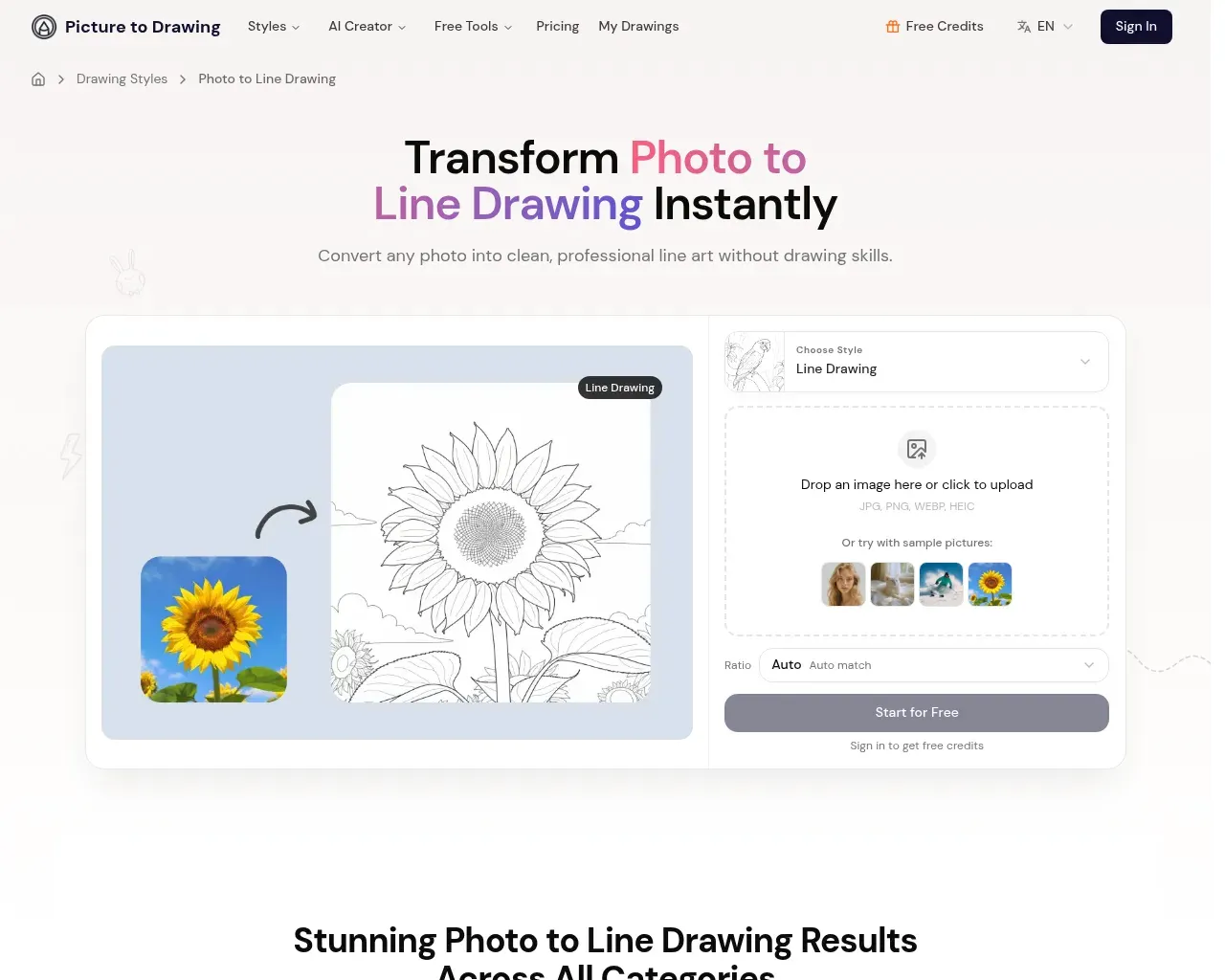
Одна трансформация стоит два кредита, и сайт даёт зарегистрированным пользователям одну бесплатную конвертацию в день. В FAQ открыто говорится, что результаты зависят от входных данных: чёткие, хорошо освещённые фото конвертируются лучше, чем перегруженные или малоконтрастные. Это соответствует общему поведению таких конвертеров, и стоит знать это, прежде чем оценивать инструмент по одной неудачной загрузке.
Сколько это стоит
Ценообразование основано на кредитах с ежемесячными, годовыми вариантами и оплатой по факту использования. При годовой оплате уровни: Basic — $8.99 в месяц (250 кредитов ежемесячно, примерно 125 конвертаций), Standard — $13.99 (400 кредитов, отмечен как «Popular») и Premium — $27.99 (1,000 кредитов). Ежемесячная оплата обходится дороже: $12.99, $19.99 и $39.99 соответственно, а пакеты с оплатой по факту имеют окна истечения от двух до двенадцати месяцев в зависимости от размера.

Перед подпиской стоит проверить две вещи. Вывод без водяного знака и права на коммерческое использование доступны только в платных планах, так что бесплатная ежедневная конвертация — это скорее пробный вариант, чем полноценный бесплатный уровень. А политика возврата — категорическое «нет»: кредиты не возвращаются после покупки, что сайт объясняет стоимостью вычислений каждой генерации. Отмена прекращает будущие списания, но не вернёт неиспользованные кредиты.
Для кого это
Это подходит для случайных и разовых задач: подарок на день рождения из семейной фотографии, аватар в стиле наброска, партия страниц для раскраски, несколько публикаций в соцсетях с нарисованным от руки видом. Математика кредитов прекрасно работает в этом масштабе, и бесплатная ежедневная конвертация достаточна для проверки того, нравится ли вам результат, прежде чем платить. Профессиональные иллюстраторы и студии, которым нужен контроль над толщиной линий, слоями или редактируемыми векторами, быстро упрутся в его потолок, потому что это однопроходный конвертер, а не редактор.
Подводный камень: обобщённое название и скудная история
Главная оговорка — не сам инструмент, а всё, что его окружает. «Picture to Drawing» — настолько общее название для продукта, насколько это вообще возможно, а рынок полон вариантов: picturetodrawing.org, .io и .app, плюс pictodrawing.com, все предлагают почти одно и то же. Посты Show HN, всплывающие по этому названию, указывают на эти другие домены, а не на этот, поэтому независимая история именно picturetodrawing.com весьма скудна. Большинство положительных отзывов, которые вы найдёте, — собственный текст сайта, а продукт существует лишь с начала 2026 года.
Всё это не делает его плохим инструментом. Это означает, что вы доверяете молодому сервису без реальной истории сторонних отзывов, в категории, где переход к конкуренту ничего вам не стоит. Покупайте кредиты небольшими порциями сначала и не предполагайте, что отзывы, которые вы читаете, относятся именно к тому сайту, на котором вы находитесь.
Вердикт
Picture to Drawing делает то, что обещает. Конверсии выглядят хорошо, стили разнообразны, ценообразование прозрачно, а отношение к конфиденциальности разумное. Чего ему не хватает — это дифференциации и истории: это компетентный участник переполненного рынка, а не выдающийся продукт. Для случайной личной работы с фото в арт — однозначно да на бесплатном уровне или дешёвом ежемесячном плане. Для чего-то крупного или бизнес-критичного — сначала протестируйте как следует. В целом: 3/5, добротный случайный инструмент, который ещё не заработал чёткой причины предпочесть его многочисленным клонам.
Источники
- Главная страница Picture to Drawing — основные функции, стили, рабочий процесс и заявления о конфиденциальности
- Цены Picture to Drawing — уровни, количество кредитов, политика возврата и коммерческого использования
- Страница стиля Photo to Line Drawing — варианты использования линейного искусства и примеры
- Поиск на Hacker News по «picture to drawing» — показал, что название пересекается с вариантами .io и .org, обсуждений мало
- CyberLink: лучшие конвертеры фото в рисунок — конкурентная среда и почти идентичные альтернативы
Published on: August 30, 2026
Ищете альтернативы Picture to Drawing? Все альтернативы Picture to Drawing →
Have an AI tool of your own? Submit it below and get a free, in-depth product review article — just like this one.
Добавьте свой AI-инструмент за секунды
Вставьте URL — мы подготовим черновик. Вы проверяете и редактируете каждое поле перед отправкой.