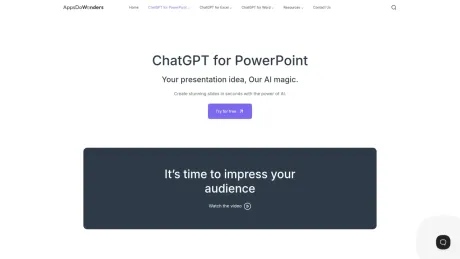
ChatGPT for PowerPoint
ChatGPT para PowerPoint: crea impresionantes diapositivas en segundos con la potencia de la IA.
- Categoría
- Diapositivas y presentaciones
- Precios
- Paid
- Alternativas
- 6 herramientas similares
- Actualizado
- hace 3 semanas
- Fuente
- Sitio oficial ↗︎
AI Collection Mejores opciones

TheFluxTrain
Estudio de producción de IA de Agentic para personajes, flujos de trabajo y vídeos coherentes
Diapositivas y presentaciones Selecciones de categoría


Acerca de ChatGPT for PowerPoint
¡Nuestro equipo está encantado de llevar nuestro complemento de PowerPoint basado en inteligencia artificial a Product Hunt! 🚀 Crear tus presentaciones en PowerPoint ahora es más fácil: ✨ Crea diapositivas y temas de conversación organizados de forma eficiente 🎨 Añade o reemplaza imágenes automáticamente para mantener tu diseño fresco ✏️ Usa el diseñador de PowerPoint para ajustar tus diapositivas 🌍 Llega a una audiencia mundial con traducciones impulsadas por IA
ChatGPT for PowerPoint's Planes de precios
ChatGPT for PowerPoint puede cambiar los precios en cualquier momento. Aquí está nuestra información más reciente:
Pricing
Default
$7.00
per month
Preguntas frecuentes
What is ChatGPT for PowerPoint used for?
ChatGPT para PowerPoint: crea impresionantes diapositivas en segundos con la potencia de la IA.Is ChatGPT for PowerPoint free?
ChatGPT for PowerPoint is a paid product. See the Pricing section for current plans.What are alternatives to ChatGPT for PowerPoint?
Top alternatives to ChatGPT for PowerPoint include PitchBob io, Storydoc, ChatBA, SlidesAI, Pitchgrade.Where can I get ChatGPT for PowerPoint?
ChatGPT for PowerPoint is available at https://appsdowonders.com/chatgpt-for-powerpoint/.What category is ChatGPT for PowerPoint in?
ChatGPT for PowerPoint is listed in Diapositivas y presentaciones.What makes Twistly the best AI presentation maker?
Twistly is not just another online slide builder — it’s an advanced AI add-in for PowerPoint that works directly inside Microsoft PowerPoint. No switching tools. Just faster, smarter presentation creation using AI.Is Twistly the fastest AI presentation generator?
Yes. Twistly is built for speed. Over 95% of presentations are generated in under 30 seconds, making it one of the best AI presentation generators available for real-time results in PowerPoint.Can I use AI inside PowerPoint with Twistly?
Absolutely. Twistly integrates the power of AI directly, so you can write slides, summarize content, generate speaker notes, and more — all without leaving your deck.What kind of presentations can I make with Twistly?
Twistly can create virtually any presentation: school projects, business pitches, training decks, sales proposals, educational lessons, and more. It’s the best AI PowerPoint generator for both students and professionals.Is Twistly a good AI PowerPoint maker for beginners?
Yes! No design experience or tech skills required. Just type what you need, and the AI PowerPoint presentation maker does the rest — from layout to design.Does Twistly support my own templates and design themes?
Definitely. Twistly includes stunning, pre-designed templates that are optimized for AI-generated content. You can also upload your own template and reuse it as many times as you want, making it the ideal AI PPT maker for polished results.What file types does Twistly convert into PowerPoint slides?
You can generate slides from text, PDFs, DOCX, YouTube links, Google Docs, and more. It’s a true AI PowerPoint generator that transforms different content formats into clean, professional slides.
Comparar ChatGPT for PowerPoint con…
Elige cualquier herramienta para ver una comparación estructurada lado a lado: precios, implementación, capacidades y política de contenido.