RecoveryFox AI
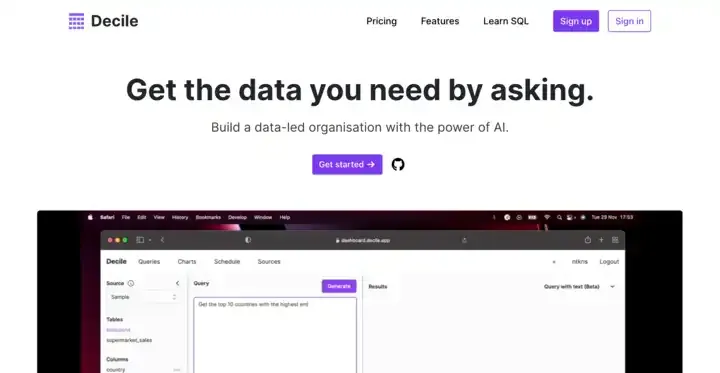
es un software avanzado de recuperación de datos para recuperar documentos importantes, fotos preciosas y otros archivos de ordenadores, SSD externos, unidades de disco duro, tarjetas USB o SD.
- Categoría
- Análisis de datos
- Precios
- Paid
- Alternativas
- 6 herramientas similares
- Actualizado
- hace 3 semanas
- Fuente
- Sitio oficial ↗︎
AI Collection Mejores opciones

TheFluxTrain
Estudio de producción de IA de Agentic para personajes, flujos de trabajo y vídeos coherentes
Análisis de datos Selecciones de categoría
Extractor de facturas y recibos (OSS) con tecnología LLM


Acerca de RecoveryFox AI
RecoveryFox AI es una herramienta de recuperación de datos impulsada por la IA que ofrece a los usuarios de Windows una solución específica para recuperar los datos perdidos de los medios de almacenamiento internos y externos. Las principales características incluyen: tasa de éxito de recuperación del 98%, soporte para la recuperación de más de 500 formatos de archivo, IA para escanear y reconstruir fragmentos, previsualizar el archivo antes de la recuperación, refinar los archivos que quieres recuperar med
RecoveryFox AI's Planes de precios
RecoveryFox AI puede cambiar los precios en cualquier momento. Aquí está nuestra información más reciente:
RecoveryFox AI Pricing Plans
Lifetime Plan - Save 33%
Perfect for power users, IT experts, businesses, content creators seeking a permanent solution
$99.95
Lifetime
- AI for fragments scan and rebuild
- NTFS, exFAT, FAT32 support
- 500+ file formats compatibility
- Preview file before recovery
- Locate files with smart filters
- Non-destructive recovery process
- Retain original filename and structure
- Unlimited recovery
- 1 PC, 1 license
- Free updates & support
- Lifetime scan and preview access
- 30 days money back guarantee
- Pay Once, Recover Forever
- One-time payment
Yearly Plan - Save 22%
Perfect for professionals, businesses, or anyone prioritizing long-term data security
$69.95
Per Year
- AI for fragments scan and rebuild
- NTFS, exFAT, FAT32 support
- 500+ file formats compatibility
- Preview file before recovery
- Locate files with smart filters
- Non-destructive recovery process
- Retain original filename and structure
- Unlimited recovery
- 1 PC, 1 license
- Free updates & support
- Lifetime scan and preview access
- 30 days money back guarantee
- No automatic renewal
Monthly Plan
Perfect for casual users, businesses, freelancers handling short-term projects
$59.95
Per Month
- AI for fragments scan and rebuild
- NTFS, exFAT, FAT32 support
- 500+ file formats compatibility
- Preview file before recovery
- Locate files with smart filters
- Non-destructive recovery process
- Retain original filename and structure
- Unlimited recovery
- 1 PC, 1 license
- Free updates & support
- Lifetime scan and preview access
- 7 days money back guarantee
- No automatic renewal
Weekly Plan
Perfect for everyone’s emergency recovery needs
$49.95
Per Week
- AI for fragments scan and rebuild
- NTFS, exFAT, FAT32 support
- 500+ file formats compatibility
- Preview file before recovery
- Locate files with smart filters
- Non-destructive recovery process
- Retain original filename and structure
- Unlimited recovery
- 1 PC, 1 license
- Free updates & support
- Lifetime scan and preview access
- No automatic renewal
Lo que obtienes
información adicional
RecoveryFox AI is an AI-powered data recovery software designed specifically for Windows users. It efficiently retrieves deleted, formatted, and lost files from various storage sources, including HDDs, SSDs, USB flash drives, SD cards, desktops, and Recycle Bin. With its smart scanning capabilities, it offers a proven high success rate of data recovery in numerous scenarios including accidental deletion and formatted drives.
The software utilizes advanced AI technology to conduct deep scans for fragmented data, ensuring that lost files can be reconstructed with their original names and folder structures intact. RecoveryFox AI is particularly user-friendly, providing a simple three-step process to select locations, initiate scans, and preview recoverable files before restoring them. It is suitable for individuals, businesses, and professionals seeking reliable data recovery solutions.
Key features include quick recovery from a variety of storage devices, document recovery for formats like Word and Excel, and specialized tools for ZIP file recovery. It also provides options for file repair, allowing users to salvage usable content from damaged documents and images. RecoveryFox AI stands out for its ability to operate offline, securing users' data throughout the recovery process. The software is backed by a solid guarantee for customer satisfaction.
Preguntas frecuentes
What is RecoveryFox AI used for?
RecoveryFox AI es un software avanzado de recuperación de datos para recuperar documentos importantes, fotos preciosas y otros archivos de ordenadores, SSD externos, unidades de disco duro, tarjetas USB o SD.Is RecoveryFox AI free?
RecoveryFox AI is a paid product. See the Pricing section for current plans.What are alternatives to RecoveryFox AI?
Top alternatives to RecoveryFox AI include LLM-Powered Invoice & Receipt Extractor (OSS), AutoPredict, Genius Sheets, NewsDeck from OneSub, Decile.Where can I get RecoveryFox AI?
RecoveryFox AI is available at https://www.wonderfoxrecovery.com/.What category is RecoveryFox AI in?
RecoveryFox AI is listed in Análisis de datos.Is RecoveryFox AI safe?
Yes. RecoveryFox AI is clean, safe, and secure to use. The installer contains no bundled software, ads, or malware, and the program is verified clean by major antivirus engines.I have a large hard drive. How long will it take to scan my drive?
The time depends on factors like drive size, drive health, file system, and hardware speed. For smaller drives or limited data, it can take anywhere from a few minutes to an hour. Larger drives or extensive recoveries may take hours or even days.How to restore deleted files from an external hard disk?
Connect the external hard drive to your PC, launch RecoveryFox AI, select the drive, and start scanning. After the scan, preview the recoverable files, select what you want to restore, and save them to a different drive to avoid overwriting.Is it possible to recover data from a failed SSD?
Yes, in many cases. RecoveryFox AI can recover data from SSDs affected by deletion, formatting, partition loss, or file system errors. However, recovery success may be lower if the SSD is physically damaged or TRIM has permanently erased the data.Will RecoveryFox AI recover all my data?
If you stop using the impacted device right after data loss to prevent overwriting, and then do a Quick Scan with RecoveryFox AI, you possibly retrieve all your data along with the original filenames and file structures.
Comparar RecoveryFox AI con…
Elige cualquier herramienta para ver una comparación estructurada lado a lado: precios, implementación, capacidades y política de contenido.