Reseña de Creatify AI: una plataforma madura de anuncios en vídeo con precios por créditos
By: AI Collection
At a glance
4.0 / 5
Creatify AI
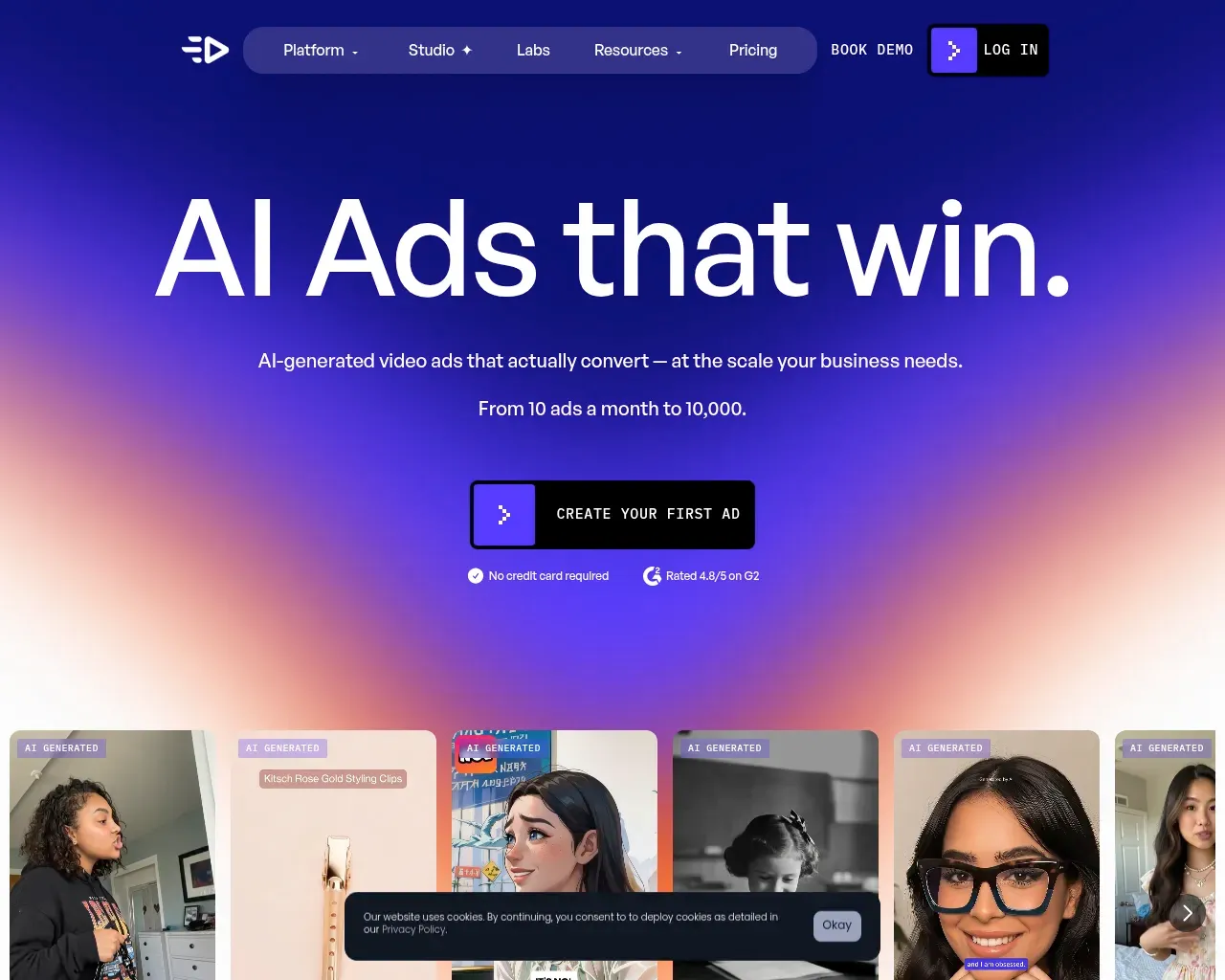
PaidEl mercado de herramientas de vídeo publicitario con IA ha pasado de ser una novedad a estar saturado en apenas dos años, y la mayoría prometen lo mismo: pega un enlace de producto y obtén un vídeo que detenga el scroll en minutos. Creatify es uno de los primeros nombres que aparece en esa conversación, y a diferencia de muchos de sus rivales tiene el historial para respaldar la afirmación — la empresa dice que da soporte a más de 18,000 marcas y agencias, tiene una calificación de 4.8/5 en G2 con más de mil reseñas, y ha recaudado $24M de inversores como WndrCo, Kindred Ventures y Comcast Ventures. Así que Creatify claramente funciona. Lo que vale la pena evaluar es si sus precios y el límite de su producción encajan con cómo tú realmente anuncias.
Lo que realmente estás comprando
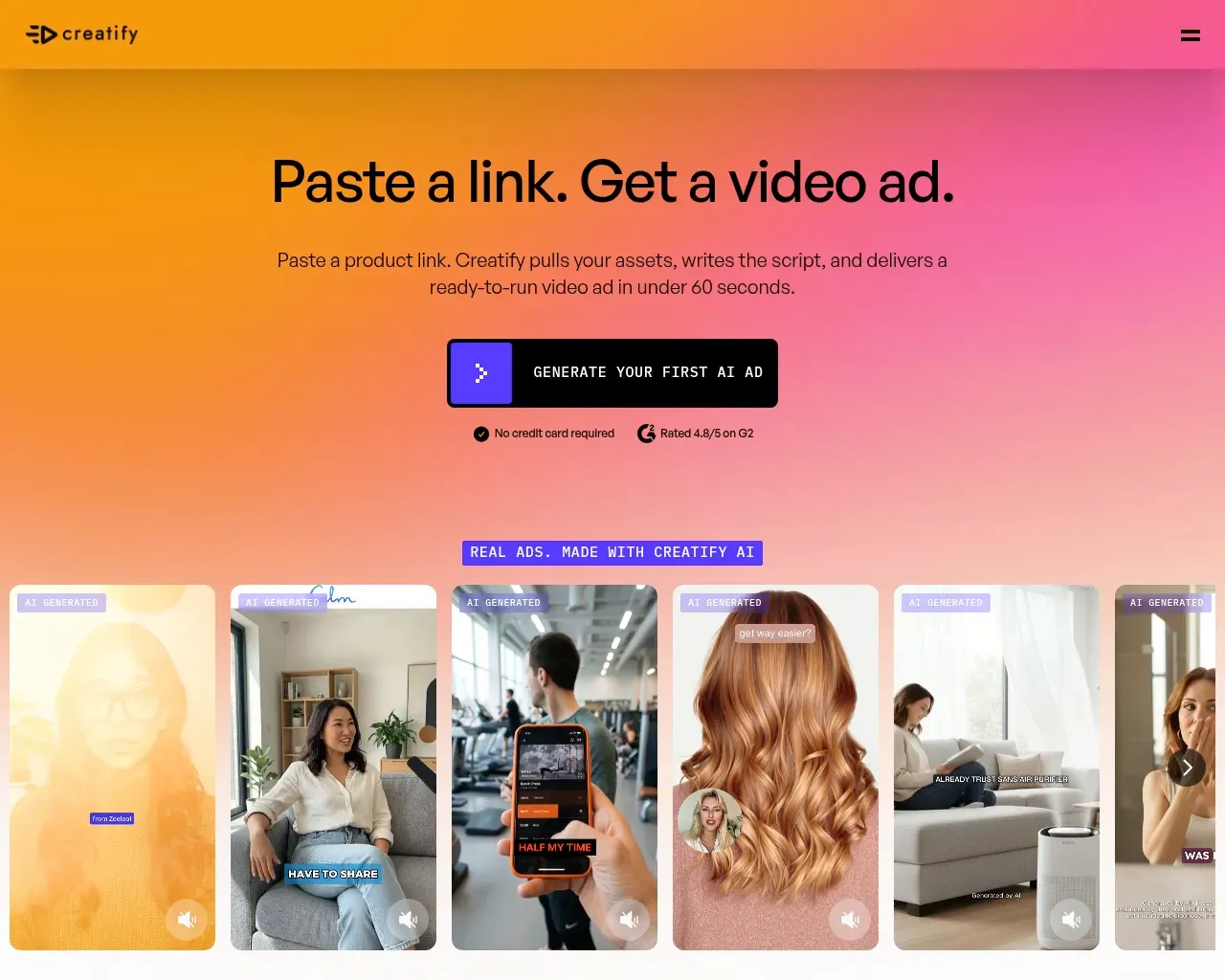
Creatify comenzó como un generador de vídeo por URL, y eso sigue siendo la función por la que viene la mayoría. Pegas una página de producto, la IA extrae las imágenes y el texto, escribe un guion corto, elige un avatar y entrega un anuncio de vídeo listo para publicar — Creatify dice que en menos de 60 segundos. En la práctica el atractivo es obvio para cualquiera que haya esperado dos semanas y pagado a un freelancer por un único clip UGC.
Lo que ha cambiado es que Creatify ya no se vende como una sola herramienta. El producto actual se construye alrededor de un ciclo de cuatro partes: descubrir plantillas de anuncios ganadoras y creativos de la competencia, crear variaciones con un agente de IA o un editor basado en nodos llamado Ad Flow, lanzar directamente a las cuentas de anuncios de Meta y TikTok, y hacer seguimiento del gasto, el ROAS y el CTR por creativo. Hay una biblioteca de avatares, un motor de texto a voz que cubre 75+ idiomas, un clonador de anuncios y una API para equipos que quieren generar en volumen. Ya uses una décima parte de todo eso o todo entero, el argumento es el mismo: reemplaza el ciclo de filmar-actuar-editar por algo que puedas ejecutar decenas de veces a la semana.
Los avatares sostienen el producto — hasta cierto punto
Los actores de IA son lo que más destacan los reseñadores. En G2, el elogio recurrente es que los avatares son lo suficientemente realistas como para pasar por UGC genuino y que los no diseñadores pueden obtener un anuncio utilizable de la herramienta rápidamente. Para el trabajo de formato corto — los clips de 15 a 30 segundos que conforman la mayor parte del social pagado — eso se sostiene. Los avatares se ven humanos cuando pasan a velocidad de scroll, y la biblioteca es lo suficientemente grande como para hacer coincidir una cara con una marca.
La advertencia honesta, que aparece en reseñas independientes, es que el realismo tiene un techo. Extiende el guion más allá de aproximadamente medio minuto y empiezan a verse las costuras: la sincronización labial empieza a desalinearse con el audio, los movimientos de cabeza se vuelven ligeramente robóticos, y algunas caras presentan un artefacto de "piel brillosa" que delata la IA. Los modelos premium más nuevos como Aurora mejoran esto, pero también cuestan más créditos, lo que lleva al aspecto de Creatify del que más se quejan los usuarios.
Cómo funciona realmente el precio
Sobre el papel los planes son simples. Hay un nivel gratuito con 10 créditos mensuales y marca de agua, un plan Starter a $39/mes por 100 créditos, un plan Pro a $99/mes por 300+ créditos, y un nivel Enterprise personalizado. La facturación anual se anuncia con hasta un 50% de descuento.
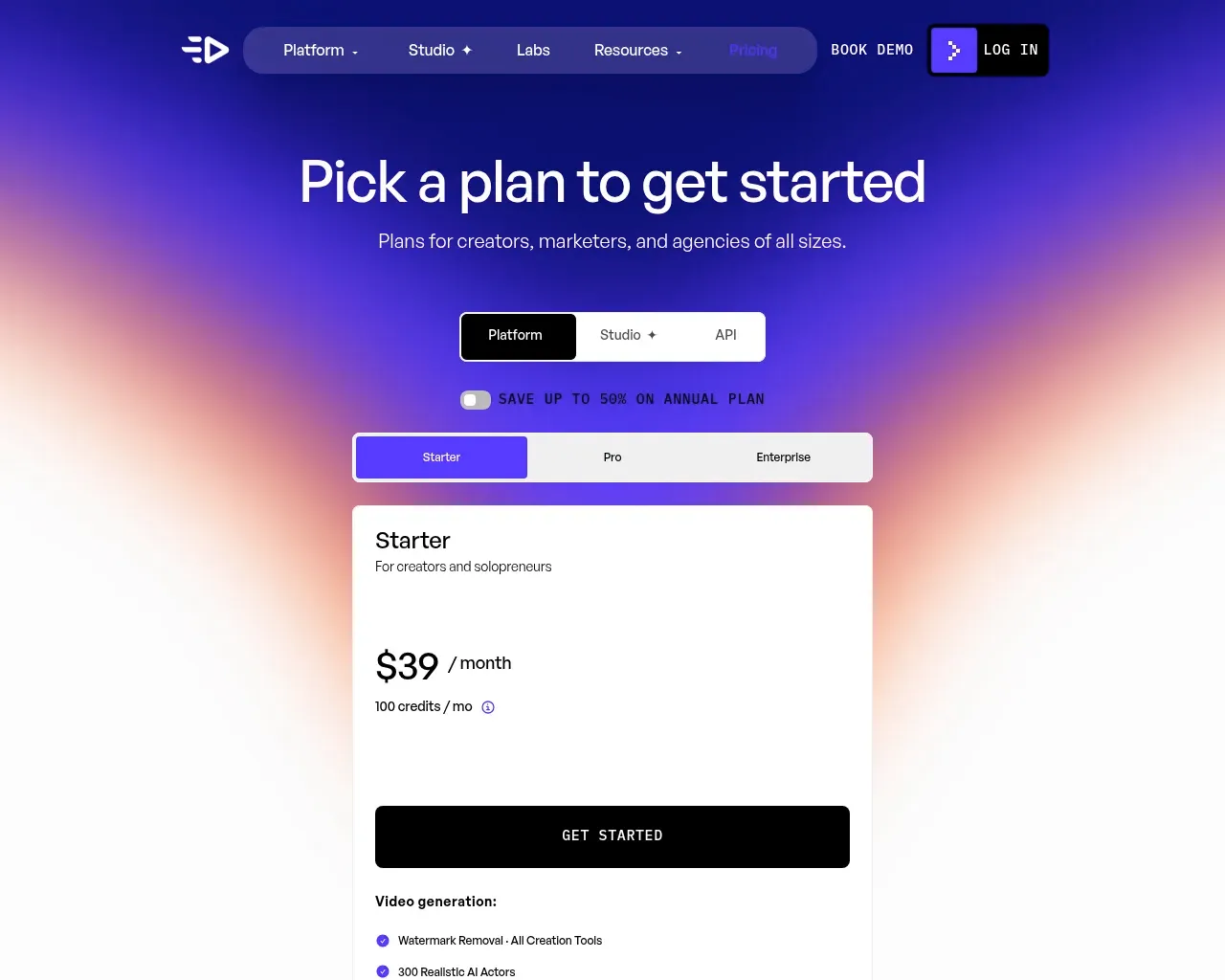
Los créditos son donde vive el costo real. Un único renderizado de vídeo consume entre 2 y 20 créditos según su duración, el avatar y el modelo — y los anuncios que realmente vale la pena publicar tienden a situarse en el extremo más caro. El desglose de Wireflow calcula las matemáticas claramente: con alrededor de 20 créditos para un anuncio de avatar de alta calidad, los 100 créditos de Starter equivalen a aproximadamente cinco vídeos utilizables al mes, o alrededor de $7.80 por anuncio terminado; Pro cuesta cerca de $6.60 cada uno. Ninguna cifra incluye los re-renders, y la iteración es exactamente donde se gastan los presupuestos publicitarios. El plan gratuito, con dos vídeos con marca de agua, es más una demo que un nivel funcional.
Hay dos detalles en letra pequeña que vale la pena conocer antes de suscribirse. Los créditos caducan — los reseñadores informan de una ventana de aproximadamente dos meses en lugar de transferencia indefinida — y un render fallido puede seguir deduciendo de tu saldo, así que un fallo de sincronización labial que obliga a repetirlo te cuesta el doble.
Donde las reseñas se vuelven críticas
El 4.8 de Creatify en G2 es genuinamente alto, pero su puntuación en Trustpilot es más baja, alrededor de 3.8, y la brecha es instructiva. Las quejas de facturación se concentran allí: los usuarios describen dificultades para obtener reembolsos, cargos que continúan después de la cancelación y créditos que desaparecen sin mucho aviso. Si te suscribes, trata los términos de cancelación y reembolso como algo que hay que leer con atención en lugar de dar por supuesto.
La otra queja consistente es sobre la escritura. Los guiones de IA siguen un arco predecible — gancho, problema, producto, prueba social, llamada a la acción — y esa fórmula sí convierte para anuncios de productos sencillos. Pero también significa que el resultado puede sonar intercambiable de un producto al siguiente, y los equipos que quieren un control creativo detallado encuentran que la herramienta los empuja de vuelta hacia sus plantillas. Creatify está construido para producir muchos anuncios competentes rápido, no para crear uno solo que destaque.
Quién debería usarlo, y mi veredicto
Creatify encaja mejor con los anunciantes de alto volumen: marcas de e-commerce, equipos DTC y agencias que necesitan probar muchos ángulos creativos y se preocupan más por la velocidad de producción que por ajustar a mano cada spot. El flujo URL-to-video, la biblioteca de avatares y las funciones de lanzamiento y seguimiento directo comprimen genuinamente un flujo de trabajo que antes tardaba semanas. Si publicas un puñado de vídeos al mes y quieres que cada uno sea único, la economía de créditos juega en tu contra y una herramienta puntual más barata puede servirte mejor.
En general lo situaría en 4/5: un producto maduro y bien financiado que hace bien el trabajo principal y tiene las reseñas para probarlo, pero que se queda por debajo de la nota máxima por los precios de crédito opacos, la fricción en la facturación y el techo de los avatares que aparece en el momento en que tus guiones se alargan. Empieza con el nivel gratuito, genera algunos anuncios en tu nicho real y juzga la calidad del avatar y el consumo de créditos frente a tu cadencia de publicación real antes de comprometerte con un plan.
Fuentes consultadas
- Creatify — AI Ad Generator (homepage) — posicionamiento del producto, conjunto de funciones, calificación en G2, cifras de tracción y financiación
- Creatify pricing — planes actuales free/Starter/Pro/Enterprise y el modelo de créditos
- Creatify URL-to-video feature — cómo funciona el flujo de pegar un enlace y los pasos con el avatar
- Creatify Pricing in 2026: Plans, Credit Math, and What a Video Really Costs — Wireflow — desglose del costo por vídeo y letra pequeña sobre caducidad y re-renders
- Creatify AI Review After 5 Weeks (saas24reviews) — pruebas prácticas más sentimiento agregado de usuarios de G2/Trustpilot
- Creatify AI reviews on G2 — pros y contras de usuarios verificados, comentarios sobre avatares y guiones
- Creatify reviews on Trustpilot — quejas sobre facturación, reembolsos y caducidad de créditos
- Hacker News (Algolia) — Creatify Show HN posts — cronología del lanzamiento público (2024)
Published on: October 8, 2026
¿Buscas alternativas a Creatify AI? Ver todas las alternativas a Creatify AI →
Have an AI tool of your own? Submit it below and get a free, in-depth product review article — just like this one.
Añade tu herramienta de IA en segundos
Pega tu URL y prepararemos el borrador. Tú revisas y editas cada campo antes de enviarlo.