Autoname
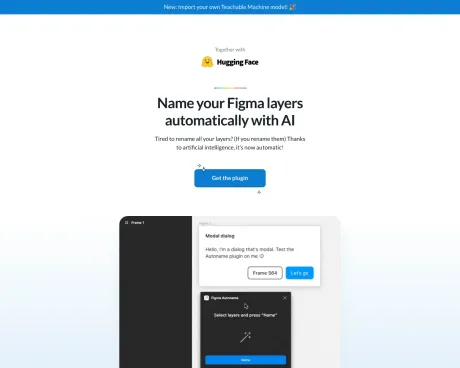
एक क्लिक में अपनी सभी परतों का नाम बदलें। आई के लिए धन्यवाद। खुला स्त्रोत.
- श्रेणी
- प्लगइन्स और एक्सटेंशन
- विकल्प
- 6 समान उपकरण
- अंतिम अपडेट
- 1 सप्ताह पहले
- स्रोत
- आधिकारिक साइट ↗︎
AI Collection ऊपर उठाता है

प्लगइन्स और एक्सटेंशन श्रेणी चयन


Autoname के बारे में
एक क्लिक में Figma फ्रेम का नाम बदलें, बस इतना ही।
Autoname's मूल्य निर्धारण योजनाएँ
Autoname किसी भी समय कीमतें बदल सकती हैं। यहां हमारी नवीनतम जानकारी है:
Pricing
Pricing
- The usage of the plugin is completely free.
आपको क्या मिलता है
अतिरिक्त जानकारी
Figma Autoname is a plugin designed to automate the renaming of design layers within Figma. With this tool, designers can rename all layers in a single click, significantly reducing the time spent on layer management. The plugin intelligently detects components and prevents renaming of those layers, ensuring that essential design structures remain intact.
The tool is aimed at designers who frequently work with complex Figma files containing numerous layers. By simplifying the renaming process, Figma Autoname allows designers to focus more on creativity and less on administrative tasks associated with design organization.
As a community-driven project, Figma Autoname is released under the MIT License, making it free for users to install and use. Users are also encouraged to contribute to the plugin's development, fostering an open-source environment that benefits the design community further.
With thousands of users, Figma Autoname has received positive feedback for its effectiveness and ease of use, solidifying its reputation as a go-to solution among Figma users.
अक्सर पूछे जाने वाले प्रश्न
What is Autoname used for?
एक क्लिक में अपनी सभी परतों का नाम बदलें। आई के लिए धन्यवाद। खुला स्त्रोत.Is Autoname free?
Pricing for Autoname varies — see the Pricing section for details.What are alternatives to Autoname?
Where can I get Autoname?
Autoname is available at http://www.autoname.org.What category is Autoname in?
Autoname is listed in प्लगइन्स और एक्सटेंशन.
Autoname की तुलना करें…
किसी भी टूल को चुनें और संरचित तुलना देखें: मूल्य, परिनियोजन, क्षमताएँ और कंटेंट नीति।