
- श्रेणी
- इमेज एडिटिंग
- विकल्प
- 6 समान उपकरण
- अंतिम अपडेट
- 5 दिन पहले
- स्रोत
- आधिकारिक साइट ↗︎
AI Collection ऊपर उठाता है

इमेज एडिटिंग श्रेणी चयन

ProductScope AI
ProductScope AI ईकॉमर्स ब्रांड्स और मार्केटर्स के लिए दो ज़रूरी टूल प्रदान करता है: एक AI प्रॉडक्ट फ़ोटोशूट टूल और एक लिस्टिंग ऑप्टिमाइज़र।


Claid AI के बारे में
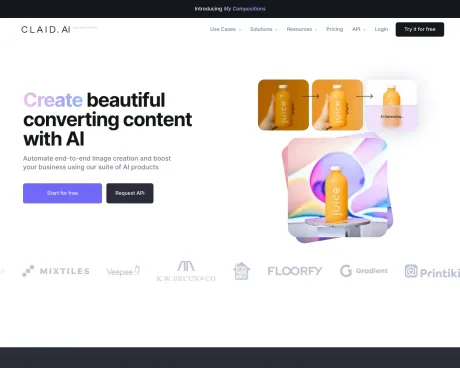
हमारे एआई उत्पादों के सुइट का उपयोग करके एंड-टू-एंड छवि निर्माण को स्वचालित करें और अपने व्यवसाय को बढ़ावा दें। आपके ब्रांड के अनुरूप अनेक उत्पाद छवियाँ बनाएँ। उबाऊ उत्पाद छवियों को फोटोशूट-गुणवत्ता वाली मार्केटिंग छवियों में बदलकर अपनी सामग्री निर्माण प्रक्रिया को सरल बनाएं
Claid AI's मूल्य निर्धारण योजनाएँ
Claid AI किसी भी समय कीमतें बदल सकती हैं। यहां हमारी नवीनतम जानकारी है:
Pricing
Pricing
- Claid API offers a flexible pricing model based on credits used for different image operations, which can vary depending on the required tasks.
अक्सर पूछे जाने वाले प्रश्न
What is Claid AI used for?
एआई के साथ सुंदर रूपांतरित सामग्री बनाएं.Is Claid AI free?
Pricing for Claid AI varies — see the Pricing section for details.What are alternatives to Claid AI?
Top alternatives to Claid AI include ProductScope AI, PicTools.AI, AI Photos Editor, AVCLabs PhotoPro AI, Fotor.Where can I get Claid AI?
Claid AI is available at http://claid.ai.What category is Claid AI in?
Claid AI is listed in इमेज एडिटिंग.Can AI help me with product photography?
Absolutely! Claid AI is designed to simplify your product photography workflow. With our app, you can easily upscale and improve images, create eye-catching backgrounds, automate repetitive tasks, and more.How do I create professional-looking product photos?
Claid AI offers everything you need: Enhancement tools to sharpen images, fix colors, and get high-resolution images. Background magic to instantly remove backgrounds or generate pro-quality scenes. AI-powered automation to save time and streamline your process with our API.Is there an easy way to edit product photos?
Claid AI makes product photo editing a breeze. Whether you need to remove backgrounds, apply HDR, or generate product shots, our tools make it simple.How can I make my product photos stand out?
Claid gives you the creative edge! Explore our AI background generation to place your products in unique scenes, enhance detail, and apply professional-grade color correction.What's the best AI tool for product photos?
Claid is a top choice for businesses of all sizes! We specialize in eCommerce photography, offering a user-friendly platform and powerful features tailored to your needs. With Claid you can make images clear, erase backgrounds, and place your products in high-quality AI backdrops.Do I need technical skills to use Claid AI?
Not at all! Our AI tools make it easy to achieve amazing results without Photoshop or complex technical knowledge.Can I try Claid AI for free?
Yes! We offer a free trial so you can experience the power of our tools before committing. Just create a Claid account and try everything we've got for free.
Claid AI की तुलना करें…
किसी भी टूल को चुनें और संरचित तुलना देखें: मूल्य, परिनियोजन, क्षमताएँ और कंटेंट नीति।








