CapCut समीक्षा: एक शक्तिशाली मुफ्त AI वीडियो एडिटर, लेकिन पहले शर्तें पढ़ना ज़रूरी
By: AI Collection
At a glance
4.0 / 5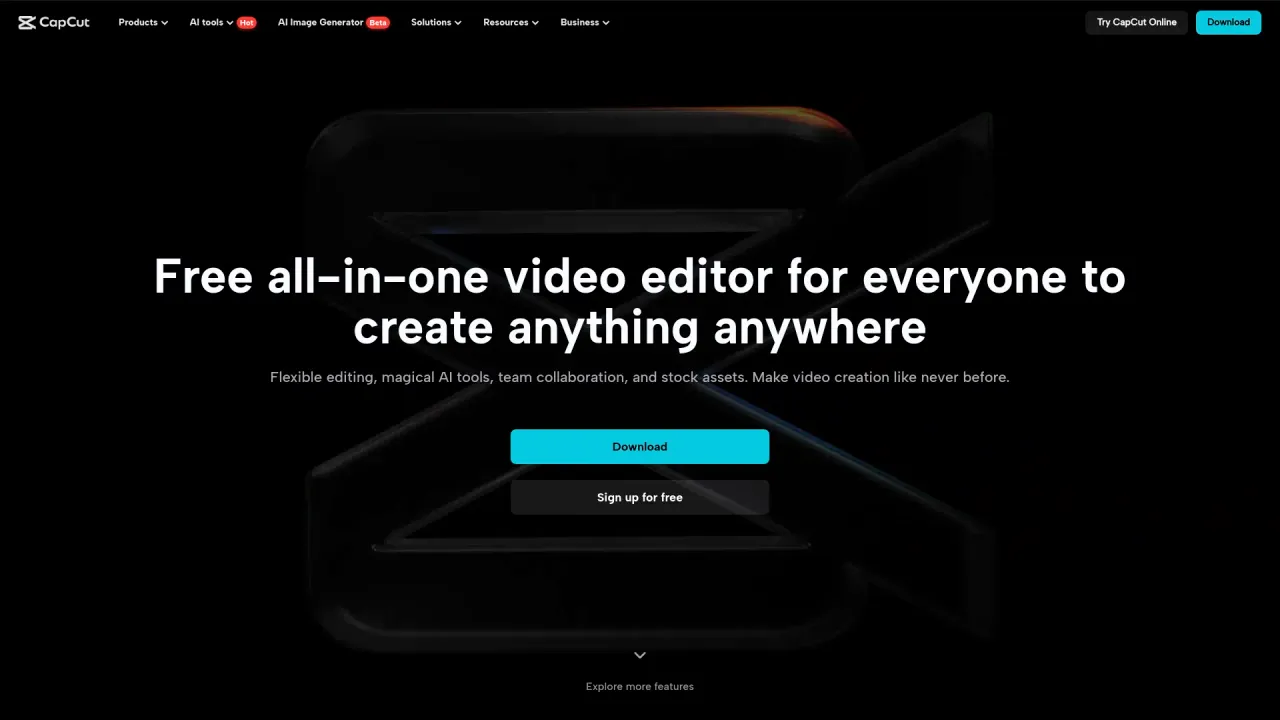
CapCut
Freeअगर आपने पिछले दो वर्षों में किसी शॉर्ट-फॉर्म फीड में स्क्रॉल किया है, तो लगभग निश्चित रूप से आपने CapCut में एडिट किया हुआ कुछ देखा होगा। यह TikTok, Reels और Shorts कंटेंट के पीछे सबसे ज़्यादा इस्तेमाल होने वाले एडिटर्स में से एक है, और यह इतना फ्री है कि ज़्यादातर लोग कभी पेवॉल से नहीं टकराते। यह ByteDance के स्वामित्व में भी है — TikTok की वही पैरेंट कंपनी — और इसने 2025 में अपनी सेवा की शर्तें इस तरह से लिखी कि बहुत से क्रिएटर्स रुककर फाइन प्रिंट पढ़ने लगे। दोनों तथ्य मायने रखते हैं, इसलिए यह समीक्षा एडिटिंग और कागज़ी काम दोनों को कवर करती है।

CapCut वास्तव में क्या है
CapCut ने 2019 में चीन में JianYing के रूप में जन्म लिया, ViaMaker के नाम से अंतरराष्ट्रीय स्तर पर लॉन्च हुआ, और 2020 में अपने वैश्विक रिलीज़ के लिए CapCut नाम दिया गया। आज यह iOS, iPadOS, Android, macOS, Windows, वेब और HarmonyOS पर लगभग दो दर्जन भाषाओं में चलता है। स्केल वाकई असामान्य है: ByteDance ने 2022 में ही 200 मिलियन सक्रिय उपयोगकर्ताओं की रिपोर्ट की थी, और 2024 के मध्य तक South China Morning Post ने इसे वैश्विक AI ऐप डाउनलोड में अग्रणी लगभग 323 मिलियन मासिक सक्रिय उपयोगकर्ताओं पर आँका। जनवरी 2025 में अकेले Google Play Store पर इसने एक अरब डाउनलोड पार कर लिए।
उस पहुँच का कारण सरल है। फ्री टियर एक कटी-छँटी डेमो नहीं है। आप क्लिप ट्रिम करके लेयर कर सकते हैं, मल्टी-ट्रैक टाइमलाइन बना सकते हैं, टेक्स्ट और ऑटो-जेनरेटेड कैप्शन जोड़ सकते हैं, स्पीड एडजस्ट कर सकते हैं, कीफ्रेम एनिमेशन बना सकते हैं, बैकग्राउंड हटा सकते हैं और कुछ भी भुगतान किए बिना और बेसिक एडिट पर वॉटरमार्क लगाए बिना 1080p में एक्सपोर्ट कर सकते हैं। मोबाइल ऐप खासकर उस व्यक्ति के लिए बनाया गया है जिसने कभी कोई एडिटर नहीं खोला — यही कारण है कि यह मार्केटिंग के बजाय वर्ड ऑफ माउथ से क्रिएटर वर्ल्ड में फैल गया।
AI की ओर धकेल
CapCut ने जेनरेटिव टूल्स में भारी निवेश किया है, और मौजूदा होमपेज अब खुद को सिर्फ एक एडिटर की बजाय "AI-Powered Photo & Video Editor" कहता है। टाइमलाइन के साथ-साथ आपको टेक्स्ट-टू-वीडियो जेनरेशन, एक AI Clipper जो लंबी रिकॉर्डिंग को छोटे वर्टिकल कट्स में काटता है, स्मार्ट ऑटो-रीफ्रेम, AI मास्किंग और नॉइज़ रिडक्शन के साथ स्टूडियो ऑडियो क्लीनअप मिलते हैं। नए अकाउंट को जेनरेटिव फीचर्स आज़माने के लिए बोनस क्रेडिट का एक बैच दिया जाता है।

बहुत से क्रिएटर्स के लिए यही आकर्षण है: एक शॉट डिस्क्राइब करें, एक क्लिप जेनरेट करें, इसे अपनी रियल फुटेज के बगल में सीधे टाइमलाइन पर ड्रॉप करें। यह सुविधाजनक है। यहीं से क्रेडिट मीटर भी मायने रखने लगता है, जो हमें मूल्य निर्धारण तक ले जाता है।
इसकी कीमत क्या है
फ्री प्लान अधिकांश कैजुअल उपयोगकर्ताओं को अनिश्चित काल के लिए कवर करता है। CapCut Pro वह जगह है जहाँ AI की सीमा उठती है — 4K, 60fps और HDR एक्सपोर्ट, बैच एक्सपोर्ट, एडवांस्ड AI टूल्स, अधिक प्रीमियम इफेक्ट्स और एक बड़ा क्लाउड स्टोरेज अलाउंस जुड़ जाता है। Pro लगभग $19.99 प्रति माह चलता है, सामान्य वार्षिक छूट के साथ।
प्रतिबद्ध होने से पहले दो मूल्य निर्धारण विवरण जानने लायक हैं। पहला, वार्षिक कीमत स्थिर नहीं है: फरवरी 2026 में यह $77.99 से बढ़कर $179.99 प्रति वर्ष हो गई — दोगुने से भी ज़्यादा — और उस समय की रिपोर्टों ने कहा कि यह मौजूदा सब्सक्राइबर्स को बिना पूर्व सूचना के मिली। दूसरा, AI फीचर्स मासिक क्रेडिट में मापे जाते हैं, और एक जेनरेशन जो फेल हो जाती है या जो आपको पसंद नहीं आती, वह भी क्रेडिट खर्च कर सकती है। अगर आपका वर्कफ्लो जेनरेटिव क्लिप पर निर्भर है, तो उसके लिए बजट बनाएं बजाय यह मानने के कि एक फ्लैट मासिक शुल्क असीमित आउटपुट को कवर करता है। यह भी सीधे कहना उचित है: Pro पाने का एकमात्र वैध तरीका CapCut के ज़रिए है। इंटरनेट "CapCut Pro APK" और मार्केटप्लेस पर क्रैक्ड-अनलॉक लिस्टिंग से भरा है, और वे ठीक वैसी चीजें हैं जो आपको इंस्टॉल नहीं करनी चाहिए।
वह हिस्सा जिस पर क्रिएटर्स बहस करने लगे
12 जून 2025 को CapCut ने अपनी उपयोग की शर्तें अपडेट कीं, और प्रतिक्रिया इतनी ज़ोरदार थी कि कुछ उपयोगकर्ताओं ने दस्तावेज़ को ChatGPT से गुज़ारा सिर्फ यह समझने के लिए कि वे किससे सहमत हुए थे। अपडेट की गई शर्तें CapCut को आपके द्वारा अपलोड किए गए कंटेंट का उपयोग करने, संपादित करने, वितरित करने और अन्यथा शोषण करने के लिए एक स्थायी, विश्वव्यापी, रॉयल्टी-मुक्त, अपरिवर्तनीय लाइसेंस प्रदान करती हैं, और ऐप में डाली गई हर चीज़ को — अधूरे ड्राफ्ट और व्यक्तिगत फुटेज सहित — गैर-गोपनीय "उपयोगकर्ता सामग्री" के रूप में मानती हैं। शर्तें चेहरे और आवाज़ के पैटर्न जैसे बायोमेट्रिक तत्वों पर अधिकार का दावा भी करती हैं, और कंपनी की आपके प्रति देनदारी को $50 या आपने पिछले वर्ष में जो भुगतान किया, जो भी कम हो, तक सीमित करती हैं।
यह किसी संकीर्ण समूह के लिए काल्पनिक चिंता नहीं है। अगर आप क्लाइंट का काम, ब्रांड कैंपेन, या किसी भी ऐसी चीज़ को एडिट करते हैं जिसमें दूसरे लोगों के चेहरे और आवाज़ें हों, तो वे शर्तें पूरी तरह पढ़ने और कानूनी जोखिम उठाने वाले से परामर्श करने लायक हैं। यह एक पूर्व-विद्यमान इतिहास के ऊपर भी बैठता है: जुलाई 2023 में इलिनोइस के उत्तरी जिले में दायर एक क्लास-एक्शन मुकदमे ने आरोप लगाया था कि CapCut ने बिना सहमति के बायोमेट्रिक और जियोलोकेशन डेटा एकत्र किया। 2025 में एक संघीय न्यायाधीश ने उस मुकदमे को कम किया लेकिन इसके मूल गोपनीयता और बायोमेट्रिक दावों को आगे बढ़ने दिया।
स्वामित्व का प्रश्न
चूँकि CapCut एक ByteDance ऐप है, यह ByteDance के भू-राजनीतिक बोझ को विरासत में लेता है। भारत ने 2020 में इसे दर्जनों अन्य चीनी ऐप्स के साथ प्रतिबंधित किया। संयुक्त राज्य अमेरिका में यह 18 जनवरी 2025 को Protecting Americans from Foreign Adversary Controlled Applications Act के तहत बंद हो गया — वही कानून जिसने संक्षेप में TikTok को हटा दिया था — और 21 जनवरी को सेवा बहाल होने और 13 फरवरी को ऐप स्टोर पर वापस लिस्ट होने के बाद ही वापस आया। एक टूल के लिए जो आपके कंटेंट पाइपलाइन के केंद्र में है, "यह एक सप्ताहांत के लिए गायब हो गया और फिर हो सकता है" एक वास्तविक ऑपरेशनल विचार है, पैरानोया नहीं।
उस अनिश्चितता ने बाज़ार को दृश्यमान रूप से हिला दिया है। Instagram ने जनवरी 2025 में Edits नाम का एक लगभग प्रत्यक्ष CapCut क्लोन घोषित किया और उसी वसंत में जारी किया, और OpenCut और Cutia जैसे विकल्पों के इर्द-गिर्द एक ओपन-सोर्स समुदाय उभरा है, जिसे स्पष्ट रूप से उन CapCut प्रतिस्थापनों के रूप में पिच किया गया है जिन्हें आप स्वयं होस्ट कर सकते हैं। उनमें से कोई भी अभी तक CapCut की पॉलिश से मेल नहीं खाता, लेकिन उनका अस्तित्व बताता है कि चिंता व्यापक है।
यह किसके लिए है
CapCut व्यक्तिगत क्रिएटर, छोटी सोशल टीम, या उस मार्केटर के लिए सही टूल है जो जल्दी और सस्ते में ट्रेंडिंग-स्टाइल शॉर्ट वीडियो तैयार करना चाहता है। उस व्यक्ति के लिए फ्री टियर लगभग अटूट है, और Pro एक उचित अपग्रेड है अगर आप वास्तव में AI एक्सपोर्ट और इफेक्ट्स का उपयोग करते हैं, कीमत वृद्धि को ध्यान में रखते हुए।
एजेंसियों, विनियमित उद्योगों और बड़े पैमाने पर दूसरों के चेहरों को संभालने वालों के लिए यह एक कठिन निर्णय है। उन उपयोगकर्ताओं के लिए कंटेंट लाइसेंस, बायोमेट्रिक भाषा और स्वामित्व जोखिम फुटनोट नहीं हैं, और पॉकेट में सेल्फ-होस्टेड या Adobe-आधारित बैकअप रखना उचित है।
कुल मिलाकर मैं CapCut को 5 में से 4 दूँगा। सॉफ्टवेयर के रूप में यह वास्तव में उत्कृष्ट और वास्तव में मुफ्त है, जो दुर्लभ है। इसे 5 से रोकने वाली बात एडिटिंग नहीं है, जो बढ़िया है, बल्कि इसके चारों तरफ की सब कुछ है: उपयोग की शर्तों की एक ऐसी स्थिति जो आपके कंटेंट से बहुत कुछ माँगती है, अस्थिर कीमत वाली एक मापी गई AI परत, और एक पैरेंट कंपनी जिसकी उपलब्धता आप नियंत्रित नहीं करते। इसका उपयोग करें, लेकिन पहले शर्तें पढ़ें।
परामर्श किए गए स्रोत
- CapCut — Wikipedia — इतिहास, स्वामित्व, उपयोगकर्ता संख्या, प्लेटफॉर्म, 2023 डेटा मुकदमा और भारत और अमेरिका में प्रतिबंध
- CapCut मूल्य निर्धारण 2026, कीमत वृद्धि के बाद — SocialRails — Pro फीचर सेट, AI क्रेडिट और फरवरी 2026 में $77.99 से $179.99 प्रति वर्ष की वृद्धि
- लाखों द्वारा उपयोग की जाने वाली ऐप ने रात भर में सदस्यता मूल्य लगभग दोगुना किया — Newsweek — 2026 की बिना सूचना के कीमत वृद्धि
- CapCut की नई सेवा की शर्तें इंटरनेट को नाराज़ कर रही हैं — Digital Camera World — जून 2025 की शर्तों पर क्रिएटर प्रतिक्रिया
- नई सेवा की शर्तों पर CapCut की परेशानी — Ailance — स्थायी कंटेंट लाइसेंस और बायोमेट्रिक खंड
- CapCut की नई शर्तें गोपनीयता और स्वामित्व चिंताएँ जगाती हैं — Digital Information World — $50 देनदारी सीमा और गैर-गोपनीय "उपयोगकर्ता सामग्री" परिभाषा
- Instagram ने CapCut का एक स्पष्ट क्लोन घोषित किया — The Verge — Instagram Edits और प्रतिबंध संदर्भ
- OpenCut: CapCut का ओपन-सोर्स विकल्प — Hacker News — ओपन-सोर्स विकल्प आंदोलन
Published on: October 5, 2026
CapCut के विकल्प खोज रहे हैं? सभी CapCut विकल्प देखें →
Have an AI tool of your own? Submit it below and get a free, in-depth product review article — just like this one.
कुछ ही सेकंड में अपना AI टूल जोड़ें
अपना URL पेस्ट करें और हम ड्राफ्ट तैयार कर देंगे। सबमिट करने से पहले आप हर फ़ील्ड की समीक्षा और संपादन कर सकते हैं।