Coursebox समीक्षा: AI की मदद से दस्तावेज़ों को ट्रैक करने योग्य कोर्स में बदलना
By: AI Collection
At a glance
4.0 / 5
Coursebox
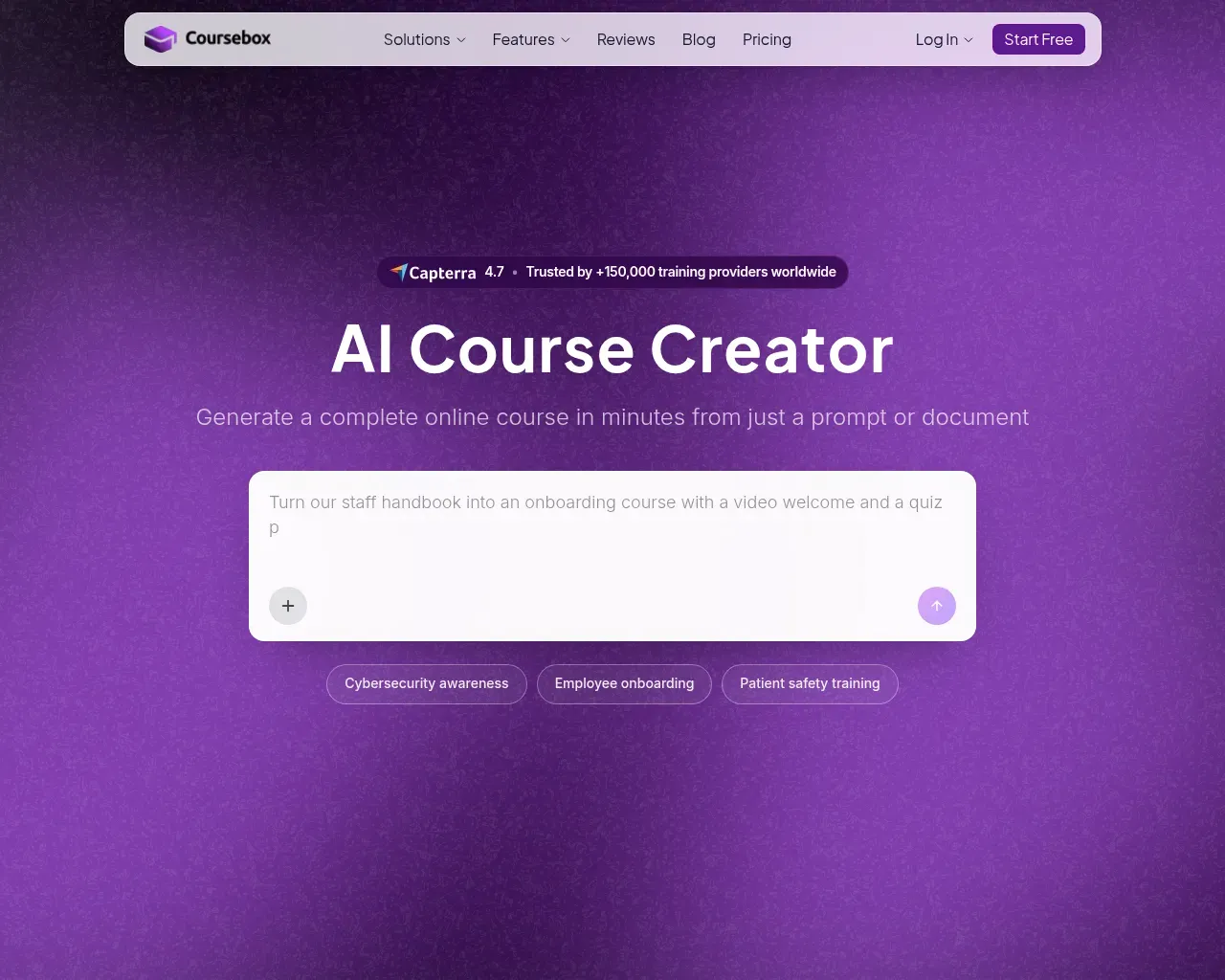
Freemiumअधिकांश प्रशिक्षण सामग्री किसी न किसी साधारण रूप में शुरू होती है: एक स्टाफ हैंडबुक, एक अनुपालन PDF, या पिछले ऑनबोर्डिंग सत्र की स्लाइड्स का ढेर। उस कच्चे माल से एक संरचित, ट्रैक करने योग्य ऑनलाइन कोर्स बनाने में आमतौर पर इंस्ट्रक्शनल डिज़ाइन में हफ्तों का काम लगता है। Coursebox, Coursebox Pty Ltd की एक ऑस्ट्रेलियाई प्लेटफ़ॉर्म, इस अंतर को पाटने के लिए बनाई गई है। आप इसे एक प्रॉम्प्ट या दस्तावेज़ दें, और यह कुछ ही मिनटों में पूरा कोर्स — पाठ, क्विज़, वीडियो और मूल्यांकन — तैयार कर देता है।
यह एक भीड़भाड़ वाली श्रेणी है, इसलिए उपयोगी सवाल यह नहीं है कि Coursebox कोर्स बना सकता है या नहीं (कई टूल यह कर सकते हैं), बल्कि यह है कि जो तैयार होता है वह वितरित करने योग्य है या नहीं, और स्केल करने पर इसकी लागत क्या है। मैंने इसकी सार्वजनिक उत्पाद पृष्ठों, मूल्य निर्धारण और स्वतंत्र समीक्षाओं में समय बिताकर यह जानने की कोशिश की।
एक प्रॉम्प्ट से प्रकाशित कोर्स तक
मुख्य प्रक्रिया तेज़ है। आप बताते हैं कि आप क्या चाहते हैं — "हमारे स्टाफ हैंडबुक को एक वेलकम वीडियो और क्विज़ के साथ ऑनबोर्डिंग कोर्स में बदलो" — साइट के अपने उदाहरण प्रॉम्प्ट में से एक है — या एक PDF या स्लाइड डेक अपलोड करें, और Coursebox पहले से भरे हुए कंटेंट के साथ एक ड्राफ्ट कोर्स संरचना तैयार करता है। वहाँ से आप ड्रैग-एंड-ड्रॉप बिल्डर में हाथ से संपादित करते हैं या एक AI संपादक से बात करते हैं जो अनुरोध पर टेक्स्ट फिर से लिख सकता है, चित्र जोड़ सकता है, या किसी अनुभाग को अधिक इंटरेक्टिव बना सकता है।
दस्तावेज़-से-कोर्स का वह रास्ता ही वह हिस्सा है जिसे नियमित खरीदार सबसे अधिक महत्व देते हैं। Capterra और G2 पर समीक्षक बार-बार समय की बचत और AI द्वारा कच्चे माल को एक समझदार मॉड्यूल संरचना में व्यवस्थित करने के तरीके को उजागर करते हैं। यूनिवर्सिटी ऑफ एडिलेड के एक समीक्षक ने इसे Canvas में वही चीज़ बनाने से "हजार गुना तेज़" कहा। इसका उलटा पहलू, जिसे वही समीक्षाएं ईमानदारी से स्वीकार करती हैं, यह है कि पहला ड्राफ्ट एक ड्राफ्ट ही है: इसे सटीकता, संदर्भ और शैक्षणिक कठोरता के लिए मानवीय जाँच की आवश्यकता होती है। Coursebox एक मज़बूत शुरुआती बिंदु है, न कि एक बिना निगरानी वाला कारखाना।
बॉक्स में आने वाले टूल
Coursebox एक टेक्स्ट जनरेटर से आगे जाता है क्योंकि यह उसी स्रोत सामग्री से इंटरेक्टिव फ़ॉर्मेट की एक विस्तृत श्रृंखला तैयार करता है:
- मल्टीपल-चॉइस, ओपन-आंसर या ड्रैग-एंड-ड्रॉप प्रश्नों वाले क्विज़, प्रत्येक उत्तर पर तत्काल AI फ़ीडबैक के साथ।
- एक स्क्रिप्ट से तैयार प्रेजेंटर-लेड ट्रेनिंग वीडियो, चुनी हुई आवाज़ और 500 से अधिक अवतारों में से एक का उपयोग करके (या फ़ोटो से बना कस्टम अवतार)।
- ब्रांचिंग कन्वर्सेशन परिदृश्य जो सीखने वाले की प्रतिक्रियाओं के अनुकूल होते हैं, सुरक्षा या सॉफ्ट-स्किल्स अभ्यास के लिए उपयोगी।
- फ्लैशकार्ड, AI-जनित छवियाँ, और रूब्रिक्स के साथ ऑटो-ग्रेडिंग।
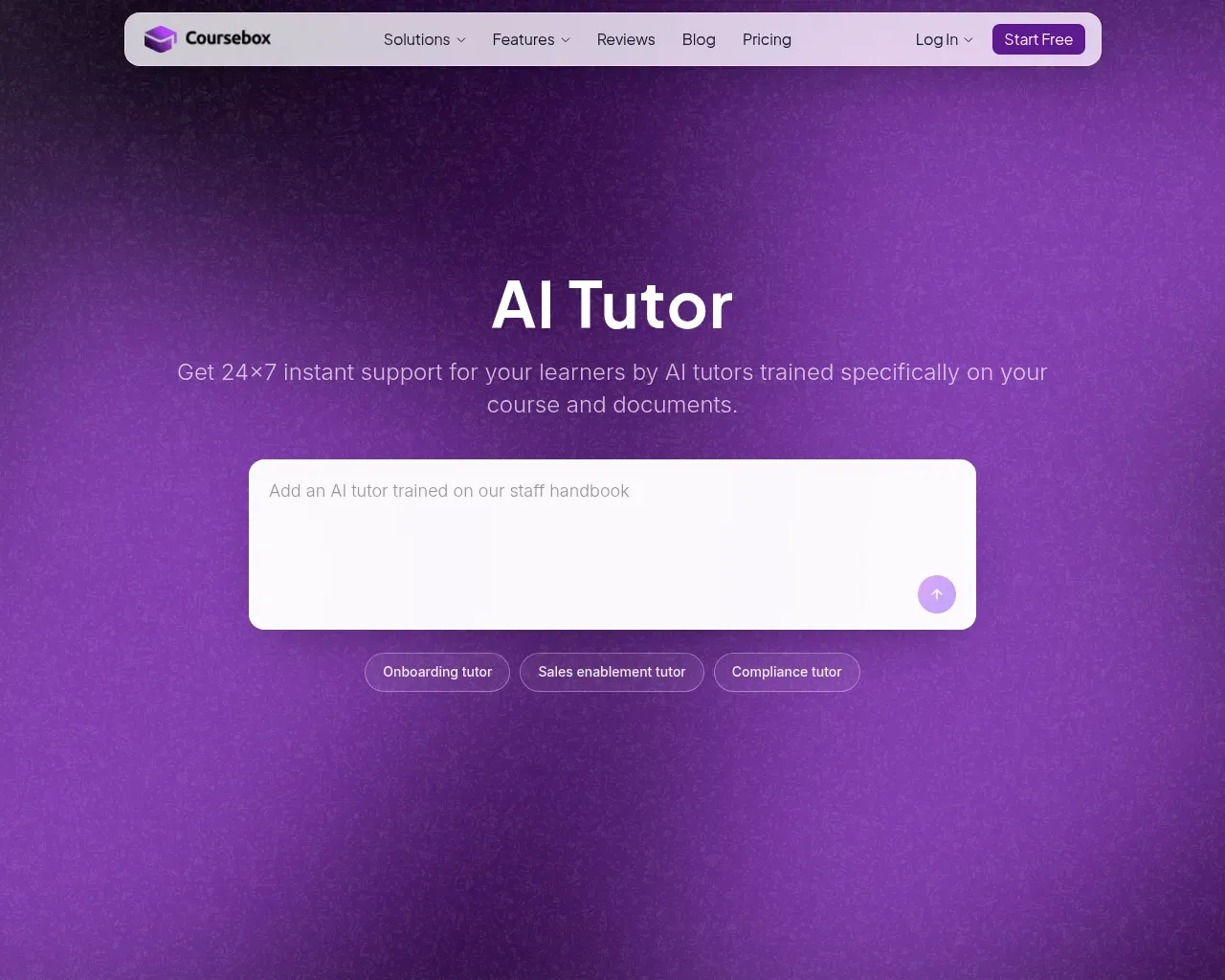
जो फ़ीचर सबसे अलग दिखता है वह है AI ट्यूटर: एक चैटबॉट जिसे आप एक कोर्स से जोड़ते हैं और अपनी सामग्री पर प्रशिक्षित करते हैं, ताकि सीखने वाले को हमेशा उपलब्ध उत्तर मिलें जो सामान्य मॉडल आउटपुट के बजाय वास्तविक कंटेंट पर आधारित हों। Academy Xi के CEO, जिन्हें साइट पर उद्धृत किया गया है, इसे वह चीज़ बताते हैं जिसका छात्र वास्तव में उपयोग करते हैं। यह हमेशा उपलब्ध समर्थन का वह प्रकार है जिसे मैन्युअल रूप से प्रबंधित करना कठिन है।
बनाना ही नहीं, वितरित करना और बेचना भी
Coursebox केवल एक ऑथरिंग टूल नहीं है। यह लर्निंग मैनेजमेंट सिस्टम के रूप में भी काम करता है। आप अपनी ब्रांडिंग के तहत कोर्स प्रकाशित कर सकते हैं, एक कस्टम डोमेन जोड़ सकते हैं, और उच्च टियर पर Coursebox की हर झलक हटाकर एक सच्चा व्हाइट-लेबल प्लेटफ़ॉर्म बना सकते हैं। यह SCORM और LTI में एक्सपोर्ट करता है यदि आप कहीं और होस्ट करना पसंद करते हैं, Zapier और एक API के माध्यम से इंटीग्रेट होता है, और सिंगल साइन-ऑन को सपोर्ट करता है।
मूल्य निर्धारण संरचना में एक दर्शन है जो ध्यान देने योग्य है: हर प्लान पर असीमित सीखने वाले, जिसमें मुफ्त प्लान भी शामिल है। अधिकांश LMS उत्पाद प्रति सीट चार्ज करते हैं, इसलिए 5,000 की एक टीम 50 की टीम से कहीं अधिक महंगी होती है। Coursebox इसके बजाय उपयोग को AI क्रेडिट (पेज, छवियाँ, ट्यूटर संदेश, वीडियो और वॉइस मिनट) द्वारा मापता है और सीखने वालों की संख्या को स्वतंत्र छोड़ देता है। हजारों लोगों को ऑनबोर्ड करने वाले एक प्रशिक्षण प्रदाता के लिए, यह एक वास्तविक संरचनात्मक अंतर है, और यही वह बिंदु है जिस पर "सैकड़ों LMS का पिच सुन चुके" समीक्षक ध्यान केंद्रित करते हैं।
लागत क्या है
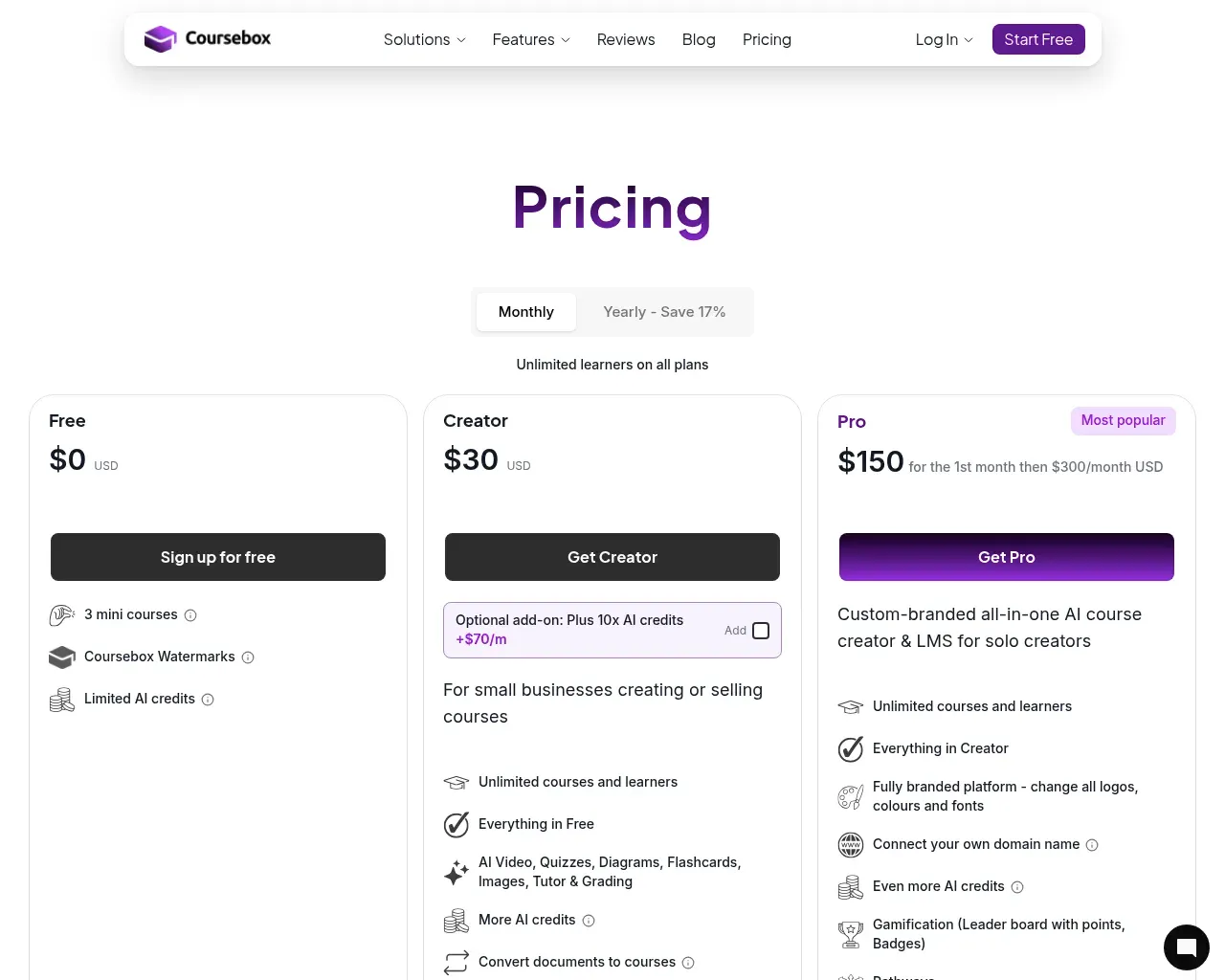
मुफ्त प्लान आपको तीन मिनी कोर्स बनाने देता है, लेकिन यह बहुत सीमित है: हर चीज़ पर Coursebox वॉटरमार्क, कुल 30 AI पेज क्रेडिट, और प्रति माह सिर्फ एक मिनट का AI वीडियो। इसे टेस्ट ड्राइव मानें, काम का टियर नहीं।
पेड प्लान तेज़ी से बढ़ते हैं। Creator $30 प्रति माह पर चलता है और वॉटरमार्क हटाता है, दस्तावेज़-से-कोर्स और सर्टिफिकेट को अनलॉक करता है, और आपको AI क्रेडिट का एक व्यावहारिक पूल देता है। Pro में कूदना, "सबसे लोकप्रिय" टियर, वह है जिसके लिए योजना बनानी होती है: पहले महीने $150, फिर $300 प्रति माह, जो ब्रांडेड प्लेटफ़ॉर्म, कस्टम डोमेन और गेमिफिकेशन खरीदता है। Business लगभग $700 प्रति माह है जिसमें कई एडमिन और API एक्सेस है, और Enterprise कोट-आधारित है, सिंगल साइन-ऑन जैसे ऐड-ऑन और एक ब्रांडेड मोबाइल ऐप प्रति वर्ष $3,000 प्रत्येक पर। वार्षिक बिलिंग 17% छूट देती है। Capterra की यह टिप्पणी कि कीमत "मुफ्त प्लान के आगे जाते ही बढ़ सकती है" उचित है: $30 के हॉबी प्लान और $300 के ब्रांडेड प्लान के बीच का अंतर वह जगह है जहाँ अधिकांश मूल्य, और लागत, बैठती है।
यह किसके लिए है
Coursebox उन संगठनों के लिए उपयुक्त है जिन्हें बड़े पैमाने पर जल्दी से बहुत सारे प्रशिक्षण तैयार करने और वितरित करने की आवश्यकता है: पंजीकृत प्रशिक्षण संगठन, ऑनबोर्डिंग और अनुपालन को संभालने वाली कॉर्पोरेट लर्निंग टीमें, और कोर्स विक्रेता जो एक ही जगह ऑथरिंग, होस्टिंग और भुगतान चाहते हैं। इसकी ऑस्ट्रेलियाई जड़ें उन विवरणों में दिखती हैं जैसे कॉम्पिटेंसी-यूनिट सपोर्ट जिसे व्यावसायिक प्रदाता पहचानेंगे।
यह कम उपयुक्त है यदि आपको पिक्सल-स्तर के डिज़ाइन नियंत्रण की आवश्यकता है, क्योंकि समीक्षक लगातार टेम्पलेट को कुछ कठोर बताते हैं, या यदि आप एक अकेले निर्माता हैं जो Pro टियर का भुगतान किए बिना कस्टम डोमेन चाहते हैं। और किसी भी AI जनरेटर की तरह, संपादन के लिए समय बजट करें; टूल आपको अधिकांश रास्ते तक ले जाता है, अंतिम रेखा तक नहीं।
कुल मिलाकर, Coursebox एक सक्षम, पूर्ण-विशेषताओं वाला ऑल-इन-वन है जो सही खरीदार के लिए Capterra पर अपनी 4.7 रेटिंग अर्जित करता है। कुल मिलाकर यह उन टीमों के लिए 5 में से 4 है जो गहरी अनुकूलन से अधिक गति और असीमित-सीखने वाले वितरण को महत्व देती हैं, इस ईमानदार चेतावनी के साथ कि मुफ्त टियर एक डेमो है और जो प्लान वास्तव में काम करते हैं वे सस्ते नहीं हैं।
परामर्श किए गए स्रोत
- Coursebox होमपेज — उत्पाद अवलोकन, फ़ीचर सेट, ग्राहक प्रशंसापत्र, स्व-रिपोर्ट किए गए आँकड़े
- Coursebox मूल्य निर्धारण — प्लान टियर, क्रेडिट आवंटन, ऐड-ऑन, असीमित-सीखने वाले नीति
- Coursebox llms.txt — RTO, कॉर्पोरेट प्रशिक्षकों और शिक्षकों के लिए पोजिशनिंग
- Capterra, G2 और Software Advice पर Coursebox समीक्षाएं — स्वतंत्र पक्ष-विपक्ष: समय की बचत, समर्थन, टेम्पलेट की कठोरता, संपादन की जरूरतें, कीमत
- Hacker News (Algolia सर्च) — संस्थापक पोस्ट और प्रारंभिक "11,000 कोर्स निर्माताओं" का मील का पत्थर
Published on: August 1, 2026
Coursebox के विकल्प खोज रहे हैं? सभी Coursebox विकल्प देखें →
Have an AI tool of your own? Submit it below and get a free, in-depth product review article — just like this one.
कुछ ही सेकंड में अपना AI टूल जोड़ें
अपना URL पेस्ट करें और हम ड्राफ्ट तैयार कर देंगे। सबमिट करने से पहले आप हर फ़ील्ड की समीक्षा और संपादन कर सकते हैं।