MyMap AI review: chatting your way to a visual map
By: AI Collection
At a glance
4.0 / 5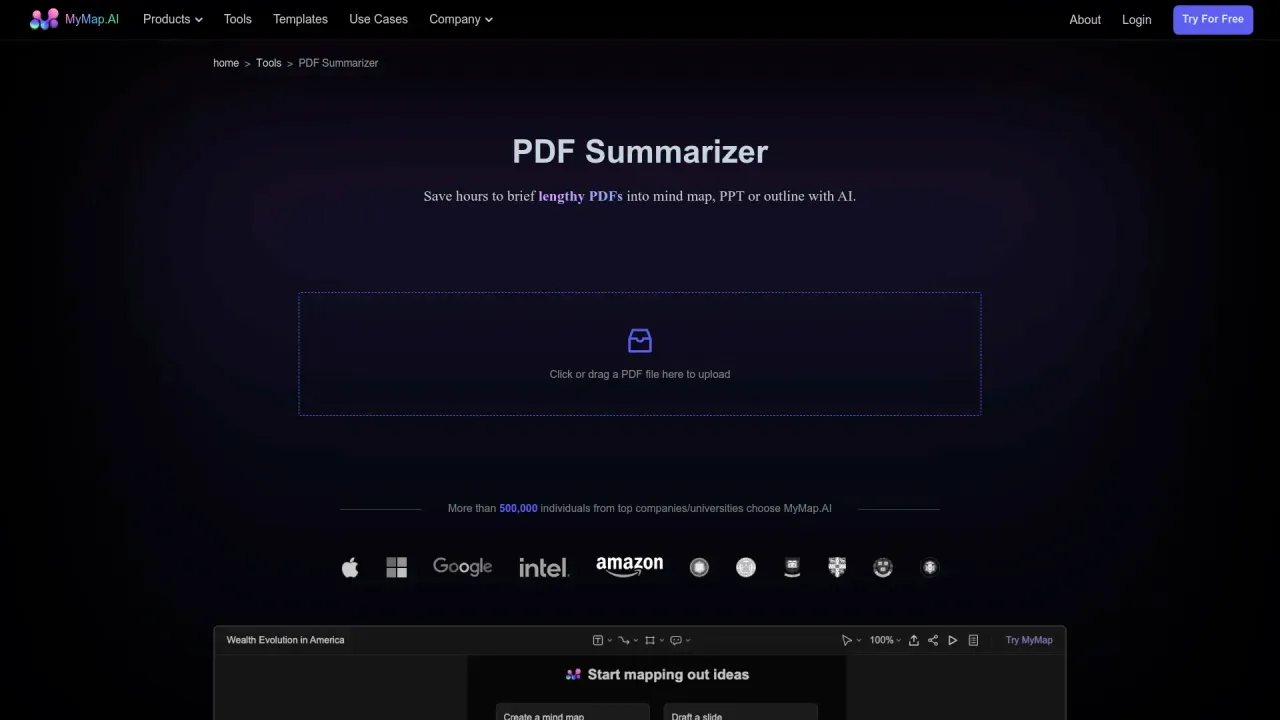
MyMap AI
FreeMost diagram tools start with a blank canvas and a toolbar, then leave the thinking to you. MyMap AI flips that order. You describe a topic, paste a document, or drop in a URL, and it draws the structure (a mind map, flowchart, timeline, or org chart), then lets you talk it into a better shape. The AI Collection catalogues it under note-taking and second-brain tools, specifically for turning long PDFs into something you can actually scan, but the product itself is broader than that one job.
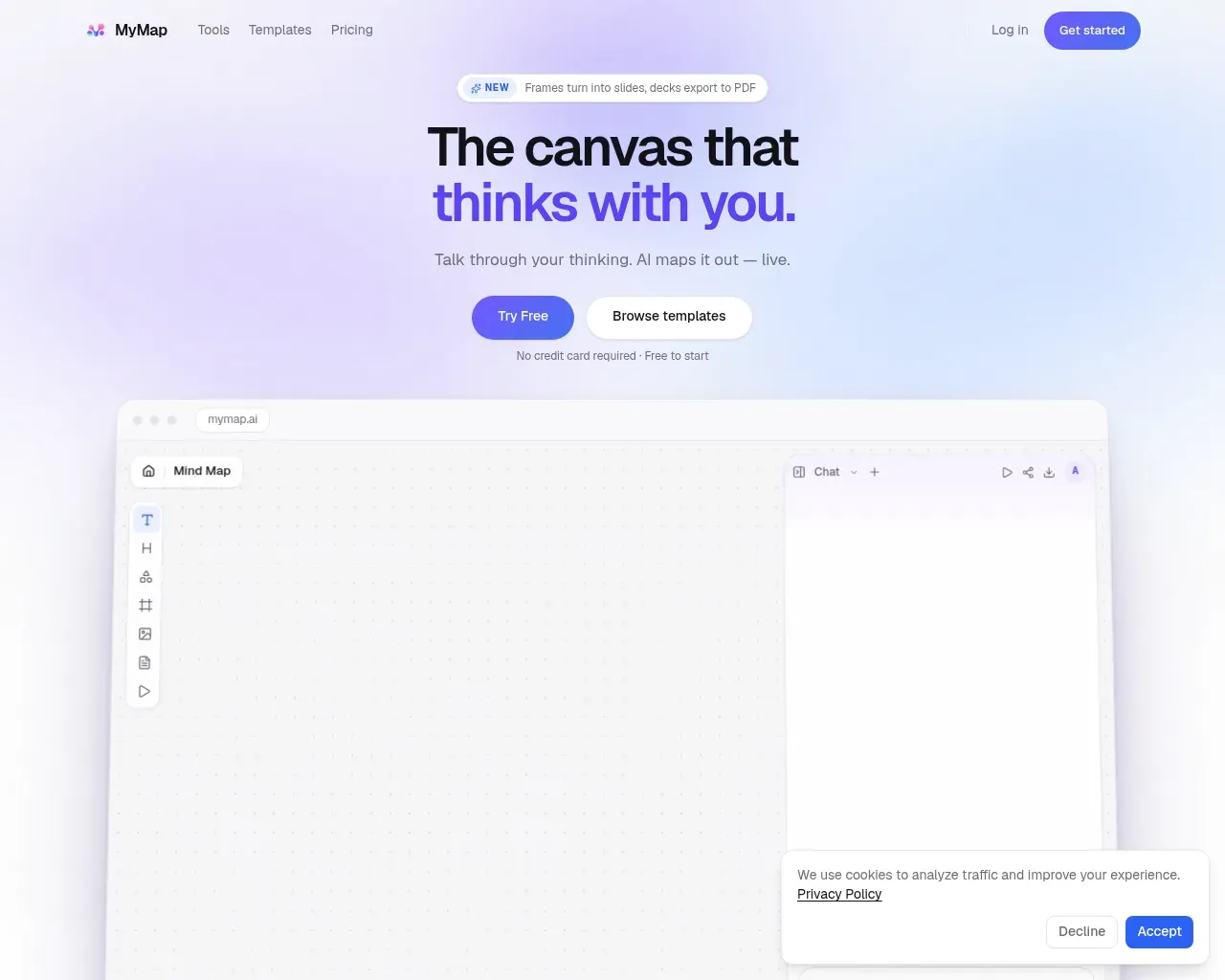
The homepage sums up the pitch in one line: "the canvas that thinks with you." You type into a chat panel on the right, and the map builds on an infinite canvas on the left. According to MyMap's own llms.txt, it produces "mind maps, concept maps, flowcharts, timelines, org charts — in seconds," and it's available in ten languages.
From a prompt to a map
The core workflow is conversational. Instead of dragging nodes and drawing connectors by hand, you give MyMap a starting point and refine through follow-up messages: "add a branch for risks," "split this node into three steps." Independent reviews describe this iterative, chat-first approach as the tool's real strength: you adjust a diagram without rebuilding it from scratch. For someone who thinks out loud and wants a visual to keep up, that's a genuinely different feel from a manual editor.
Documents are one of several inputs. You can feed it a PDF, a block of text, an image, or a link, and it will pull out a structure. That's where the catalogue's "PDF summarizer" framing comes from, though it's worth being clear-eyed: summarizing a document into a map is one feature among many here, not the whole point of the product.
What you actually get
Beyond the freeform canvas, MyMap leans on a large library of task-specific generators. Its llms.txt points to a tools page with "100+ specialized AI tools" for particular diagram types (SWOT analyses, concept maps, timelines, org charts), plus a set of ready-made templates for common jobs like project roadmaps, study notes, and meeting summaries.
A few things stood out across reviews and the live site:
- Real-time collaboration, so a team can edit the same map at once.
- Export to several formats. One hands-on comparison lists PNG, SVG, PDF, Markdown, and CSV, along with version history.
- A recent addition, flagged on the homepage, that turns frames into slides and exports decks to PDF, useful if your map is really a presentation in disguise.
- A choice of underlying models that scales with your plan, from economic options on the free tier up to premium models on paid plans.
How the pricing works
Pricing is credit-based across three tiers, and as of October 2026 it's clear and fairly generous at the entry point.
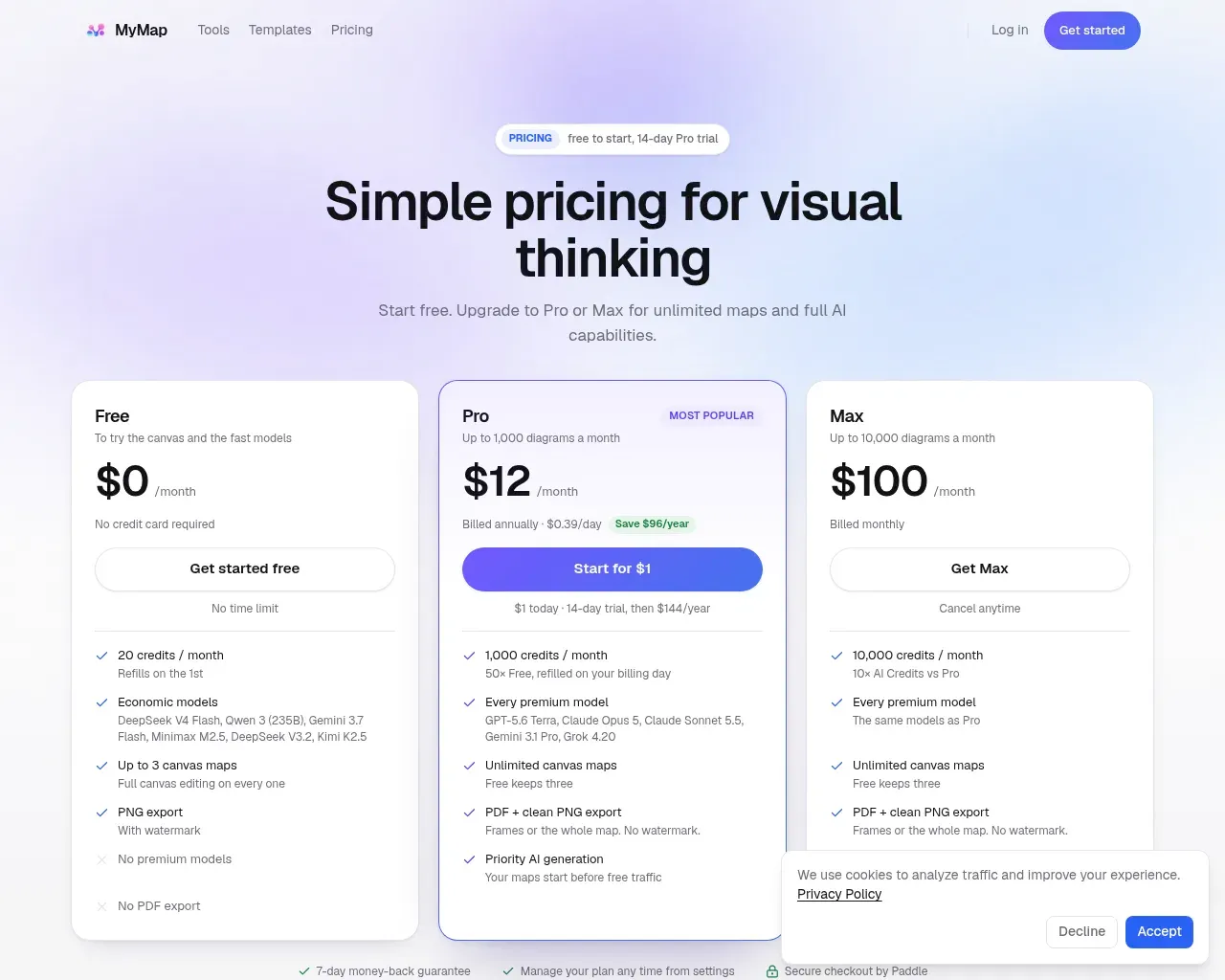
The Free plan costs nothing, needs no credit card, and gives you 20 credits a month, up to three canvas maps, and PNG export, though with a watermark, no premium models, and no PDF export. It runs on economic models (DeepSeek V4 Flash, Qwen 3, Gemini 3.7 Flash, and similar). It's enough to see whether the chat-to-map idea clicks for you, and not much more; reviewers consistently note the 20 credits disappear quickly with regular use.
Pro is the plan MyMap pushes, at $12 a month billed annually ($144 a year), with a 14-day trial for $1. It lifts you to 1,000 credits and up to 1,000 diagrams a month, unlimited canvas maps, clean PDF and PNG export with no watermark, priority generation, and access to every premium model on offer (the page lists GPT-5.6, Claude Opus 5, Claude Sonnet 5.5, Gemini 3.1 Pro, and Grok 4.20). Max sits on top at $100 a month for heavier users who need 10,000 credits and up to 10,000 diagrams. Checkout runs through Paddle, and there's a 7-day money-back guarantee.
Where it falls short
The honest picture isn't all upside. In a hands-on test, UPDF found a generated flow chart "so small that it's almost unreadable," rated the overall diagramming experience "moderate," and was distracted by a background image on the canvas. If you need dense, print-ready diagrams, that's worth checking against your own use before you commit.
On summarization specifically (the exact angle this listing is catalogued under), the signal is middling. A competing tool's comparison page claims MyMap's summarization is less advanced and that it lacks OCR and YouTube-video summarization. That's a rival's write-up, so treat it as a prompt to test those cases yourself rather than a settled fact, but it lines up with the broader read that MyMap is stronger at interactive diagramming than at one-click document condensing. There are also scattered complaints about hitting a paywall early when trying the PDF-summarizer flow.
Third-party ratings are thin rather than glowing: one aggregator lists an editorial score around 3.5 out of 5, another a community rating near 3.7 from a small number of reviews. That's a "good, not remarkable" consensus from a modest sample.
Who it's for
MyMap AI fits people who think by talking and want a diagram that forms as they go: students mapping a topic, a team brainstorming a roadmap, or anyone who'd rather refine a draft map than draw one from zero. The free tier is a fair, no-card way to try that, and Pro at $12 a month (annual) is reasonable if the chat-first canvas suits how you work, especially given the premium model access and clean exports.
If your real need is strictly turning long PDFs into tidy summaries, test it against dedicated document-summarizers first; that's the use case where MyMap looks most ordinary. Overall I'd put it at 4 out of 5 for visual, collaborative thinking, capable and pleasant to use within its lane, and nearer a 3 if you're buying it purely as a PDF summarizer.
Sources consulted
- MyMap llms.txt — first-party description, feature scope, languages, and use cases
- MyMap pricing — live Free/Pro/Max tiers, credits, models, and checkout details
- MyMap.AI review — Tools for Humans — editorial overview and rating
- Mapify vs MyMap AI — competitor comparison on exports, collaboration, and summarization limits
- MyMap AI on UPDF — hands-on diagram-quality and readability test
- MindMap AI vs MyMap AI — competitor claims on OCR and summarization (treated cautiously)
Published on: November 1, 2026
MyMap AI के विकल्प खोज रहे हैं? सभी MyMap AI विकल्प देखें →
Have an AI tool of your own? Submit it below and get a free, in-depth product review article — just like this one.
कुछ ही सेकंड में अपना AI टूल जोड़ें
अपना URL पेस्ट करें और हम ड्राफ्ट तैयार कर देंगे। सबमिट करने से पहले आप हर फ़ील्ड की समीक्षा और संपादन कर सकते हैं।