Translate.video समीक्षा: 75+ भाषाओं में तेज़ AI डबिंग और सबटाइटल
By: AI Collection
At a glance
4.0 / 5
TranslateVideo
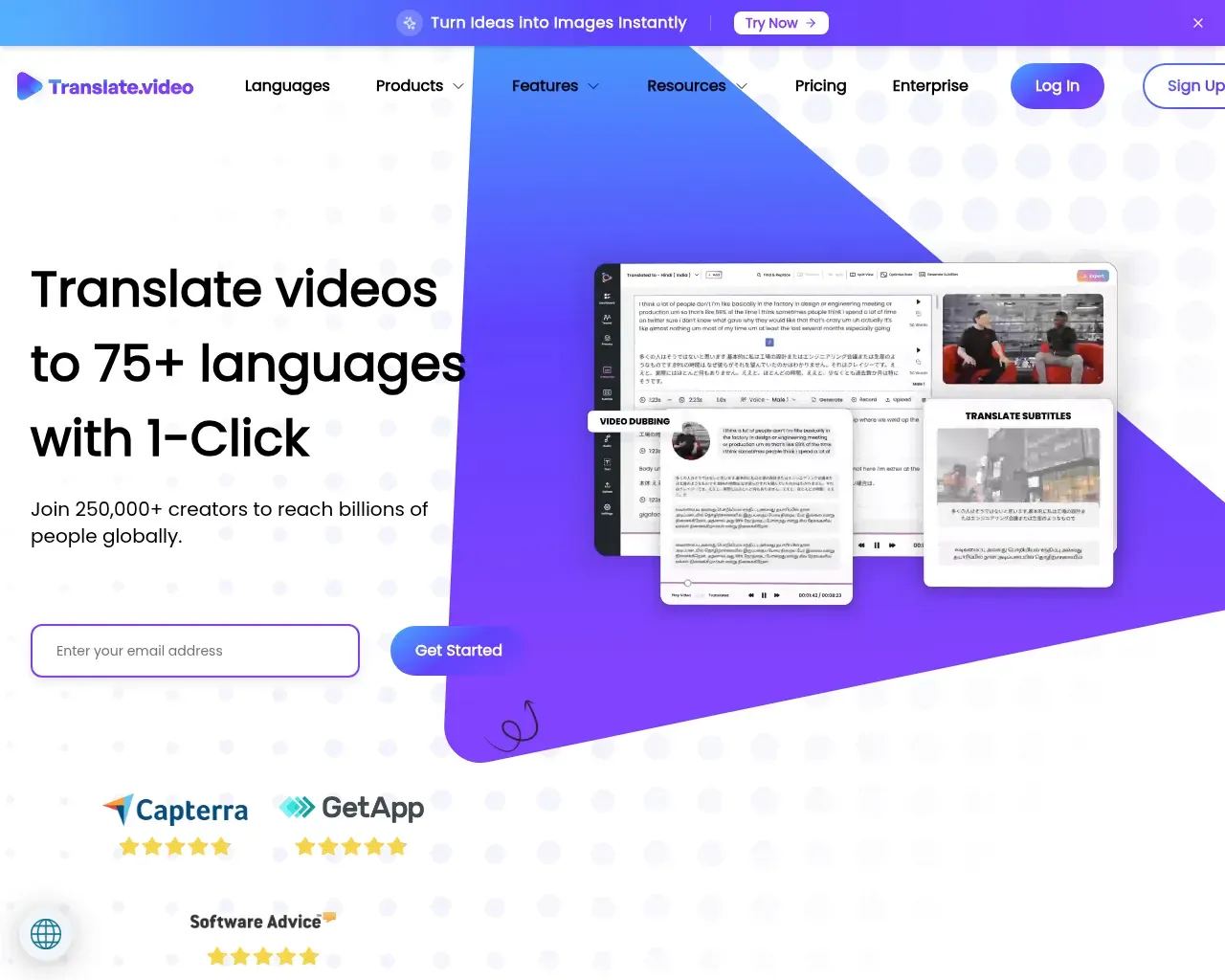
Freemiumअगर आप वीडियो बनाते हैं और आपकी आधी संभावित ऑडियंस आपकी भाषा नहीं बोलती, तो आपके पास दो अनाकर्षक विकल्प बचते हैं: हर वर्शन को डब करने के लिए किसी स्टूडियो को भुगतान करें, या मान लें कि आपकी पहुंच एक भाषा की सीमा पर रुक जाती है। Translate.video, जो Vitra.ai के पीछे बेंगलुरु की टीम ने बनाया है, उन बढ़ते हुए टूल्स में से एक है जो इस काम को कुछ क्लिक में समेटने की कोशिश करते हैं। एक क्लिप अपलोड करें, अपनी टारगेट भाषाएं चुनें, और यह डब किया हुआ ऑडियो, अनुवादित सबटाइटल और कैप्शन लौटाता है। यह 2020 से मौजूद है, जो AI टूल के वर्षों में इसे कुछ हद तक एक वयोवृद्ध बनाता है, और यह एक ऐसी सुविधा पर निर्भर करता है जिसे ज्यादातर प्रतिद्वंद्वी नजरअंदाज करते हैं: वॉयस क्लोनिंग।
यह वास्तव में क्या करता है
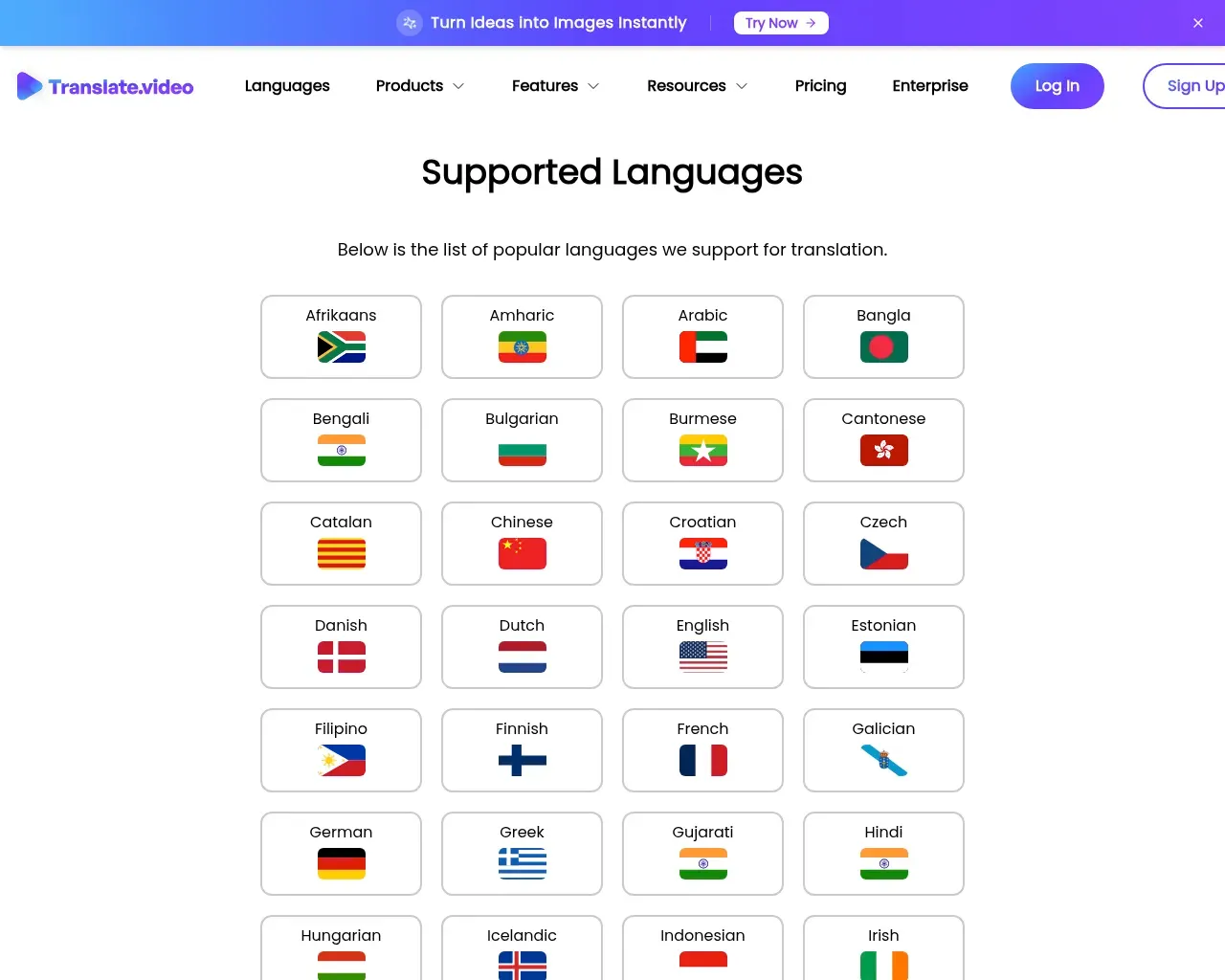
मुख्य प्रक्रिया सीधी है। आप एक वीडियो अपलोड करते हैं, और Translate.video एक ट्रांसक्रिप्ट, ऑटो-कैप्शन और अनुवादित सबटाइटल तैयार करता है, फिर आपकी चुनी भाषाओं में ऑडियो डब करता है। यह 75+ भाषाओं को कवर करता है (प्राइसिंग कंपेरिजन टेबल में 81 सूचीबद्ध हैं), और आउटपुट की तरफ से काफी पूर्ण है: एनिमेटेड सबटाइटल स्टाइल, AI लिप-सिंक जो नए ऑडियो से मुंह की हरकतों को मिलाने की कोशिश करता है, एडिटिंग कंट्रोल, और SRT, VTT, या 1080p तक MP4 में एक्सपोर्ट। आप इसे AI वॉयसओवर जेनरेट करने दे सकते हैं, खुद रिकॉर्ड कर सकते हैं, या मौजूदा ऑडियो अपलोड कर सकते हैं।
यह Vitra.ai के एक छोटे से प्रोडक्ट परिवार का हिस्सा है। वही कंपनी Translate.photo — Photoshop, Illustrator, और Figma प्लगइन का एक सेट जो क्रिएटिव के अंदर टेक्स्ट अनुवाद करता है — और साइट लोकलाइजेशन के लिए Translate.website भी बेचती है। अगर आप पहले से उस इकोसिस्टम में हैं, तो वीडियो टूल बाकी के साथ आसानी से फिट हो जाता है।
वॉयस क्लोनिंग की पिच
यहीं पर Translate.video खुद को अलग करने की कोशिश करता है। हर भाषा को एक जेनेरिक सिंथेटिक वॉयस देने की बजाय, यह लगभग 50 सेकंड के ऑडियो से आपकी आवाज़ क्लोन कर सकता है और फिर उस क्लोन की आवाज़ से 75+ सपोर्टेड भाषाओं में बात करवा सकता है, आपके टोन और कैडेंस को बनाए रखते हुए। एक कोर्स क्रिएटर या किसी फाउंडर के लिए जो खुद के कंटेंट में सामने आते हैं, यह स्पेनिश में खुद जैसी आवाज़ में बोलने और कॉल-सेंटर IVR जैसी आवाज़ में बोलने के बीच का फर्क है। लिप-सिंक पास के साथ मिलाकर, लक्ष्य एक डब वीडियो है जो तुरंत मशीन-ट्रांसलेटेड न लगे।
क्लोन वास्तव में आपके जैसा लगता है या नहीं, यह काफी हद तक आपके सोर्स ऑडियो पर निर्भर करता है, और यह एक ऐसा दावा है जिसे प्रतिबद्ध होने से पहले एक मुफ्त क्लिप पर टेस्ट करना उचित है — इस पर नीचे और बात।
इसकी कीमत क्या है
प्राइसिंग डबिंग मिनट्स से मापी जाती है, यही वह नंबर है जिस पर नज़र रखनी चाहिए।
- मुफ्त: $0, महीने में 5 डबिंग मिनट, क्रेडिट कार्ड नहीं चाहिए
- Basic: $29 प्रति माह, 30 डबिंग मिनट
- Pro: $99 प्रति माह, 100 डबिंग मिनट
- Premium: $299 प्रति माह, 350 डबिंग मिनट
- Enterprise: कस्टम, सेल्स से संपर्क करें
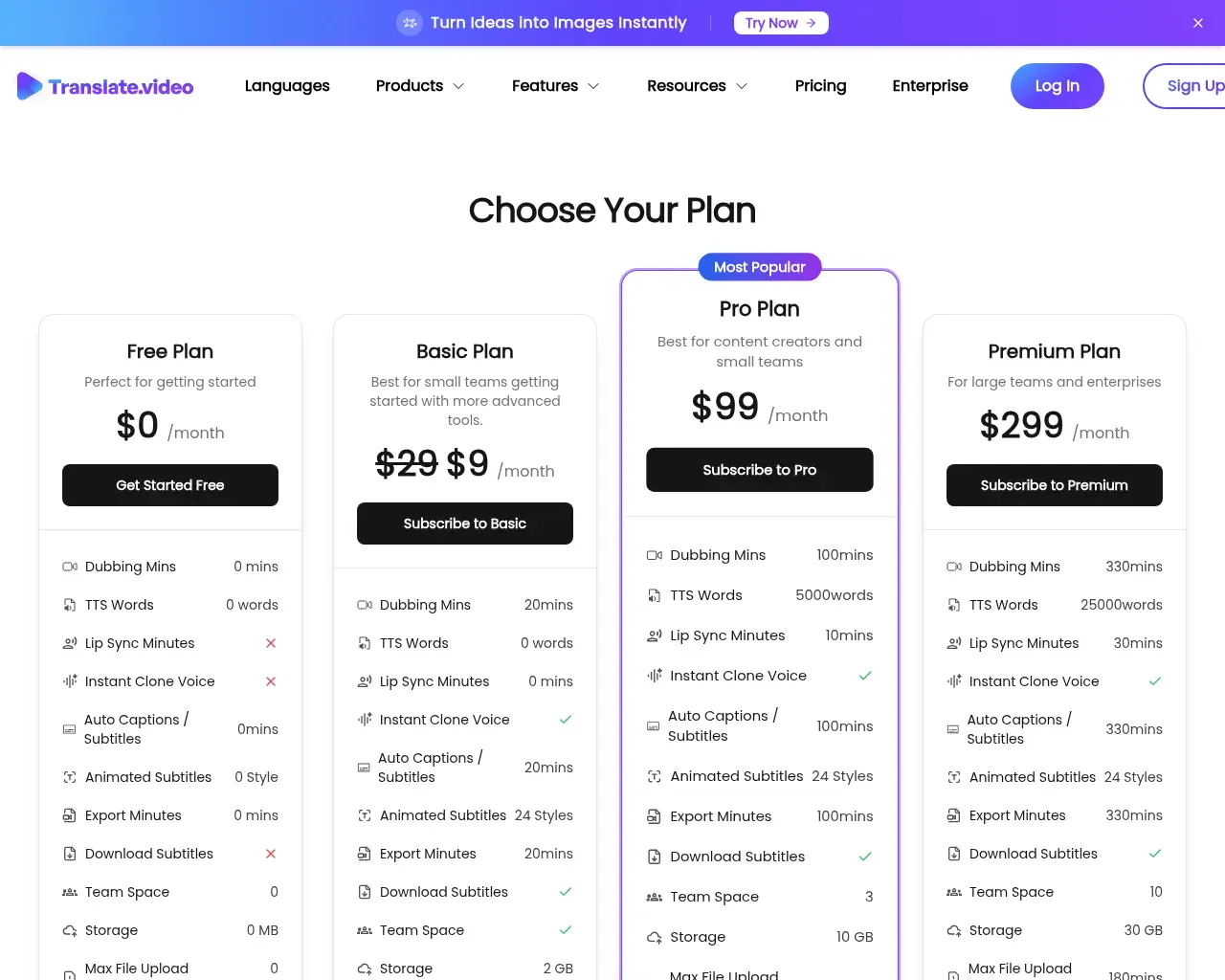
पेड प्लान वॉटरमार्क हटाते हैं, और साइट 14 दिनों का डेटा-डिलीशन विंडो दर्शाती है। फ्री टियर वास्तव में मुफ्त में आज़माने के लिए है, लेकिन छोटा है — 5 मिनट एक छोटे वीडियो पर वॉयस क्लोन टेस्ट करने के लिए काफी है, कुछ पब्लिश करने के लिए नहीं। सब्सक्राइब करने से पहले जो मॉडल करना है वह है आपका असली मासिक वॉल्यूम: $299 में 350 मिनट पर, जो चैनल कई भाषाओं में बहुत सारा लॉन्ग-फॉर्म कंटेंट डब करता है वह एक टियर जल्दी खत्म कर सकता है, क्योंकि हर भाषा खर्च होने वाले मिनटों को गुणा करती है।
यह कहाँ कमज़ोर पड़ता है
Translate.video की स्वतंत्र चर्चा मार्केटिंग की तुलना में पतली है। इसकी अकेली Show HN पोस्ट ने शायद ही कोई प्रतिक्रिया पाई, और साइट पर 4.7-में-से-105 और 4.8/5 के आंकड़े कंपनी के अपने नंबर हैं, थर्ड-पार्टी ऑडिट नहीं — इन्हें एक चुटकी नमक के साथ लेना उचित है। सबसे उपयोगी बाहरी संकेत Capterra के वेरिफाइड रिव्यूअर्स से आता है, जो एक विश्वसनीय मध्यम रुख अपनाते हैं। उन्हें स्पीड पसंद है और वे इसे एक छोटे व्यवसाय के लिए किफायती बताते हैं, और वॉयस-ओवर को विशेष सराहना मिलती है। बार-बार आने वाली शिकायत एक्यूरेसी की है: ट्रांसलेशन मुश्किल शब्दों और उच्चारण पर लड़खड़ा सकता है, और अधिक जटिल वाक्यों के सबटाइटल हमेशा साफ नहीं आते। कुछ रिव्यूअर्स को इंटरफेस भी उतना सरल नहीं लगा जितनी उन्हें उम्मीद थी।
इसमें से कुछ भी अयोग्यकारी नहीं है, लेकिन यह उसी निष्कर्ष की ओर इशारा करता है: यह एक ऐसा टूल है जिसके पीछे आप प्रूफरीड करते हैं, न कि वह जिसे आप सेट करके भूल जाते हैं। अगर आपका कंटेंट तकनीकी है, प्रॉपर नाउन से भरा है, या किसी ऐसी ऑडियंस के लिए जाता है जो गलत अनुवाद पर ध्यान देगी, तो पब्लिश करने से पहले हर भाषा की समीक्षा के लिए समय निकालें।
यह किसके लिए है
Translate.video सोलो क्रिएटर, कोर्स सेलर और छोटी मार्केटिंग टीमों के लिए उपयुक्त है जो जल्दी और सस्ते में गैर-अंग्रेजी ऑडियंस तक पहुंचना चाहते हैं, और जो आउटपुट पर हल्की एडिटिंग पास करने को तैयार हैं। सार्वजनिक प्रशंसापत्र इसी दिशा में झुकते हैं — उदाहरण के लिए, एक कोर्स क्रिएटर इसका उपयोग करके एक कैटलॉग को 15+ भाषाओं में धकेलने के लिए कर रहा है। अगर आपको बिना समीक्षा के ब्रॉडकास्ट-ग्रेड एक्यूरेसी चाहिए, या आप इसे HeyGen जैसे भारी प्लेटफॉर्म से सीधे तुलना कर रहे हैं, तो इस डेमो सहित किसी के डेमो रील पर भरोसा करने के बजाय दोनों को अपने फुटेज पर टेस्ट करें।
निष्कर्ष
Translate.video वह करता है जो यह वादा करता है: वॉयस-क्लोन फीचर के साथ तेज़, किफायती बहुभाषी डबिंग और सबटाइटल — जो कैमरे पर दिखने वाले क्रिएटर्स के लिए एक असली आकर्षण है। यह 2020 से टिका हुआ है, फ्री टियर भुगतान से पहले आउटपुट जांचने का मौका देता है, और प्राइसिंग मध्यम वॉल्यूम पर उचित है। चेतावनियां — एक्यूरेसी जिसे मानवीय जांच की जरूरत है, कुछ व्यस्त इंटरफेस, और स्केल पर जुड़ते मिनट — इसे बेदाग नहीं रहने देतीं। कुल मिलाकर: उन क्रिएटर्स के लिए 5 में से 4, जो आउटपुट प्रूफ करेंगे; एक पॉइंट घटाएं अगर बिना हस्तक्षेप के एक्यूरेसी आपके लिए अनिवार्य है।
परामर्श किए गए स्रोत
- Translate.video homepage — features, voice cloning, 75+ languages, company details, self-reported ratings
- Translate.video pricing — current tiers, dubbing-minute limits, watermark and data-deletion terms
- Translate.Video reviews on Capterra — verified user pros (speed, affordability, voice-over) and cons (accuracy on difficult words, UI complexity)
- Hacker News search for Translate.video — gauge of independent traction (one low-engagement Show HN post)
- Vitra.ai product pages — background on the parent brand and sibling products
Published on: July 20, 2026
TranslateVideo के विकल्प खोज रहे हैं? सभी TranslateVideo विकल्प देखें →
Have an AI tool of your own? Submit it below and get a free, in-depth product review article — just like this one.
कुछ ही सेकंड में अपना AI टूल जोड़ें
अपना URL पेस्ट करें और हम ड्राफ्ट तैयार कर देंगे। सबमिट करने से पहले आप हर फ़ील्ड की समीक्षा और संपादन कर सकते हैं।