PhoText
editar/añadir/eliminar texto de la imagen en línea.
- Categoría
- Edición de imágenes
- Alternativas
- 6 herramientas similares
- Actualizado
- hace 2 semanas
- Fuente
- Sitio oficial ↗︎
AI Collection Mejores opciones

TheFluxTrain
Estudio de producción de IA de Agentic para personajes, flujos de trabajo y vídeos coherentes
Edición de imágenes Selecciones de categoría

La IA de ProductScope ofrece dos herramientas esenciales para las marcas y los vendedores de comercio electrónico: una herramienta de IA para sesiones de fotos de productos y un optimizador de anuncios.


Acerca de PhoText
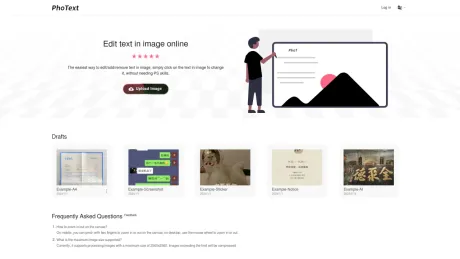
La forma más fácil de editar, añadir o eliminar texto en la imagen es hacer clic en el texto de la imagen para cambiarlo, sin necesidad de conocimientos de PS.
PhoText's Planes de precios
PhoText puede cambiar los precios en cualquier momento. Aquí está nuestra información más reciente:
Pricing
Pricing
- Basic features are free, and there is a generous free trial quota for advanced features with transparent pricing.
Lo que obtienes
información adicional
PhoText is an AI-driven online image text editor that allows users to easily edit text within images or screenshots without any graphic design skills. Users can upload images in formats including JPG, PNG, JPEG, WEBP, and PDF, and click on the text in the image they wish to modify. PhoText offers an intuitive, user-friendly experience that eliminates complex steps, making it accessible for everyone.
Key features include AI text editing using advanced semantic understanding, smart background repair, and style transfer techniques. The AI recognizes and matches fonts, colors, sizes, and positions seamlessly, ensuring the edits blend perfectly with the original image. The platform also includes high-precision optical character recognition (OCR), which supports multiple languages and can recognize complex designs and layouts.
In addition to text editing, PhoText provides various image editing options, such as filters, stickers, and word art. The platform ensures high-resolution image processing while maintaining the quality of the original content. With a focus on privacy, user photos and data are not collected, and edited images are automatically cleared after three days.
PhoText offers a free tier with basic features and a generous trial quota for advanced options. All fonts and content produced can be used for commercial purposes without copyright issues, making it a versatile tool for both personal and professional use.
Preguntas frecuentes
What is PhoText used for?
Photext: editar/añadir/eliminar texto de la imagen en línea.Is PhoText free?
Pricing for PhoText varies — see the Pricing section for details.What are alternatives to PhoText?
Top alternatives to PhoText include ProductScope AI, PicTools.AI, AI Photos Editor, AVCLabs PhotoPro AI, Fotor.Where can I get PhoText?
PhoText is available at https://photext.shop.What category is PhoText in?
PhoText is listed in Edición de imágenes.How do I match the same font?
After selecting the text, click 'Identify Font' in the font section of the editing panel to recognize and match similar fonts.Spots during manual editing?
When manually editing, the background removal tool offers multiple schemes to achieve the best seamless background restoration. If there are spots, try a different removal result, or use AI conversational editing for a smarter and easier experience, absolutely no spots will appear.How do I fix just one word in a line?
When manually editing, you can precisely select the text in the image to edit it, or manually erase the target text and add new text at the corresponding position. The simplest and fastest way is to use conversational AI editing.How do I match the same font
After selecting the text, click "Identify Font" in the font section of the editing panel to recognize and match similar fonts.
Comparar PhoText con…
Elige cualquier herramienta para ver una comparación estructurada lado a lado: precios, implementación, capacidades y política de contenido.