PicDoc
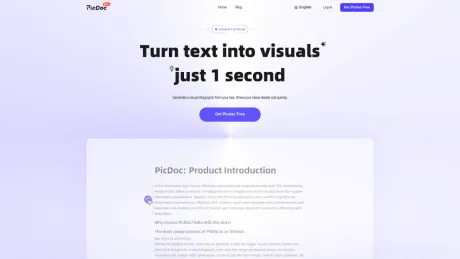
Herramienta de conversión de texto a imagen de IA, genera infografías en 1 segundo.
- Categoría
- Arte e ilustración con IA
- Alternativas
- 6 herramientas similares
- Actualizado
- hace 2 semanas
- Fuente
- Sitio oficial ↗︎
AI Collection Mejores opciones
TheFluxTrain
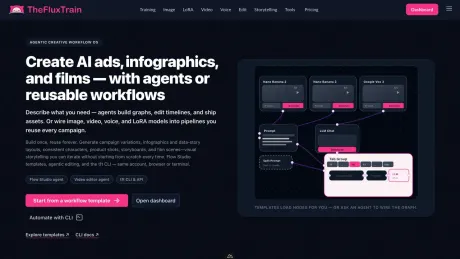
Estudio de producción de IA de Agentic para personajes, flujos de trabajo y vídeos coherentes
Arte e ilustración con IA Selecciones de categoría


El mejor generador de anime de IA para crear impresionantes imágenes de IA para personas de todo el mundo.
Acerca de PicDoc
PicDoc es una herramienta de conversión de texto a contenido visual basada en la IA que convierte automáticamente el contenido textual en elementos visuales, como gráficos, diagramas de flujo, infografías y más. Ayuda a los usuarios a expresar sus conocimientos, ideas e historias de negocios de forma visual.
PicDoc's Planes de precios
PicDoc puede cambiar los precios en cualquier momento. Aquí está nuestra información más reciente:
Pricing
Pricing
- The pricing details for PicDoc-AI are not specified at this time.
Lo que obtienes
información adicional
PicDoc is an AI tool designed to transform textual content into visual representations, such as infographics, charts, and diagrams, with minimal effort and time. This platform caters to various users, including content creators, educators, and entrepreneurs, who need to effectively convey complex information visually. The tool emphasizes ease of use with its straightforward interface, allowing users to generate high-quality visuals swiftly from their text inputs.
Among its key features, PicDoc offers an AI-assisted brainstorming capability, which generates diverse text and image structures based on a core theme. Users can create mind maps, project management visuals, or even presentations with just a few clicks. By allowing easy export to formats compatible with Word or PowerPoint, PicDoc integrates smoothly into existing workflows, facilitating quick sharing and collaboration.
The platform also supports a variety of infographic styles and templates, catering to different visual communication needs. Its ability to customize graphics ensures that users can maintain a professional appearance consistent with their branding. With a focus on usability, PicDoc is suitable for individuals with little design experience, as the AI handles the generation and structuring of visuals effortlessly.
Being in beta, PicDoc provides free access to all features, granting users the ability to explore its capabilities without financial commitment. This makes it an attractive option for those looking to enhance their content with engaging visuals while saving time and resources on design work.
Preguntas frecuentes
What is PicDoc used for?
Herramienta de conversión de texto a imagen de IA, genera infografías en 1 segundo.Is PicDoc free?
Pricing for PicDoc varies — see the Pricing section for details.What are alternatives to PicDoc?
Where can I get PicDoc?
PicDoc is available at https://www.picdoc.ai/.What category is PicDoc in?
PicDoc is listed in Arte e ilustración con IA.Can the generated images be commercially used?
Of course, the images and icons you generate are PicDoc's own copyrighted content, allowing users to commercially use them.Can I try PicDoc for free?
PicDoc is currently in beta, you can use any function including the membership function for free in beta.Can I use PicDoc on mobile?
Picdocs can be viewed on the mobile, but better editing capabilities and interactive experiences are still recommended on the computer.How are credits deducted?
Credits are consumed based on the amount of text you input and the word count of the final generated result.Can free users use the images for commercial purposes?
Images generated during the free trial period can be used for commercial purposes.Can I get an invoice for my membership purchase?
After purchasing a membership, you can click on 'Avatar' -> 'Manage Sub' -> [Invoice] to access the purchase order list and obtain an invoice.Can PicDoc AI be used for free?
PicDoc AI offers a free trial quota, allowing you to experience functions such as AI writing and scientific research drawing for free.Is it necessary to install software?
No software installation is required. Open your browser and use PicDoc in the cloud.What types of scientific research illustrations can be generated?
PicDoc supports graphical abstracts, signaling pathway diagrams, experimental workflows, mechanism diagrams, and more.What format is the exported image in?
Export high-definition vector files in PDF, PNG, JPG and PPT formats, up to 4K resolution.Can it be used without a drawing foundation?
Absolutely. Just paste text, generate with AI and export—no design or drawing foundation is required.How long does it take to generate a chart?
AI generates charts in seconds. Standard charts take 10–30 seconds; complex diagrams take 1–3 minutes.Is it safe to upload data and documents?
User data privacy is strictly protected. Uploaded content is used only to generate charts and is not disclosed.
Comparar PicDoc con…
Elige cualquier herramienta para ver una comparación estructurada lado a lado: precios, implementación, capacidades y política de contenido.